Power BI has transformed how organizations turn data into actionable insights, helping teams visualize performance, spot trends, and make faster decisions. However, building dashboards from scratch often requires significant time, design effort, and technical expertise.
Power BI dashboard templates solve this challenge by offering ready-made layouts and pre-configured visuals, allowing users to focus on analysis instead of design. Studies show that using standardized dashboard templates can reduce dashboard creation time by up to 50%, improving reporting speed and consistency across teams.
In this guide, we’ll explore the best Power BI templates available in 2026, covering both free and premium options. We’ll also explain how to choose the right template for your needs and share resources that help streamline the reporting process.
Table of Contents
- What Are Power BI Dashboard Templates?
- Types of Power BI Dashboard Templates
- Best Free Power BI Dashboard Templates [2026 Edition]
- Top Premium Power BI Templates Worth Investing In
- How to Choose the Right Template for Your Business
What Are Power BI Dashboard Templates?
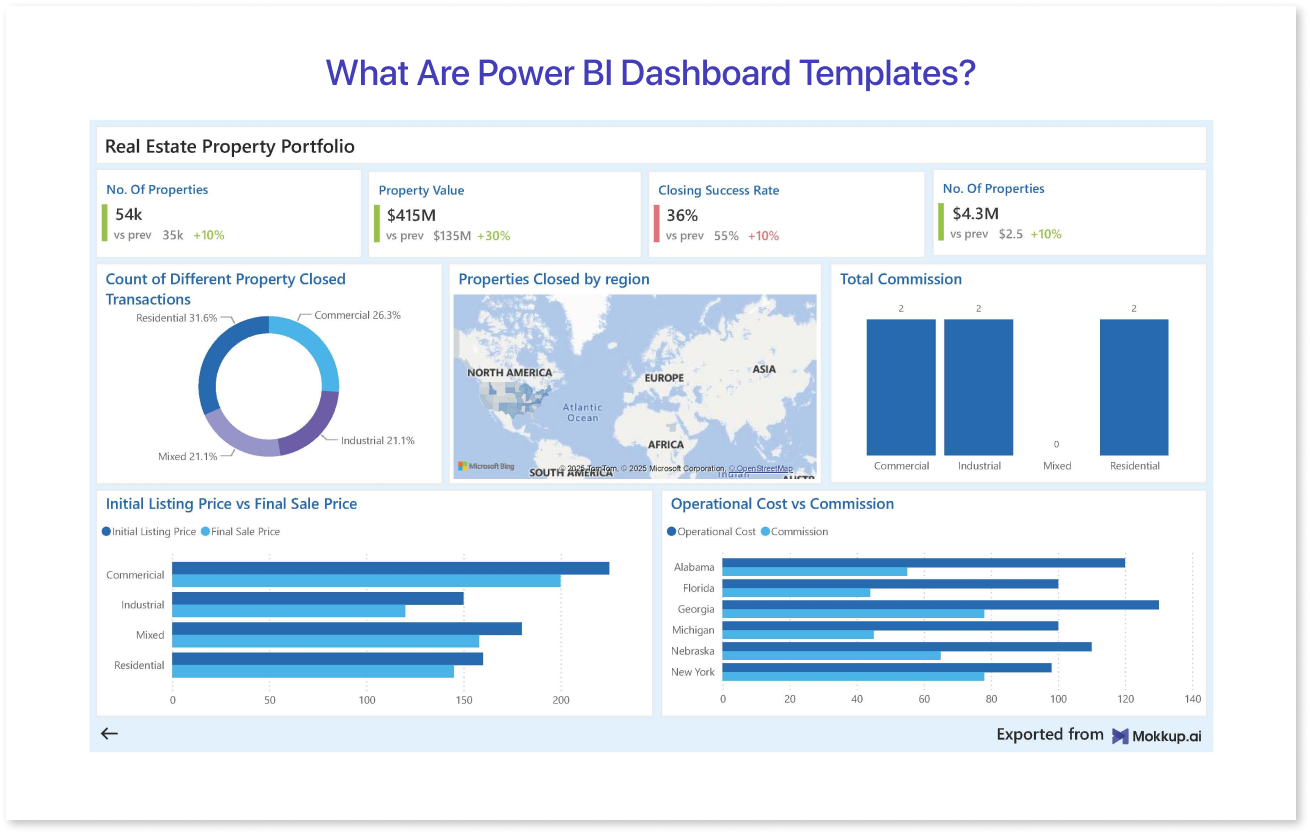
Power BI Dashboard Templates are pre-designed files that help users quickly build dashboards by providing a ready-made structure, layout, and visual elements. These templates often come with pre-configured charts, graphs, slicers, filters, and DAX formulas, allowing you to plug in your data without starting from scratch.
Instead of spending hours on layout, formatting, or data modeling, users can leverage these templates to present insights in a professional format. Most templates are built to address specific use cases, such as sales tracking, financial forecasting, marketing campaign analysis, or HR performance reviews, making them ideal for industry-specific needs.
There are two main file formats commonly associated with Power BI templates:
- .PBIT (Power BI Template File): Includes the report layout and data model without any actual data.
- .PBIX (Power BI Report File): Contains both the design and sample data, often used for learning or customization.
Templates may also be integrated with tools like Figma for design prototyping before building the actual report. These Figma Power BI Dashboard Templates are especially helpful for design teams collaborating with data professionals, ensuring a consistent visual language across reports.
In short, Power BI Templates help:
- Reduce dashboard creation time
- Improve data storytelling
- Maintain consistency in reporting
- Enable non-technical users to produce quality visuals
As more companies prioritize data-driven decisions in 2026, using the right template is becoming essential for reporting efficiency and accuracy.
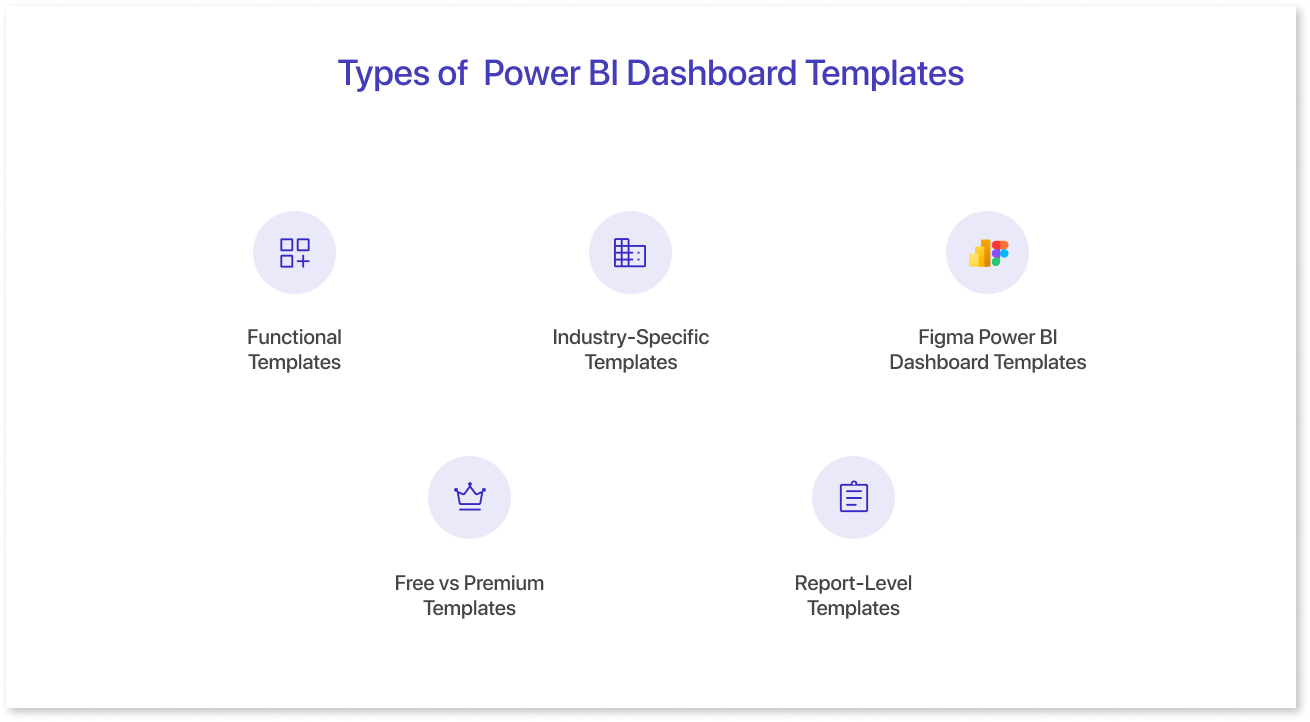
Types of Power BI Dashboard Templates
Power BI Dashboard Templates vary based on use case, industry, and level of customization. Selecting the right type helps present data more clearly and supports better decision-making. Below are the most common template categories used in 2026.
1. Functional Templates
These are designed around specific business functions or departments:
- Sales Dashboard Templates – Show KPIs like revenue, pipeline value, win rate, and regional performance. They help teams identify sales trends and forecast pipeline health. Using Power BI Templates ensures consistency across regions and sales reps.
- Marketing Dashboard Templates – Track campaign ROI, lead conversion, and channel performance. These Power BI dashboard templates make it easier to see which channels drive the most leads to optimize future campaigns accordingly. Many Free Power BI Templates already include built-in marketing KPIs for quick use.
- Finance Dashboard Templates – Monitor expenses, profit & loss, cash flow, and budget variances. They simplify financial reporting, allowing faster month-end closures and better expense tracking.
- HR Dashboard Templates – Analyze headcount, attrition, employee engagement, and hiring metrics. They give leaders a clear picture of workforce health and talent gaps. If required, they can also highlight diversity and employee satisfaction trends over time.
- Operations Dashboard Templates – Highlight supply chain performance, logistics, inventory levels, and production data. These dashboards are very useful for ensuring on-time delivery and reducing operational costs.
These templates are great for internal reporting and align well with predefined performance indicators.
2. Industry-Specific Templates
These templates cater to unique data needs across industries such as:
- Healthcare – Patient admissions, bed occupancy, and treatment effectiveness.
- Retail – Product-wise sales, footfall analysis, and inventory turnover.
- Manufacturing – OEE (Overall Equipment Effectiveness), downtime tracking, and defect rates.
- Education – Enrollment trends, academic performance, and faculty workload.
- E-commerce – Cart abandonment rates, average order value, and customer lifetime value.
3. Figma Power BI Dashboard Templates
Before implementation in Power BI, many teams use Figma Power BI Dashboard Templates for visual planning. These are static mockups created in Figma that show how the dashboard will look once built in Power BI. They are especially useful in the design handoff process and ensure brand consistency across reporting visuals.
4. Free vs Premium Templates
- Free Power BI Templates offer basic features and are ideal for individuals, startups, or anyone exploring Power BI without a big budget. They cover most standard metrics and layouts.
- Premium Power BI Templates include advanced visualizations, better UI/UX, more dynamic interactions, and sometimes custom visuals or third-party integration capabilities. They are designed for enterprises or professionals who need polished and high-performing reports.
5. Report-Level Templates
Also known as Power BI Report Templates, these include multiple tabs/pages and often span end-to-end reporting needs. They can cover a full sales funnel, multi-departmental dashboards, or strategic overview reports with drill-through capabilities.
By understanding the type of template that fits your goals, you’ll save time and ensure your dashboard resonates with your audience.
Best Free Power BI Dashboard Templates [2026 Edition]
If you’re just starting with Power BI or working within a tight budget, Free Power BI Templates can offer a surprisingly robust starting point. These templates are easy to download, simple to customize, and built for common business use cases. In 2026, many creators, Microsoft MVPs, and community contributors have released free templates with professional layouts and built-in DAX logic.
Here are some of the top free best Power BI dashboard designs worth exploring this year:
1. Microsoft Sample Power BI Templates
Microsoft continues to offer a range of free templates for practice and deployment. Popular options include:
- Sales & Marketing Sample – Combines sales pipeline data with campaign metrics.
- Financial Sample – Includes revenue, gross margin, and budget variance views.
- Human Resources Sample – Tracks employee satisfaction, headcount changes, and departmental stats.
You can download these from the official Power BI Samples GitHub page or the Power BI Desktop “Get Data” sample gallery.
2. PowerBI.Tips Free Templates
This site offers dozens of community-driven templates, especially useful for:
- Small business reporting
- Dashboard theming
- Layout templates with tabs, buttons, and consistent design
Some are designed using a combination of Power BI Desktop and Figma Power BI Dashboard Templates, providing visually polished interfaces even at the free level. This site offers dozens of community-driven dashboards, especially under PowerBI.Tips Free Templates, designed for consistent layout and theming.
3. AppSource Templates (Free Listings)
Microsoft AppSource features several free Power BI Report Templates created by third-party developers. Categories include:
- Retail sales summaries
- Web traffic and SEO metrics
- Expense tracking dashboards
These templates often include filters, slicers, and navigation buttons, making them suitable for business users who want interactive visuals with zero design effort. Microsoft AppSource Templates (Free Listings) feature several free Power BI Report Templates created by third-party developers.
4. GitHub & Community Repositories
Many data professionals share their work on GitHub, forums, and LinkedIn. In 2026, repositories tagged with “free Power BI templates” have gained traction, offering dashboards for:
- COVID-19 analytics
- Stock market overviews
- Energy consumption and sustainability KPIs
The quality varies, but you can find some hidden gems—especially if you're comfortable customizing layouts or connecting your own datasets. Many data professionals share templates on GitHub & Community Repositories, offering dashboards across industries.
5. Mokkup.ai Free Layout Templates
Design-first platforms like Mokkup.ai have begun offering free Power BI layout templates that can be exported into Power BI Desktop. While these templates don’t contain DAX or data, they provide drag-and-drop wireframes styled to Power BI dimensions, perfect for designers who want to collaborate on dashboard design before data is ready.
Top Premium Power BI Templates Worth Investing In
While free templates offer a solid foundation, Premium Power BI Templates take things to the next level with advanced visual design, deeper analytics, and ready-to-use business logic. In 2026, these templates are often created by BI consultants, Power BI partners, or UI/UX-focused design teams. They are especially useful for organizations that need polished reports without building everything in-house.
Here are some of the most recommended Power BI Dashboard Templates in the premium category this year:
1. Numerro Pro Templates
Numerro is known for its sleek UI and developer-friendly formatting. Their Pro templates include:
- Clean layouts with tabbed navigation
- Custom KPIs with DAX logic
- Enhanced visuals for sales, marketing, and financial dashboards
Numerro Pro Templates include sleek layouts, custom KPIs, and navigation-ready dashboard kits for Power BI.
2. DevScope Power BI Report Packs
DevScope offers Power BI Report Templates tailored to industries like retail, finance, and healthcare. Their templates include:
- Drill-through pages
- Conditional formatting
- Embedded analytics compatibility
- Integration with Dynamics 365 and other ERP systems
These packs are ideal for enterprise-grade reporting and can be scaled across departments.
3. Agile Analytics Template Store
Agile Analytics provides Premium Power BI Templates for operational, executive, and departmental needs. Their most popular products include:
- Executive Summary Dashboards
- Sales and CRM Analytics Reports
- Financial Statement Analysis
Each template is backed by DAX logic, slicers, and multi-page reporting structures that are ready for deployment.
4. BizInfograph Power BI Templates
BizInfograph templates stand out with their vibrant color palettes and thoughtful layouts. You’ll find:
- HR and Payroll dashboards
- Project Management templates
- Procurement and Inventory visuals
These templates also come with detailed user guides, making them beginner-friendly despite being premium.
5. Figma-to-Power BI UI Kits (Premium)
Design-first platforms are offering Figma Power BI Dashboard Templates with clickable prototypes and export instructions. These allow product teams and designers to work on visuals before the data team builds the report in Power BI. It’s especially helpful for:
- Agencies with branding requirements
- Enterprises needing internal UI approval
- Stakeholder presentations or demo dashboards
Some Figma UI kits are sold on platforms like UI8, Envato Elements, or direct from design agencies that specialize in data UX.
How to Choose the Right Template for Your Business
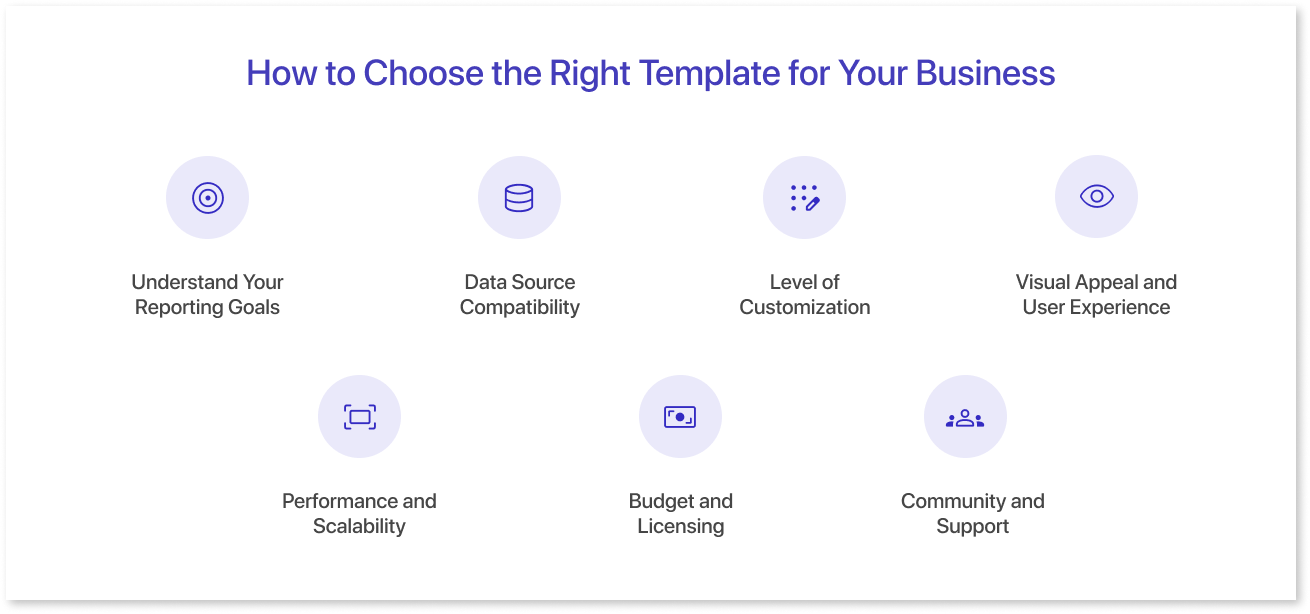
Selecting the perfect Power BI Dashboard Template can make or break the success of your data reporting efforts. With so many free and premium options available, it’s important to evaluate your business needs, technical capabilities, and goals before settling on a template.
Here are some key factors to consider when choosing a Power BI Template:
1. Understand Your Reporting Goals
Start by defining what you want to achieve with your dashboard. Are you tracking sales performance, monitoring customer behavior, or analyzing financial trends? Clear objectives help narrow down templates designed specifically for your use case. For example, a sales-focused dashboard should emphasize pipeline metrics and deal stages.
2. Data Source Compatibility
Ensure the template supports the data sources you use. Some Power BI Report Templates are built to integrate with specific systems like Salesforce, Dynamics 365, or Google Analytics. If your data is stored in Excel, SQL Server, or cloud platforms like Azure, check that the template can connect and refresh data seamlessly.
3. Level of Customization
Determine how much you need to customize the template. Free templates might have fixed layouts and limited interactivity, while premium templates often allow for adjustments to colors, KPIs, and page navigation. Consider if you have the internal skills or resources to make these changes.
4. Visual Appeal and User Experience
The look and feel of a dashboard affects adoption. Choose templates that follow best practices for data visualization—clear charts, readable fonts, logical navigation, and consistent colors. If branding is important, consider Figma Power BI Dashboard Templates that can be customized to match your corporate identity before development.
5. Performance and Scalability
Large datasets or complex calculations can slow down dashboards. Premium templates usually include optimized DAX formulas and performance tuning. Think about whether your business will scale reporting across departments or users, and pick templates designed for growth.
6. Budget and Licensing
Evaluate your budget for dashboard development. Free templates are ideal for small projects or proof of concepts, while premium options require investment but offer support, documentation, and advanced features. Weigh the cost against the time saved and potential impact on business decisions.
7. Community and Support
Templates from reputable sources often come with active community forums, tutorials, or customer support. This is particularly valuable if you’re new to Power BI or expect to modify the templates over time.
By carefully considering these factors, you’ll find a Power BI Template that not only fits your immediate needs but also supports your business growth and data culture.
Final Thoughts
Choosing the right Power BI Dashboard Template can save time and enhance how your data drives decisions. Whether you opt for free templates to get started or invest in premium options for advanced features, the key is selecting a design that fits your business needs and data sources. Combining these templates with tools like Figma ensures your dashboards look great and communicate insights effectively in 2026 and beyond.
Frequently Asked Questions
Power BI Dashboard Templates are ready-made report designs that speed up dashboard creation by providing pre-built layouts and visuals, helping users focus on data analysis instead of design.
Free templates are great for beginners and small projects, while premium templates offer advanced features, better customization, and professional support, ideal for larger businesses or complex reports.
Most templates let you change visuals, colors, and data connections. Premium templates often provide more flexibility and enhanced interactivity to match your business needs.
Top sources include Microsoft AppSource and PowerBI.Tips, GitHub, and design platforms like Figma. Additionally, tools like Mokkup.ai offer drag-and-drop dashboard wireframe templates that simplify the design process before development.
Yes! Mokkup.ai provides easy-to-use templates and wireframing tools tailored for Power BI dashboards, helping teams prototype designs quickly and collaborate effectively.
Best Power BI dashboard templates for small businesses could be free Power BI templates because they’re cost-effective, easy to customize, and cover essential functions like sales, finance, and marketing without needing advanced technical skills. Once the business grows, they can shift to more advanced industry-specific templates
To import and use a .PBIT file, open Power BI Desktop, select File > Import > Power BI Template, connect your data sources, and refresh. Power BI Templates then generate dashboards automatically.
Yes, there are specific Power BI Templates built for industries like e-commerce and healthcare. You’ll find Free Power BI Templates for basic tracking, while Premium Power BI Templates offer advanced, customizable analytics.
Premium Power BI Dashboard Templates offer advanced visuals, polished layouts, optimized performance, and deeper customization. They save time and make reports feel polished and professional.
Prompt it. Wireframe it with Mokkup.ai.
