
Business Intelligence helps businesses grow by using data. A Power BI developer is an important part of this. They will build the dashboards that analysts will use to find trends. They work with different teams to help the business succeed. Companies use different tools for Business Intelligence, and Power BI is very popular. With growing interest in roles like Power BI developer, many professionals are also searching for information on Power BI developer salary, career paths, and how to build a strong Power BI developer resume.
In this guide, we'll talk about the Power BI developer job, what it involves, how the job market looks, how you can grow your career, the skills you need, and tips on becoming a Power BI developer.
Table of Contents
- What is Power BI?
- What is a Power BI Developer?
- What’s New for Power BI Developers in 2026
- How Much Does a Power BI Developer Make?
- Roles and Responsibilities of a Power BI Developer
- Power BI Skills That Matter More in 2026
- How to Become a Power BI Developer?
- Career Outlook for Power BI Developers in 2026
- Why are Companies Hiring More Power BI Professionals?
What is Power BI?
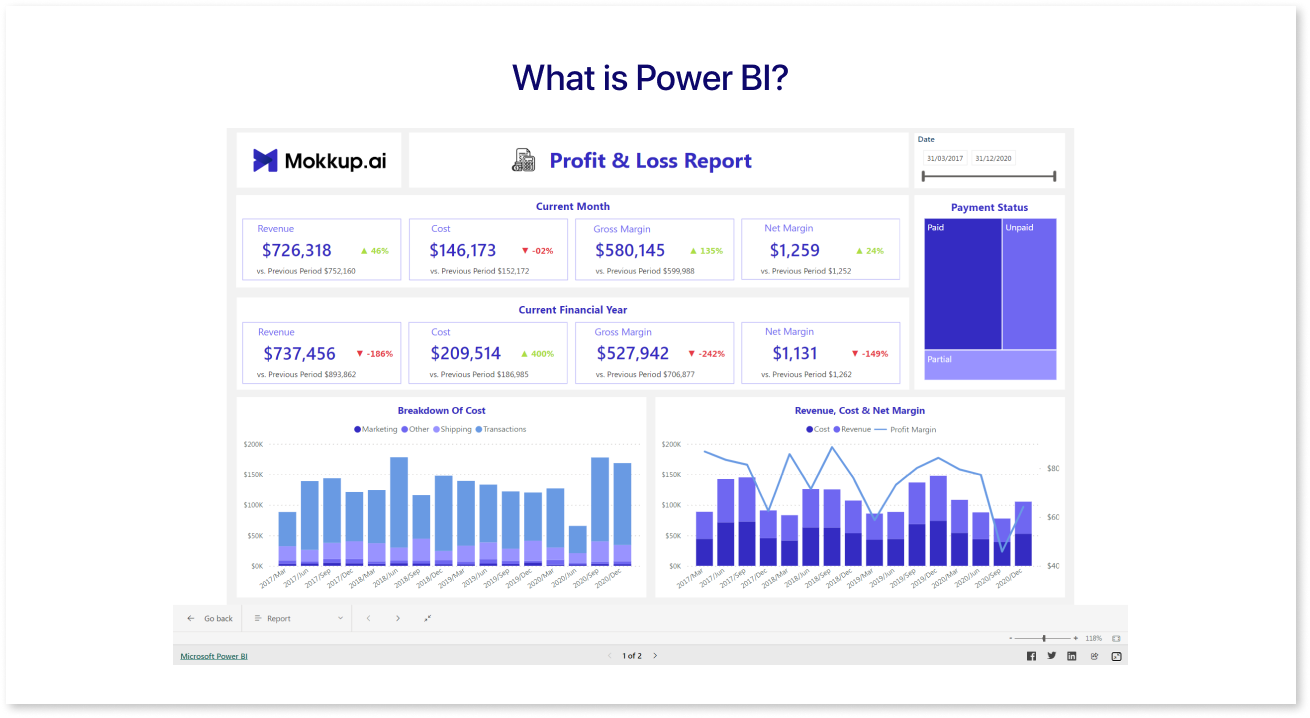
Microsoft provides Power BI as a tool for advanced business analytics and data visualization. It's widely used because it can work with many different types of data. Power BI organizes the data, making it easier to understand through visual reports. It comes with tools for modeling, preparing, and analyzing data, making it useful for managing large, complex datasets to extract valuable information.
What is a Power BI Developer?
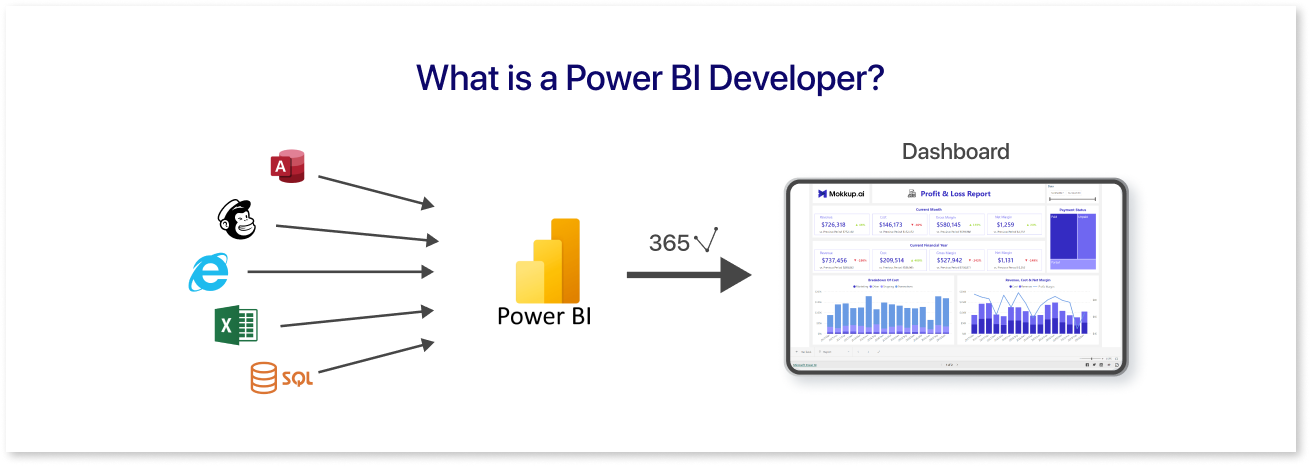
Power BI developers are part of a company's analytics team, focusing on business intelligence (BI). They handle data preprocessing, analysis, and visualization, aiming to provide actionable insights for business stakeholders. Their specialty lies in creating Power BI dashboards, although other data visualization tools are also used in BI.
So, why choose Power BI over other tools like Tableau, R, or Excel?
Microsoft Power BI, developed by Microsoft, excels at handling large databases to create dashboards that enhance business performance. Unlike Excel, it doesn't struggle with large datasets.
Moreover, Power BI offers built-in data transformation and modeling features, setting it apart from other BI tools. Its extensive connectivity options allow importing databases in various formats, accessing data from APIs, and connecting to cloud-based data sources.
Most importantly, Power BI empowers users to craft engaging, interactive dashboards and continuously update them with real-time data streams & it’s also free to use for desktops, making it more accessible.
Here's a comparison table of various data visualization tools based on factors such as pricing, usability, and data sources:
|
Data Source |
Pricing Model |
Usability |
|
Microsoft Excel |
Included in the Power BI license |
Easy to use, widely used for small to medium datasets |
|
SQL Server |
Included in the Power BI license |
Robust, suited for large datasets, requires SQL knowledge |
|
Azure SQL Database |
Included in Power BI license, pay-as-you-go for Azure services |
Scalable, cloud-based, requires an Azure subscription |
|
Oracle Database |
Included in the Power BI license |
Suited for enterprise-level data, may require Oracle licensing |
|
Google Analytics |
Included in the Power BI license |
Useful for web analytics, requires a Google Analytics account |
|
MySQL |
Included in the Power BI license |
An open-source, widely used relational database requires a MySQL server |
What’s New for Power BI Developers in 2026
Power BI continues to evolve beyond traditional dashboards. In 2026, the role of a Power BI Developer will increasingly combine analytics, automation, and AI-assisted insights.
One major shift is the deeper integration of Microsoft Copilot within Power BI. Developers can now use natural language to generate DAX measures, create report pages, and summarize insights faster. This reduces manual effort and allows developers to focus more on data modeling and business logic rather than repetitive tasks.
How Much Does a Power BI Developer Make?
Becoming a Power BI developer takes effort, but it can be rewarding. According to Glassdoor, entry-level Power BI developers in the US earn around $92,998 per year, including bonuses.
As you gain experience, your salary grows. A senior Power BI developer with 15+ years of experience can make about $112,457 annually. The role also puts you in regular contact with senior leadership, which can open doors for career growth.
Many developers move up to Analytics Manager, overseeing teams and working closely with stakeholders. Starting salaries for this role are around $109,000 per year, and experienced managers can earn up to $169,109.
There’s also the option to shift toward data science. With additional skills in programming and statistics, a Power BI developer can leverage existing experience to transition. Entry-level data scientists earn about $108,235, while experienced professionals can make up to $157,784 annually.
Salaries vary by region, industry, and cloud analytics expertise. For now, focusing on mastering the Power BI developer role is the first step toward these opportunities.

Roles and Responsibilities of a Power BI Developer
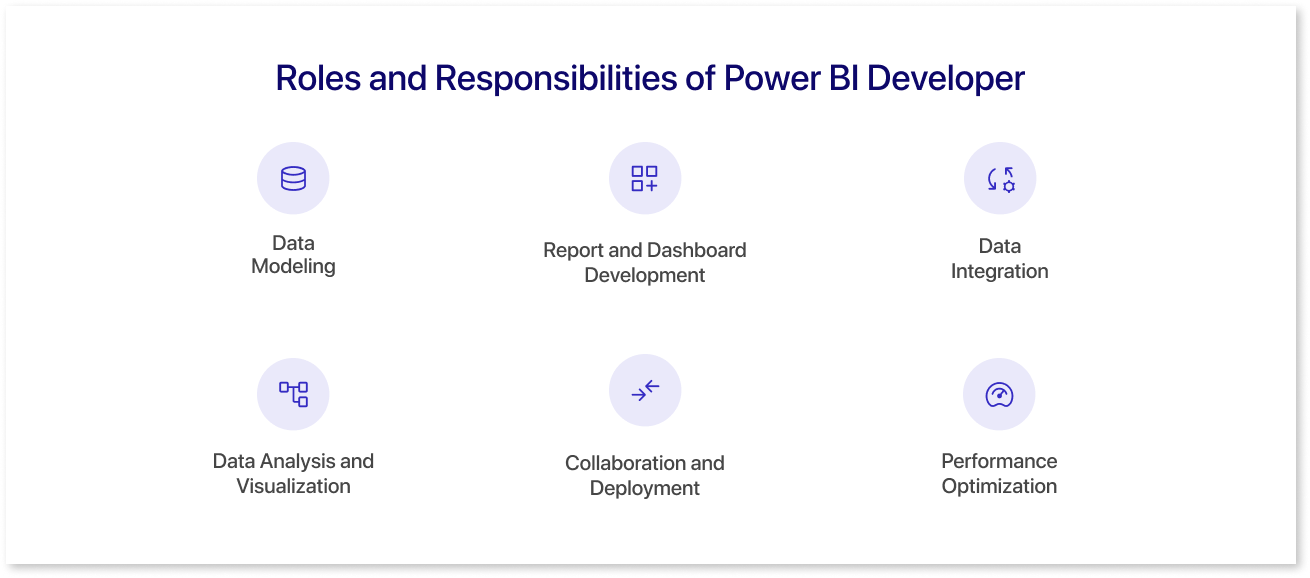
Some key roles and responsibilities of a Power BI developer are:
- Data Modeling: They organize and clean data from different sources to create accurate data models.
- Report and Dashboard Development: They make visually appealing reports and dashboards with various elements to convey information clearly. They update these based on project progress.
- Data Integration: Power BI developers integrate data from various sources like APIs, spreadsheets, databases, and cloud services. They may either write SQL queries or utilize ETL tools for this task. They can either handle it themselves or enlist the help of a data engineer.
- Data Analysis and Visualization: They create visualizations to identify patterns, trends, and insights to aid decision-making, ensuring effective communication of findings.
- Collaboration and Deployment: Power BI developers collaborate with various teams to ensure project requirements are met effectively and efficiently. This may involve coordinating with stakeholders, data engineers, and other team members to deploy and optimize Power BI solutions.
- Performance Optimization: Continuously improving Power BI solutions for faster response times, including optimizing data models and queries, troubleshooting issues, and ensuring reliability and scalability.
Power BI Skills That Matter More in 2026
While core skills like DAX, Power Query, and data modeling remain essential, employers now expect Power BI Developers to bring broader, enterprise-ready capabilities. These skills not only impact job readiness but also influence Power BI developer salary growth and long-term career opportunities.
In 2026, high-demand skills include:
- Working with large semantic models and optimized datasets
- Managing deployment pipelines, workspaces, and governance rules
- Understanding Microsoft Fabric and Lakehouse architectures
- Implementing Row-Level Security (RLS) and compliance standards
- Designing reusable, scalable data models instead of one-off reports
This shift reflects Power BI's growing use in enterprise analytics environments rather than isolated reporting projects.
How to Become a Power BI Developer?
How to Become a Power BI Developer?
Becoming a Power BI Developer in 2026 requires a mix of strong data fundamentals, hands-on experience, and an understanding of modern BI workflows. Below are the key steps to build job-ready skills and grow into the role.
1. Build a Strong Knowledge Base
Start with the basics of data analysis and visualization. Tools like Microsoft Excel and Google Sheets help you understand data structures, formulas, and basic analytical concepts. Supplement this learning with online documentation, tutorials, and community forums that offer practical examples, troubleshooting tips, and real-world insights from experienced professionals.
2. Learn Power BI Fundamentals
Get familiar with Power BI Desktop by exploring its core features and building simple reports. Focus on understanding how data is represented through visuals and how users interact with dashboards. At this stage, developing strong data literacy is essential, as it helps you translate raw data into meaningful insights.
3. Understand Data Modeling
Data modeling remains a core skill for Power BI Developers. Learn how to:
- Create and manage relationships between tables.
- Build measures and calculated columns.
- Use hierarchies for easier data exploration.
A well-designed data model improves performance, scalability, and report accuracy.
4. Master Advanced Power BI Concepts
Once you understand the basics, move on to advanced capabilities, including:
- Data transformation using Power Query
- Writing optimized calculations with DAX
- Improving report performance and refresh efficiency
- Managing data security with features like Row-Level Security (RLS)
These skills are critical for building reliable and enterprise-ready dashboards in 2026.
5. Practice and Build a Portfolio
Before building dashboards in Power BI, plan your layout and user experience using wireframing tools like Mokkup.ai. You can create dashboard wireframes to define the layout structure before working with data. Mokkup also offers Create with AI to speed up dashboard planning, along with BI export options for Power BI and Tableau, helping you move efficiently from design to development.
Once the wireframe is finalized, build the dashboard in Power BI using Power Query and DAX. Use a mix of visuals and follow core design principles such as layout consistency, readability, and color balance.
Showcase multiple dashboards in your portfolio using screenshots or interactive demos. Highlight key calculations, unique features, and the business problems your dashboards solve to demonstrate both technical and analytical skills. A well-documented portfolio also strengthens your Power BI developer resume, helping recruiters quickly assess your technical and analytical capabilities.
6. Earn Power BI Certifications
Complete online courses and pursue Power BI certifications to validate your skills. Certifications strengthen your profile, reinforce best practices, and help employers assess your expertise more easily.
Career Outlook for Power BI Developers in 2026
The demand for Power BI Developers continues to grow, especially for professionals who can combine BI skills with cloud data platforms and AI capabilities.
In 2026, many Power BI professionals are moving into hybrid roles such as:
- Analytics Engineer
- BI Consultant
- Data Visualization Specialist
- Fabric Analytics Developer
As organizations adopt AI-driven decision-making, Power BI Developers who understand both data modeling and business context will remain highly valuable across industries.
Why are Companies Hiring More Power BI Professionals?
Numerous reasons that account for the increased demand for the role of Power BI developer are listed as follows:
- There's a significant demand for professionals skilled in data analysis and visualization. Companies need experts who can interpret data and uncover insights to guide decision-making.
- Power BI is widely used for its user-friendly interface, advanced features, and ability to handle large datasets. As a result, individuals with technical expertise in Power BI are highly sought after.
- With the increasing volume and complexity of data due to digitization, companies need to harness their data effectively. This requires skilled professionals who can modify, customize, and transform data to address important business questions.
- In today's fast-paced environment, real-time reporting is crucial for quickly adapting to market changes. Power BI professionals play a vital role in providing connectivity and up-to-date information for future insights and decision-making.
- Moreover, Power BI professionals can gain a competitive edge by identifying patterns, trends, and weaknesses in competitors' data. This innovative approach to problem-solving can lead to growth and success in a competitive market.
Final Thoughts
In conclusion, embarking on the journey to become a Power BI developer opens a world of opportunities in data analysis and visualization. With the increasing demand for professionals adept at harnessing data, mastering Power BI is a valuable skill set. Using tools like Mokkup.ai, a cloud-based dashboard wireframing tool, can streamline dashboard creation, allowing you to focus on the insights your reports convey.
It enhances the learning experience, allowing aspiring developers to practice and refine their skills effectively. By investing time and dedication in learning Power BI, individuals can position themselves as indispensable assets in today's data-driven business landscape, unlocking exciting career prospects and endless possibilities.
Frequently Asked Questions
Yes, Power BI remains a strong career choice in 2026. As businesses increasingly rely on data-driven decision-making, skilled Power BI professionals are in high demand across industries, offering opportunities in analytics, reporting, and business intelligence.
A Power BI developer should have strong skills in data modeling, DAX, Power Query, and report/dashboard design. Knowledge of SQL and data visualization principles is also essential to effectively turn data into actionable insights.
The learning curve for Power BI depends on your background. Beginners can grasp core features in 4–6 weeks, while advanced skills like DAX, Power Query, and complex dashboards may take 3–6 months of consistent practice and hands-on projects.
Yes, Power BI allows you to create dashboards and reports without deep programming knowledge. However, familiarity with formulas like DAX and basic SQL can enhance your capabilities and make you more competitive in the job market.
Prompt it. Wireframe it with Mokkup.ai.