
Data visualization tools have become essential to how businesses work with data today. They help turn complex numbers into clear charts and dashboards, making it easier for teams to understand trends and make decisions quickly. But when it comes to choosing a tool, the big question is: Should you stick with a free option or invest in a paid one?
The demand for these tools is growing fast. In fact, the global data visualization tools market is expected to reach $10.2 billion by 2026, with an annual growth rate (CAGR) of 11.6% between 2021 and 2026. This makes it even more important to know whether a free tool can meet your needs or if the extra features of a paid solution are worth the investment.
Table of Contents
- Why Your Tool Choice Can Make or Break Your Workflow
- What’s the Consequence of One Wrong Choice?
- What Really Makes a Tool Work
- Popular Free Data Visualization Tools
- Exploring Paid Data Visualization Tools
- How to Pick the Right Data Visualization Tool
Why Your Tool Choice Can Make or Break Your Workflow
The tool you choose is more than just a platform; it sets the tone for how well your team collaborates with data. A good fit allows you to explore, share, and act on insights without wasting time dealing with limitations. However, making the wrong choice can lead to messy reports and missed opportunities.
As businesses increasingly rely on data-driven decisions, the importance of your tool selection becomes clear. Free tools can get you started, but frequently limit your potential as your data requirements grow. With their advanced features and scalability, paid tools can help you keep up with growth and stay ahead when timely, reliable insights are vital.
What’s the Consequence of One Wrong Choice?
One poor decision in selecting a data visualization tool can throw your entire workflow off balance. When the tool does not provide insights quickly, leaders lose patience and rely on gut instincts or out-of-date spreadsheets. At the same time, analysts spend more time fixing problems than uncovering insights, reducing overall productivity.
The impact is bigger than it appears. A single poor decision at the start can result in missed opportunities, delayed projects, and wasted funds. What seems to be a minor compromise at first can quickly escalate into months of lost time and resources that could have been avoided with the right tool.
What Really Makes a Tool Work
Looking at many implementations, one thing stands out: success isn’t about having the fanciest features but how well the team uses the tool. The best organizations choose tools that match their team’s skills but leave room to grow.
A smart approach is to begin with free visualization software to test the waters and demonstrate results. When the team is comfortable and ready for more, transitioning to a paid tool with additional features is much simpler and more effective.
Popular Free Data Visualization Tools
Free data visualization platforms are a great starting point for individuals and small teams. They make creating charts, graphs, and dashboards easy without investing money up front. And don’t mistake “free” for “basic”, many of today’s no-cost tools now deliver features that used to come with enterprise solutions priced at $100,000 just five years ago.
While they may not cover everything paid platforms offer, they’re perfect for experimenting, learning, or handling smaller projects. Here are some of the most popular free options:
1. Google Data Studio (Looker Studio):
A free Google tool that allows you to create shareable dashboards by directly connecting to Google Analytics, Sheets, BigQuery, and other data sources.
- Pros: Easy to use, integrates smoothly with other Google products, and is suitable for quick dashboards.
- Cons: Limited customization, struggle with large datasets, and fewer advanced features.
2. Tableau Public:
Tableau's free version allows you to create interactive, professional-looking dashboards and publish them online for anyone to view.
- Pros: Powerful visualizations, industry recognition, great for building a portfolio, and plenty of dashboard examples available online for inspiration.
- Cons: No option to keep dashboards private, requires some learning curve.
3. Microsoft Power BI Desktop:
A desktop application from Microsoft that offers strong visualization capabilities and works well with Excel and other Microsoft tools.
- Pros: Rich features and smooth Excel integration are ideal for personal projects.
- Cons: Limited collaboration is allowed in the free version, and cloud sharing requires a paid plan.
4. Chart.js:
An open-source JavaScript library that allows developers to create responsive and customizable charts for web applications.
- Pros: Free, lightweight, highly customizable.
- Cons: It requires coding skills, is not beginner-friendly, and has limited out-of-the-box features.
5. RAWGraphs:
Another open-source platform that allows you to create more experimental or complex chart types without coding.
- Pros: Supports unique chart types, is easy to use, and requires no coding.
- Cons: The interface feels less polished, has limited built-in support, and requires manual visualization exporting.
6. Zoho Analytics (Free Plan):
A cloud-based analytics tool that allows small teams to create reports and dashboards with built-in templates.
- Pros: Cloud access, easy to use, includes pre-built templates.
- Cons: The Free plan has row and feature limits, and advanced options are available only in paid plans.
7. Mokkup.ai:
A cloud-based dashboard wireframing tool that lets BI developers, analysts, and business users design dashboards before connecting data. Mokkup offers a free version and different paid plans, making it easy to start small and scale as projects grow.
- Pros: It simplifies dashboard planning, supports collaboration, follows BI best practices, and is available in free and paid versions.
- Cons: Focused on wireframing (not full-fledged BI analysis), advanced features unlock only in paid plans.
These free tools show that data visualization does not always require a large budget. They're powerful enough to provide real value, and for many teams, they're an excellent starting point before moving on to paid solutions.
Exploring Paid Data Visualization Tools
While free tools are a good starting point, paid data visualization software provides more depth. These tools are intended for larger teams, more complex datasets, and organizations that require advanced analytics, security, and collaboration capabilities. They don't just add functionality; they also provide reliability and scalability that free tools often lack.
Here are some of the most popular paid data visualization tools:
1. Tableau:
Tableau, one of the industry's best-known names, provides powerful analytics and highly customizable interactive dashboards.
- Pros: Advanced visualizations, strong community support, and integration with many data sources.
- Cons: Can be expensive, has a steeper learning curve for beginners.
2. Microsoft Power BI Pro / Premium:
Power BI's paid versions include cloud sharing, team collaboration, AI-driven insights, and free desktop features.
- Pros: Affordable compared to many competitors, seamless integration with Microsoft products, and strong enterprise features.
- Cons: Limited flexibility outside the Microsoft ecosystem, large datasets may require premium plans.
3. Qlik Sense:
A paid tool that focuses on self-service analytics and associative data exploration, allowing users to discover previously unknown insights.
- Pros: Strong for interactive exploration, good scalability, AI, and ML integration.
- Cons: Pricing can be complex, and the interface feels less intuitive for new users.
4. Looker (Google Cloud):
A modern business intelligence platform that prioritizes embedded analytics, customizable dashboards, and robust cloud integration.
- Pros: Excellent for cloud-first organizations, powerful data modeling, and integrates tightly with Google Cloud.
- Cons: It can be costly and requires expertise to set up data models effectively.
5. Domo:
A cloud-based platform designed for enterprise data visualization and business intelligence, with strong mobile access.
- Pros: All-in-one platform, real-time dashboards, easy sharing, and collaboration.
- Cons: Higher pricing, may feel overwhelming for smaller teams.
6. Sisense:
A paid BI tool known for its ability to handle complex data and embed analytics directly into applications.
- Pros: Strong for embedding analytics, good scalability, and customizable.
- Cons: It requires technical expertise; the cost can be high for smaller businesses.
7. Mokkup.ai:
Mokkup offers paid plans that unlock advanced features, including real-time collaboration, exporting wireframes directly into Tableau and Power BI files, and generating dashboard wireframes using the Gen AI feature by simply typing a prompt.
- Pros: It simplifies dashboard planning, supports real-time collaboration, offers BI export into Tableau and Power BI, and Gen AI accelerates wireframe creation and scales with team needs.
- Cons: Focused on wireframing rather than complete BI analysis, advanced features are only available in paid plans.
Paid tools offer teams the flexibility, scalability, and advanced features required for complex projects and large datasets. Choosing the right paid solution can help organizations streamline workflows, improve collaboration, and quickly convert data into actionable insights.
How to Pick the Right Modern Data Visualization Tool
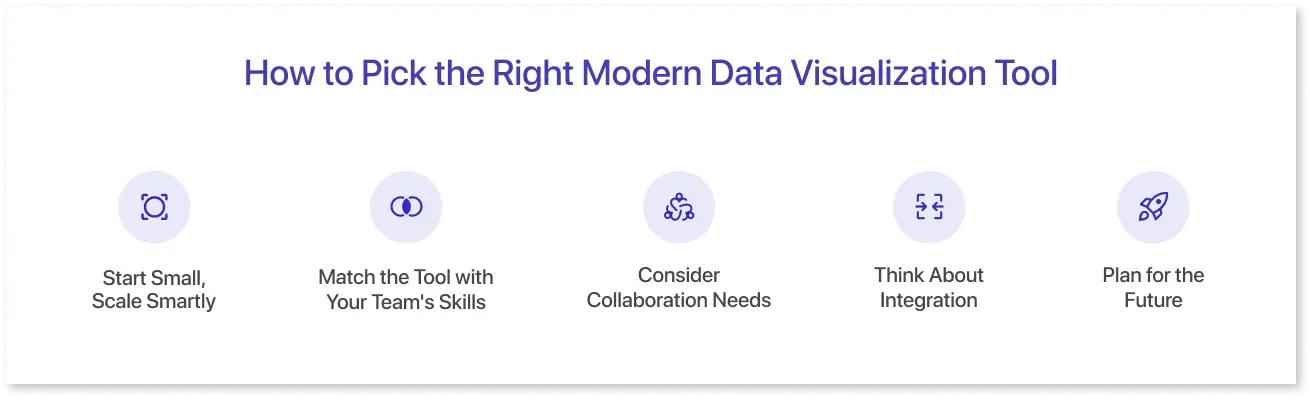
Picking the right data visualization tool doesn’t have to be overwhelming. Here are some simple tips to help you decide:
- Start Small, Scale Smartly: If you're only exploring or working with small datasets, free tools like Google Data Studio, Power BI Desktop, or Mokkup's free version are ideal for testing ideas and demonstrating value.
- Match the Tool with Your Team's Skills: Don't choose a tool solely because it has fancy features. Choose one that your team can use effectively today while allowing for future growth as skills improve.
- Consider Collaboration Needs: If multiple people need to work on dashboards or share insights, look for tools that support real-time collaboration, such as Mokkup's paid plans or Tableau/Power BI paid versions.
- Think About Integration: Choose a tool that connects well with your existing data sources and workflows. Strong integration ensures you can move smoothly from design and planning to building and sharing dashboards without wasting time on extra steps.
- Plan for the Future: Free tools are great to get started, but as your data needs grow, moving to paid tools can save time, reduce frustration, and unlock advanced analytics. Consider a tool that offers free and paid plans to transition smoothly.
Choosing the right data visualization tool requires balancing your team's current needs with future growth. Start simple, plan, and select a tool that allows you to turn data into action.
Conclusion
Choosing the right data visualization tool can be daunting, but it doesn't have to be. Whether you start with a free tool or invest in a paid solution, the most important thing is to find a platform that fits your team's workflow, current skill level, and long-term goals.
Free tools are ideal for learning, experimenting, and demonstrating value without requiring a significant initial investment. In contrast, paid solutions provide advanced features, improved collaboration, and scalability as your data requirements grow.
Frequently Asked Questions
Free tools usually provide essential charting and dashboard features, good enough for personal or small-team use. Paid tools go further, offering advanced analytics, automation, enterprise-level security, seamless integrations, and dedicated support.
Free tools can serve startups or small businesses well, especially for simple reporting. However, as data grows in size and complexity, most companies eventually move to paid tools for scalability and efficiency.
Some widely used free options include Google Looker Studio, Tableau Public, Microsoft Power BI Free, and Mokkup. They are popular for their accessibility, ease of use, and ability to get quick insights without heavy investment.
Paid tools offer advanced functionality that free versions lack, like handling large datasets, real-time collaboration, custom integrations, and strong governance. These features often translate into faster decisions and better data-driven strategies for businesses.
Free tools often limit the size of datasets, restrict collaboration or sharing options, and lack enterprise-level features like automation, API integrations, or dedicated customer support. They’re great for starting out, but can become restrictive as needs grow.
Prompt it. Wireframe it with Mokkup.ai.