
In today's data-driven world, the ability to present information clearly and effectively is paramount. Graphs and charts serve as powerful tools in this endeavor, transforming complex datasets into visual formats that are easier to comprehend. Among the myriad of graphical representations available, line graphs and bar graphs are two of the most prevalent. Understanding when and how to use each is crucial for accurate data representation and analysis. This comprehensive guide delves into the nuances of these graphs, elucidating their structures, applications, and the contexts in which each excels.
Table of Contents
- Understanding Bar Graphs
- Understanding Line Graphs
- Bar Graph vs. Line Graph: Key Differences
- Creating Effective Bar and Line Graphs
- When to Use a Line Graph
- When to Use a Bar Graph
- Combining Bar and Line Graphs in One Chart
- Tools That Support These Charts
- Common Challenges and How to Overcome Them
Understanding Bar Graphs
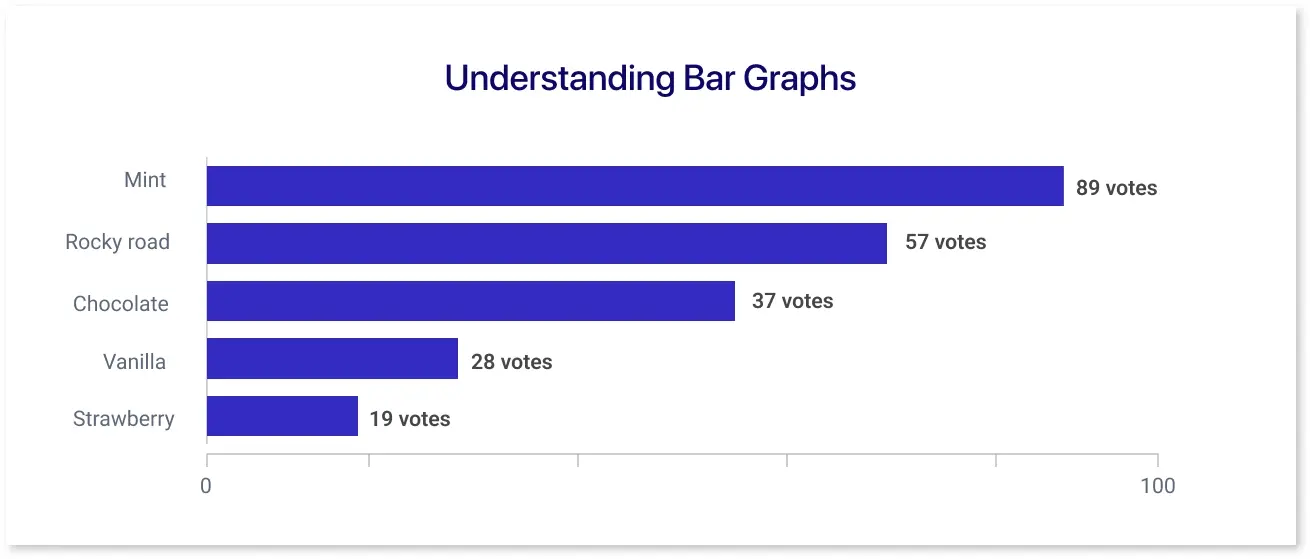
A bar graph, also known as a bar chart, employs rectangular bars to represent data values. The length or height of each bar is proportional to the value it signifies. Bars can be oriented either vertically or horizontally, depending on the presentation's requirements. Typically, the horizontal axis (x-axis) displays the categories being compared, while the vertical axis (y-axis) represents the measured values. This structure makes bar graphs particularly effective for comparing discrete categories or groups.
There are several variations of bar graphs, each tailored to specific data visualization needs:
- Vertical Bar Graphs: Bars extend vertically from the x-axis. Commonly used to compare different categories.
- Horizontal Bar Graphs: Bars extend horizontally from the y-axis. Useful when category names are lengthy.
- Stacked Bar Graphs: Multiple data series are stacked within a single bar, illustrating part-to-whole relationships.
- Grouped (Clustered) Bar Graphs: Groups multiple bars together for each category, allowing comparison between different data series within the same category.
Bar graphs are particularly effective when comparing discrete categories, displaying frequency distributions, or highlighting individual values. For instance, a company wanting to compare the annual sales performance of its different product lines can use a bar graph to effectively display each product line's sales, facilitating straightforward comparisons.
Understanding Line Graphs
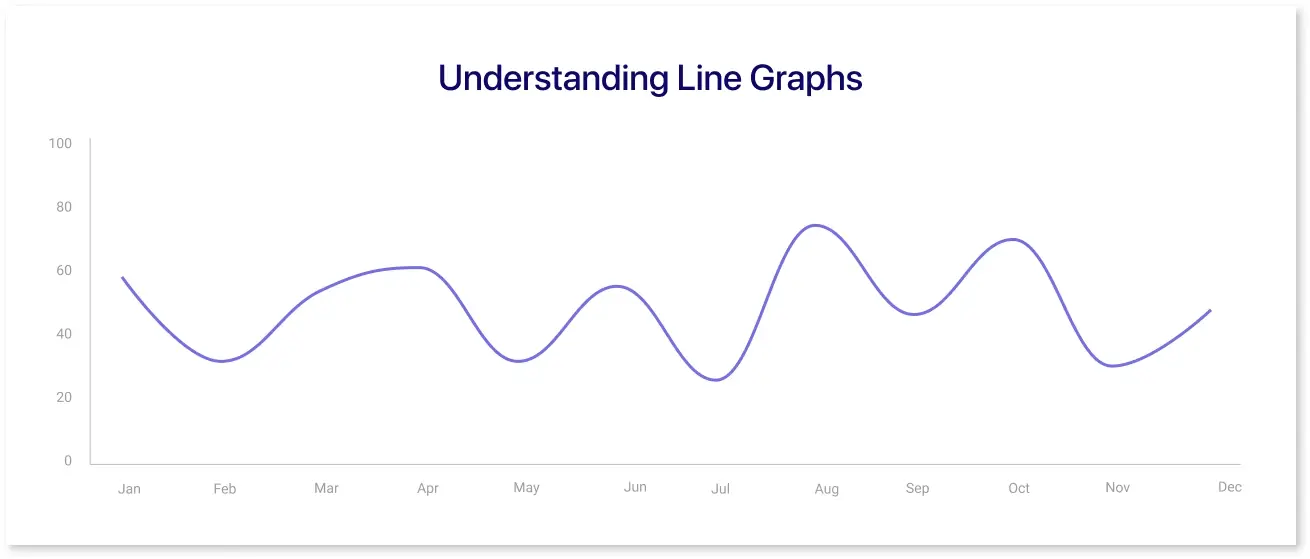
A line graph is a type of graph that uses a line or lines to illustrate data. A line graph is useful because it allows you to visualize the relationship between two variables over time or space. Take one of the examples of dashboard wireframing, where you have data on the number of people who have visited your website each month; you can plot that data on a line graph over time and see how it changes over time.
It connects individual data points with straight lines, illustrating trends over time or continuous data sequences. It's particularly adept at showcasing how a particular variable changes over intervals. In a line graph, the x-axis typically represents time or sequential data points, while the y-axis denotes the measured values. This structure makes line graphs ideal for tracking changes and trends over periods.
Line graphs can be categorized into:
- Simple Line Graph: Displays a single data series, tracking one variable over time.
- Multiple-Line Graph: This graph features multiple lines, each representing a different data series, allowing for comparison between variables.
- Compound Line Graph: Stacks multiple variables to show total quantities and their individual contributions over time.
Line graphs are most effective when showing trends over time, analyzing continuous data, or comparing multiple data series. For example, an environmental agency monitoring the average monthly temperature over several years can use a line graph to effectively depict temperature fluctuations and trends over time.
Bar Graph vs. Line Graph: Key Differences
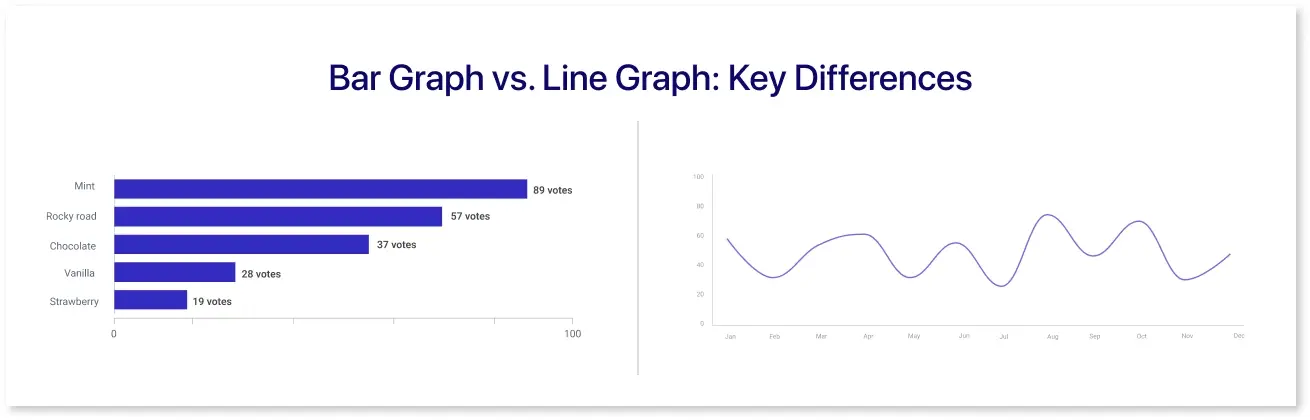
Understanding the distinctions between bar graphs and line graphs is crucial for selecting the appropriate visualization.
|
BAR GRAPHS |
LINE GRAPHS |
|
|
Data Type |
Best suited for categorical data where distinct groups are compared. |
Ideal for continuous data, especially to show trends over time. |
|
Purpose |
Emphasize individual category comparisons. |
Highlight trends, patterns, and changes over intervals. |
|
Visual Representation |
Use separate bars for each category. |
Connect data points with lines to depict progression. |
|
Axes Orientation |
Categories on one axis and values on the other. |
Typically, time is on the x-axis, and the variable of interest is on the y-axis. |
|
Data Density |
Can become cluttered when displaying a large number of categories. |
Better suited for displaying numerous data points, especially when showing trends over time. |
Creating Effective Bar and Line Graphs
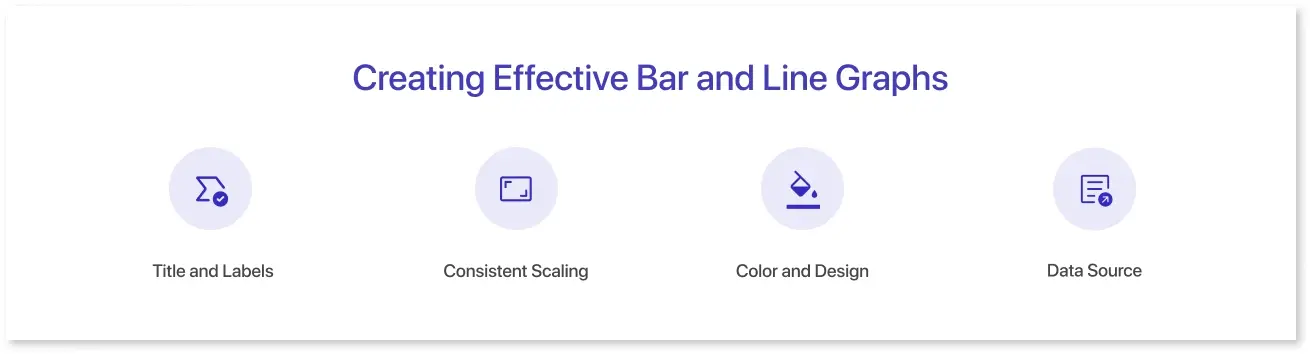
To ensure clarity and effectiveness in your graphs:
1. Title and Labels:
- Provide a descriptive title that succinctly conveys the graph's purpose.
- Label both axes clearly, including units of measurement where applicable.
2. Consistent Scaling:
- Use consistent intervals on axes to avoid misinterpretation.
- Ensure that the scale accurately reflects the data's range and distribution.
3. Color and Design:
- Use distinguishable colors for different data series to enhance readability.
- Avoid clutter and unnecessary design elements that may distract from the data.
4. Data Source:
-
Always cite the source of your data to maintain credibility and allow for verification.

When to Use a Line Graph
Use a line graph when you want to display trends or patterns that unfold over a continuous interval — especially time. In the comparison of line graph vs bar graph, line graphs are clearly better for visualizing data progression, growth patterns, or fluctuations over days, months, or years. For instance, if you're tracking monthly active users or yearly revenue growth, a line graph helps highlight the direction and pace of change with clarity.
This type of graph works well when your dataset is connected and shows meaningful transitions from one point to the next. In contrast to a bar and line graph, which can combine both elements, a pure line graph excels when continuity and trend analysis are your top priorities. It’s also ideal for displaying multiple data series simultaneously — such as comparing sales from different regions over time.
Best scenarios to use a line graph:
- Trend over time: Track monthly revenue, daily temperatures, or website traffic across weeks.
- Continuous data: Perfect for datasets where values are connected, such as time, speed, or growth.
- Highlight subtle changes: Even small fluctuations between intervals are easy to spot.
- Compare multiple series: Great for showing the performance of different categories on the same timeline.
- Forecasting: Use past trends to project future performance or anticipate upcoming changes.
Avoid using line graphs when:
- You have unrelated categories.
- The x-axis doesn't represent continuous intervals.
When to Use a Bar Graph
Bar graphs are best for visualizing and comparing values across distinct, unrelated categories. If you're trying to decide between using a bar graph vs line graph, the bar graph is the clear winner for highlighting contrasts between different groups — such as revenue by department, number of users by age group, or product popularity by region.
While a bar and line graph can be used together to show both trends and values, a dedicated bar graph remains more effective when you don’t need to display continuous changes. For example, when showing how five departments performed last quarter, the bar chart offers a clearer, faster way to compare values. In the line graph vs bar graph debate, this format works best for quick visual impact and easily digestible rankings.
Best scenarios to use a bar graph:
- Categorical comparisons: Compare sales by region, customer segments, or product types.
- Rankings: Display top-performing teams, most popular features, or highest-earning branches.
- Grouped or stacked data: Visualize subcategories within a group (e.g., product types by quarter).
- Highlighting differences: Clearly shows which items outperform others, especially when ordered by size.
- Labeling clarity: Bar graphs are easier to label and annotate, especially in horizontal format.
Avoid using bar graphs when:
- You're showing trends across time (use a line graph instead).
- The dataset is too large — it may look cluttered with too many bars.
Combining Bar and Line Graphs in One Chart
There are cases where comparing two related datasets on the same chart brings more clarity than separating them. This is where the bar and line graph hybrid comes into play — one of the most versatile techniques in business dashboards and reporting tools.
For example, you might want to show monthly revenue as bars and profit margin as a line running across the same chart. While the bars give a visual representation of volume, the line overlays a secondary metric to convey trends. This dual-axis method is powerful for correlating variables and helps viewers identify relationships, such as whether increased revenue also leads to higher profitability.
However, this type of graph must be used carefully. Make sure the secondary axis is clearly labeled and doesn’t distort the data. If profit margins range from 10% to 50%, while revenue ranges from thousands to millions, viewers may misinterpret the scale if the axes are not well-differentiated.
Still, when used properly, the bar and line graph combination offers a multidimensional perspective, showing not just what happened but also why it may have happened.
Tools That Support These Charts
If you use tools like Microsoft Excel, Google Sheets, Tableau, or Power BI, both bar and line graphs are just a few clicks away. Most business intelligence tools also offer combo charts, which combine both types in a single view. These tools allow users to customize labels, adjust scales, and export graphics for presentations or reports.
Mokkup.ai, for example, lets users wireframe dashboards using both bar and line chart elements. You can mock up visualizations without manually coding or customizing every detail. For early-stage reporting teams or product owners trying to define KPIs, this approach speeds up the design process and ensures stakeholder alignment before final implementation.
Read our full guide on Charts and Graphs to learn how Mokkup helps you map out dashboards before building them in Power BI or Tableau.
Common Challenges and How to Overcome Them
While line graphs and bar charts are widely used, they’re often misused or poorly designed. Some of the most common issues include:
- Misleading Scales: A y-axis that doesn’t start at zero may exaggerate trends, especially in bar charts. Always verify axis settings before sharing a graph publicly.
- Overcrowding: Trying to cram too many data points or bars into one graph can overwhelm viewers. In such cases, consider breaking up the data into smaller subsets or using filters and interactivity.
- Inconsistent Labeling: Missing titles, unclear axis labels, or ambiguous color coding can render your graph useless. Viewers should be able to interpret your graph without additional explanations.
- Redundant Graphs: Avoid using both a bar and line graph when one would suffice. Repetition doesn’t always reinforce clarity.
Remember, the goal isn’t just to make something look good — it’s to communicate clearly. Your visualization should answer the question your audience is most likely to ask.
Conclusion
Both bar graphs and line graphs are useful, but the right choice depends on the kind of data you're working with. Use a line graph when showing trends or changes over time, especially if you want to highlight direction, movement, or growth. A bar graph, however, works best when comparing values across different categories or groups.
If you ever need to show both comparisons and trends, a combined bar and line graph can be a smart solution — as long as the data stays clear and easy to read. The key is to choose the chart type that communicates your message with the least confusion.

Frequently Asked Questions
A bar graph compares distinct categories using rectangular bars, while a line graph connects data points to show trends over time. Use a bar graph for categorical data and a line graph for continuous, time-based data.
Use a line graph to illustrate changes, trends, or growth over time. For example, sales over a year or temperature over months are best shown using a line graph.
Yes, combining a bar and line graph in a dual-axis format can show relationships between two variables, such as revenue (bar) and profit margin (line) over time.
It depends on the data. A bar graph is better for comparing distinct categories, while a line graph is better for showing trends and continuous data over intervals.
Line graphs are great for tracking data across time intervals, identifying trends, and comparing multiple series of continuous data.
Line graphs show how data changes over time by connecting data points with a continuous line. They make it easy to spot trends, patterns, and fluctuations across time periods like days, months, or years.
Bar graphs are great for comparing categories or groups, such as sales by product, revenue by region, or survey responses. They help you see differences clearly between each category.
Line graphs are better for showing trends over time because they display continuous data and make it easy to see upward or downward patterns over a period.
Use a line chart for trends over time, a bar chart to compare categories, a pie chart to show parts of a whole, and a scatter plot to show relationships between variables. Choose the chart that makes your key message easiest to understand.
Prompt it. Wireframe it with Mokkup.ai.
