Did you know German words are often 35% longer than their English counterparts? Or that a date as simple as 03/07/2025 could mean March 7th in one country and July 3rd in another? These small details can make or break a global user’s dashboard experience.
This is where dashboard localization and global UX play a crucial role. They involve more than merely translating words on a computer; they also involve considering differences in text length, reading orientations (such as left-to-right versus right-to-left), date and number formats, and even cultural preferences for symbols or colors. The best time to deal with all of this is during the wireframing phase, not after launch.
By creating a multilingual dashboard wireframe, teams can test layouts, foresee any challenges, and design experiences that feel natural, no matter the region. The result? A dashboard that doesn’t just “work everywhere” but actually speaks to its users, literally and culturally.
Now that we understand how slight language, formatting, and cultural differences impact usability, the real challenge begins: designing dashboards that work seamlessly for users across multiple languages. At this point in the process, wireframing is more than simply a step; it's an essential tool for spotting and fixing possible problems before development starts.
Table of Contents
- Key Challenges in Wireframing for Multi-Language Users
- Best Practices for Localized Dashboard Wireframing
- Tools & Technologies Supporting Multilingual Wireframing
- Testing and Iterating Multilingual Dashboard Designs
- Future Trends in Global and Localized Dashboard UX
Key Challenges in Wireframing for Multi-Language Users
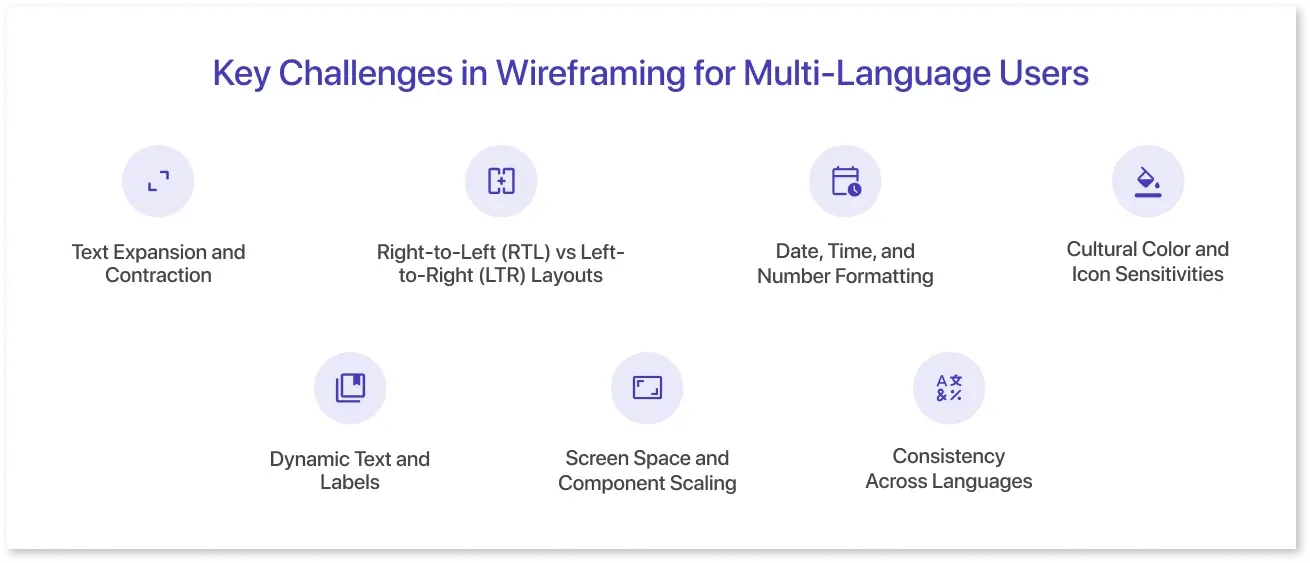
Creating dashboards for a global audience presents a unique set of challenges. When translated to another language, what appears to be a straightforward layout in one language may become cluttered or unclear. These issues can impact usability, readability, and even decision-making. They range from variations in text length to cultural differences in colors and visuals.
Let’s take a closer look at the challenges designers face while creating wireframes for users across multiple languages:
- Text Expansion and Contraction: Text length varies across languages; Chinese or Japanese may be shorter than English, while German or Russian can be longer. Ignoring these differences during wireframing can disrupt the layout.
- Right-to-Left (RTL) vs Left-to-Right (LTR) Layouts: RTL layouts are necessary for languages like Arabic and Hebrew and impact component placement, alignment, and navigation. To support both LTR and RTL formats, wireframes must be sufficiently adaptable. A localized UI dashboard design must adapt fluidly.
- Date, Time, and Number Formatting: Regional variations exist in currency symbols, decimal separators, and date formats (MM/DD/YYYY vs. DD/MM/YYYY). To guarantee accuracy and clarity, wireframes should account for these variances.
- Cultural Color and Icon Sensitivities: Colors, icons, or visuals can have different meanings in different cultures. What works visually in one region might be confusing or unsuitable in another.
- Dynamic Text and Labels: Button labels, tooltips, and dashboard filters frequently alter in response to user selections. Careful planning during wireframing is necessary to guarantee that these dynamic parts function in all languages.
- Screen Space and Component Scaling: Resizing menus, tables, and charts for longer translations might be necessary. To ensure readability, wireframes must include adjustable design and flexible spacing.
- Consistency Across Languages: Although challenging, maintaining a consistent visual hierarchy and interaction patterns when translating material for several languages is crucial for a flawless user experience.
Addressing these challenges during the wireframing stage strengthens international BI prototyping and prevents costly redesigns later.
Best Practices for Localized Dashboard Wireframing
When creating dashboards for a worldwide audience, careful consideration must be given from the first wireframe. Following best practices guarantees that your designs are adaptable, suitable for various cultures, and simple to use in multiple languages:
- Plan for Flexible Text and Components: Account for text expansion and create scalable buttons, menus, tables, and charts.
- Create with RTL and LTR compatibility in Mind: Make sure that components, navigation, and layouts easily adjust to right-to-left and left-to-right reading directions.
- Use Localized Formatting: Include flexible formats for dates, times, numbers, and currencies that change automatically according to the user's region.
- Select Colors and Icons That Are Culturally Neutral: Avoid cultural misunderstandings and choose universally accepted colors, symbols, and visuals.
- Give Scalable Components Priority: Create dynamically resizing buttons, menus, tables, and charts to ensure the text is readable in all languages.
- Continue to Use the Same Interaction Patterns: To guarantee that every user has a familiar experience, keep workflows, filters, and navigation consistent across languages.
- Test with Actual Content First: Use real translations instead of placeholders during wireframing to identify layout or readability problems before development.
- Guidelines for Document Localization: To maintain consistency, developers and translators should include notes on text limits, formatting rules, and cultural considerations.
Following best practices guarantees that your designs are adaptable, suitable for various cultures, and simple to use in multiple languages, supporting effective international BI prototyping.
Tools & Technologies Supporting Multilingual Wireframing
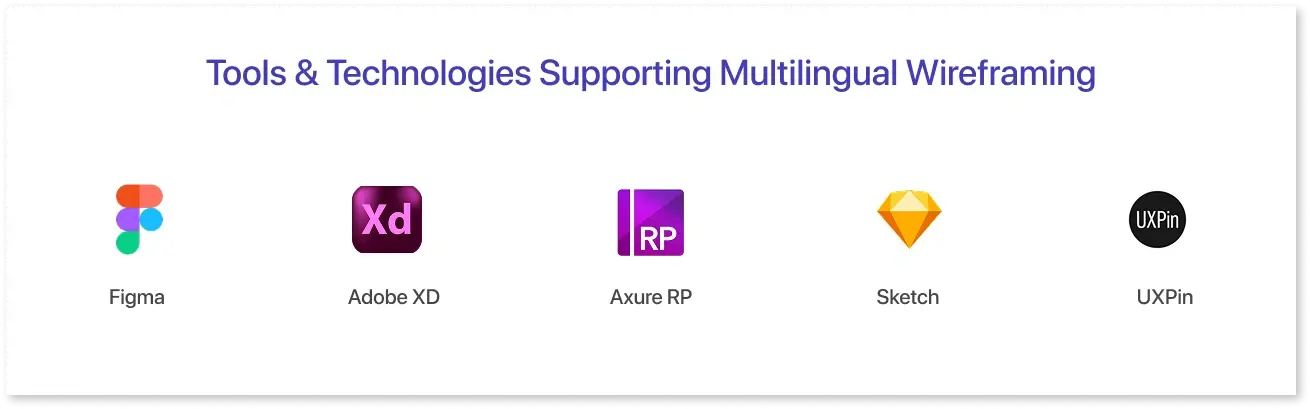
The right design and prototyping tools make multilingual dashboard wireframing faster and more accurate. Here’s how popular platforms help handle localization challenges.
1. Figma:
A flexible UI/UX design and prototyping tool for creating interactive dashboard wireframes.
- RTL Support: Fully supports Right-to-Left text in designs and FigJam files.
- Text Expansion Handling: Auto-layout allows flexible designs that adjust for longer or shorter text.
- Localization Plugins: Integrates with tools like Lokalise to manage translations and preview multilingual content.
2. Adobe XD:
A UI/UX prototyping tool that enables interactive dashboard layouts and responsive design.
- RTL Support: No native RTL support, but right-aligned text can simulate RTL layouts.
- Localization Plugins: Plugins like Lokalise and GlobalLink Strings help manage translations and multilingual previews.
- Responsive Design: Components scale with text changes to maintain layout integrity.
3. Axure RP:
A prototyping tool used to simulate interactive dashboards and test multilingual layouts.
- RTL Support: Allows right-aligned text and manual adjustments for RTL layouts.
- Localization Capabilities: Multi-language prototypes can be created by duplicating pages for every language.
- Interactive Prototyping: Dynamic content and interactions can be tested across languages.
4. Sketch:
A Mac-only UI/UX design tool ideal for creating dashboard wireframes.
- RTL Support: Limited native support, but text alignment and layout adjustments can simulate RTL designs.
- Text Expansion Handling: Symbols and reusable components help adapt to varying text lengths.
- Localization Plugins: Integrates with plugins like Lokalise to manage translations efficiently.
5. UXPin:
A web-based design and prototyping platform for interactive dashboards.
- RTL Support: Supports right-to-left text and layouts for multilingual projects.
- Text Expansion Handling: Components are responsive and adapt to longer or shorter translations.
- Interactive Prototyping: Dynamic content and interactions can be tested across languages to simulate real-world dashboard usage.
With the right tools, multilingual dashboard wireframing becomes easier, more accurate, and faster to test. Features like RTL support, text expansion handling, and localization plugins ensure a seamless user experience worldwide.
Figma, Adobe XD, and Axure RP excel at creating multilingual dashboard wireframes. For simpler wireframing, tools like Mokkup.ai streamline the design flow, helping teams quickly create BI mockups for global teams before applying localization-specific adjustments.
Testing and Iterating Multilingual Dashboard Designs
Designing a multilingual dashboard doesn’t end with creating wireframes. Testing is critical to ensure that layouts, text, and interactions work seamlessly across different languages. Elements like text expansion, Right-to-Left (RTL) layouts, and locale-specific formatting can impact readability and usability, so evaluating these aspects early helps prevent costly redesigns later.
Iteration is equally important. Feedback from real users, stakeholders, or translators can uncover issues that weren’t apparent during the initial design phase. By continuously refining layouts, interactions, and visual components, teams can deliver dashboards that provide a consistent, intuitive, and culturally sensitive experience for users worldwide.
Future Trends in Global and Localized Dashboard UX
The need for locally relevant dashboard experiences will only increase as companies continue to cater to a broader range of markets. In addition to supporting numerous languages, future dashboards will likely modify their layouts, visuals, and data narratives to better suit regional customs and user preferences.
According to a report by Lokalise, 84% of companies plan to expand their localization efforts by translating and adapting products to additional languages and regions. This highlights how multilingual and culturally adaptive dashboards are no longer optional; they’re becoming essential for organizations looking to maintain relevance and engagement in international markets.
Conclusion
Designing for a global audience goes beyond translation; it requires thoughtful dashboard localization from the first wireframe. By planning for text expansion, RTL layouts, cultural nuances, and regional formatting, teams can create functional and intuitive dashboards across markets. Using BI mockups for global teams ensures potential issues are resolved early, saving time and development costs.
Modern tools and best practices make it possible to design a multilingual dashboard wireframe that adapts to diverse users without compromising usability or design integrity. As companies expand globally, localized UI dashboard design becomes essential in delivering seamless user experiences. Looking ahead, trends in international BI prototyping will continue to shape how organizations build dashboards that work everywhere and resonate with users everywhere.
Frequently Asked Questions
Dashboard localization is the process of adapting a dashboard for different languages and regions. It involves translating text, adjusting layouts for RTL or LTR reading directions, and using culturally appropriate visuals, dates, and number formats.
To prototype multilingual dashboards, create flexible wireframes that account for text expansion, RTL/LTR layouts, and regional formatting. Use tools like Figma, Adobe XD, or Axure RP to test designs with real translations early in the process.
When designing dashboards for global audiences, plan flexible layouts, choose neutral colors and icons, maintain consistent interaction patterns, and account for text length and regional formats. Testing with real users or translations ensures usability across languages.
Elements such as buttons, tooltips, menus, tables, charts, and any dynamic text should be included in translation mockups to ensure the translations fit the design and the layout remains intact.
Prompt it. Wireframe it with Mokkup.ai.