When it comes to designing dashboard wireframes, receiving high-quality feedback is essential. Wireframes are like the blueprint for designing dashboards. They need to be clear and easy to understand so they can show complex data well and help achieve the project goals.
In this article, we'll explore the significance of soliciting constructive criticism from developers, project managers, and end users to enhance dashboard wireframe designs.
Table of Contents
- Importance of Feedback on Dashboard Wireframes
- 10 Tips on How to Ask for Feedback on Your Dashboard Wireframes
- Optimal Timing and Methods for Feedback
Importance of Feedback on Dashboard Wireframes
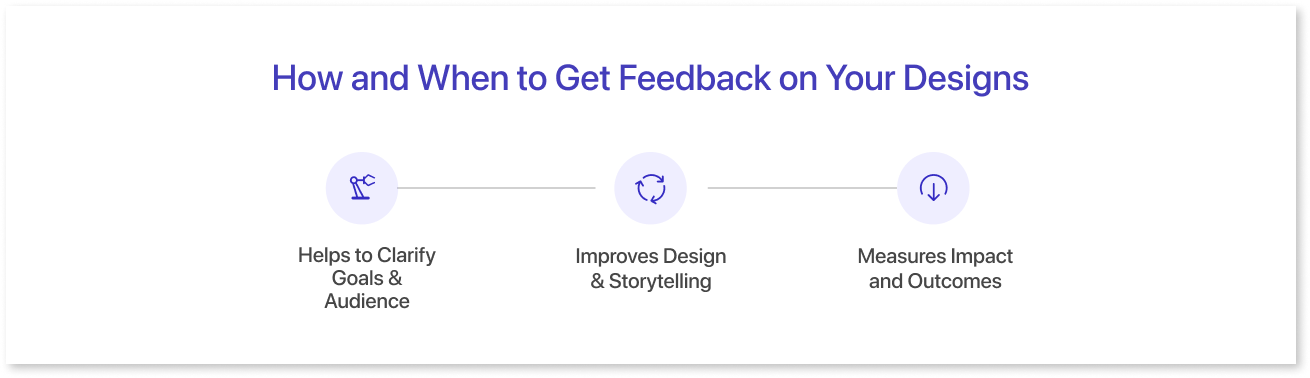
Ever wondered why feedback for your dashboard wireframe is a big deal? Well, it's like having a guide that helps make your final dashboard implementation really useful. Feedback is not just about how it looks, but about making sure it says and does what you want for the people using it. Let's dive into why feedback is so important for creating dashboards that hit the mark.
A. Helps to Clarify Goals & Audience:
Before you finalize your dashboard wireframe, it's essential to define your objectives and identify your target audience. User feedback helps shape your message, understand audience needs, and choose the best metrics or KPIs. Gathering feedback refines your wireframe, ensuring it meets your goals and audience expectations.
B. Improves Design & Storytelling:
After creating a wireframe of your data visualization, it's important to test and refine it. Feedback plays a key role in addressing clarity, accuracy, and consistency.
- Is it using the right charts, colors, and labels?
- Does it effectively highlight key insights and tell a compelling story?
Feedback ensures that your data visualization meets design standards, best practices, and storytelling guidelines, while also ensuring that data analysis remains unhindered, leaving no room for misunderstanding or confusion.
C. Measures Impact and Outcomes:
Once you share your dashboard wireframe, it's essential to evaluate its performance. Feedback gathers information such as:
- How many people saw, shared, or talked about it?
- Did it make them learn something or change their mind?
- Any issues they faced?
It acts like a scorecard for effective dashboards, revealing the overall result. This helps identify areas that worked well and shows how your audience found value in your data visualization.
10 Tips on How to Ask for Feedback on Your Dashboard Wireframes
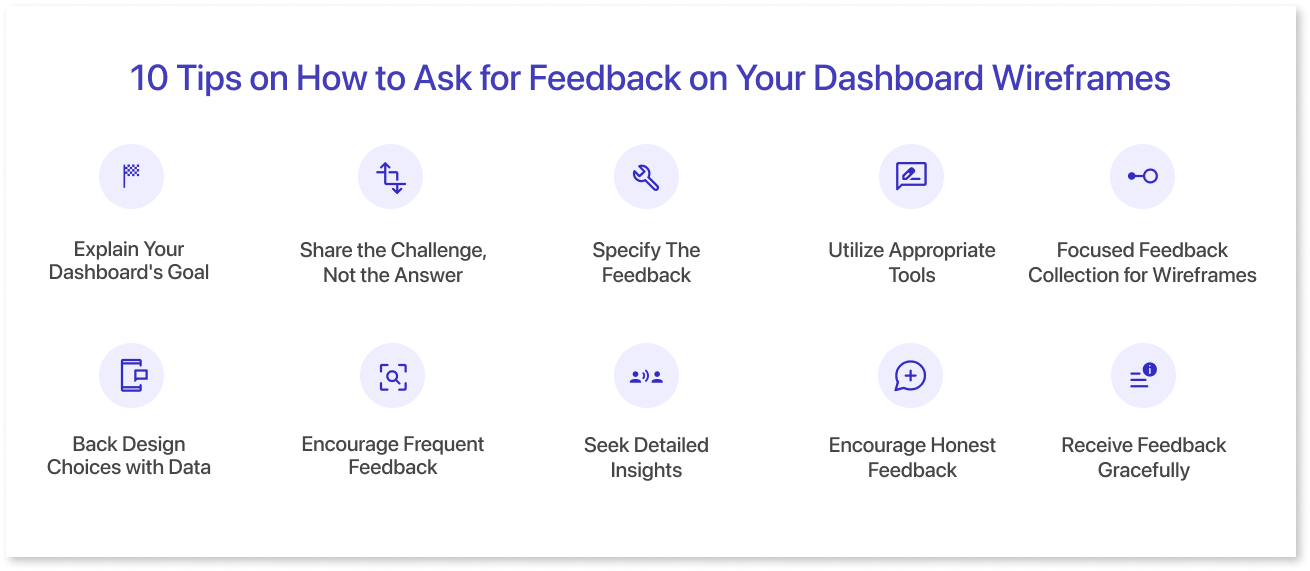
Here's a few tips you can consider for asking for a feedback on your dashboard design:
1. Explain Your Dashboard's Goal:
Start by saying what you want your dashboard to achieve. Whether it's helping users or meeting business targets, be clear about the purpose upfront.
For Example, if you want to track project progress, highlight this to ensure feedback focuses on your project tracking objective.
2. Share the Challenge, Not the Answer:
When seeking feedback on design, it's often tempting to propose specific solutions right away. However, a more effective approach is to share the challenge you're facing rather than jumping to conclusions about the answer.
By focusing on the problem at hand, you open the door to collaborative problem-solving and ensure that feedback addresses the root issues.
3. Specify the Feedback:
After sharing your dashboard goal and challenge, let people know what feedback you're seeking. For example, you might want advice on data representation, spotting improvements, or discussing specific design choices. Organize your feedback session to align with your overall dashboard goal.
4. Utilize the Appropriate Tools:
When gathering virtual feedback for your mockups from your manager, team member, or client, leveraging a project management or team collaboration platform can provide significant benefits. These platforms offer features such as threaded discussions, version control, and real-time commenting, streamlining the feedback process and ensuring clear communication among all stakeholders.
5. Focused Feedback Collection for Wireframes:
Reduce your available alternates to get precise and useful input on your dashboard wireframe. Present just the two alternate layouts that are in line with the project's objectives, for example, if you're unsure about your choice of layout. Make it obvious that more layouts aren't appropriate for this project.
Likewise, reduce the quantity of wireframe designs submitted for review. Put quality before quantity and take deadlines into account when choosing which items to review.
6. Back Design Choices with Data:
Make sure the design decisions you make are supported by evidence gathered from testing or actual product usage. Conversion rates and other quantitative indicators provide reliable proof of a redesign's efficiency.
For instance, to showcase enhancements in conversion rates and user satisfaction, compare quantitative data collected before and after redesigning the dashboard wireframe.
Furthermore, in order to guarantee that feedback is in line with user preferences and demands, qualitative insights from surveys and user feedback can offer insightful background for discussions with stakeholders.
7. Encourage Frequent Feedback:
Provide plenty of space for comments but avoid taking over the conversation with your own viewpoints or arguments. Make room for reviewers to comfortably offer candid criticism.
Make sure reviewers feel free to offer frank critique, and give them several opportunities to weigh in on each subject. After doing a comprehensive evaluation of the project, going over certain areas again later in the discussion might give you and the reviewer new perspectives.
In the same way, letting feedback naturally conclude and permitting breaks between subjects improves the review process. This method encourages teamwork in an atmosphere where insightful ideas can arise naturally.
8. Seek Detailed Insights:
Ask specific questions and then follow up with "why" in order to get more in-depth responses while seeking feedback. Focus on specific areas of the design and ask questions about the reviewer's approach rather than making general inquiry.
For instance, ask as to why particular colors were chosen or if they successfully express the desired message, as opposed to just asking if the color scheme is appealing. Reviewers are encouraged by this method to offer detailed, useful criticism, which makes for a more informative and beneficial discussion.
9. Encourage Honest Feedback:
It's important to ask for criticism in addition to input on the areas of your design that you think are good. It's similar to asking during an interview, "What areas could use improvement?" This method generates helpful criticism.
Encourage reviewers to share their dislikes or areas of worry, and you'll get important information about possible flaws in your dashboard wireframe. You can improve your design and make sure it successfully satisfies user needs and expectations by using this feedback.
10. Receive Feedback Gracefully:
The key to receiving helpful design feedback is to accept it gracefully, whether it's praise or criticism. Avoid arguing or being defensive, as this can deter future feedback.
Handling constructive criticism politely involves several steps:
- Suppress your initial reaction.
- Express genuine gratitude for the feedback.
- Approach the feedback with an open mind.
- Make an effort to understand the other person's viewpoint completely.
- Break down the feedback to find the root causes.
By following these tips, you can ensure that feedback contributes positively to your design process.
Optimal Timing and Methods for Feedback
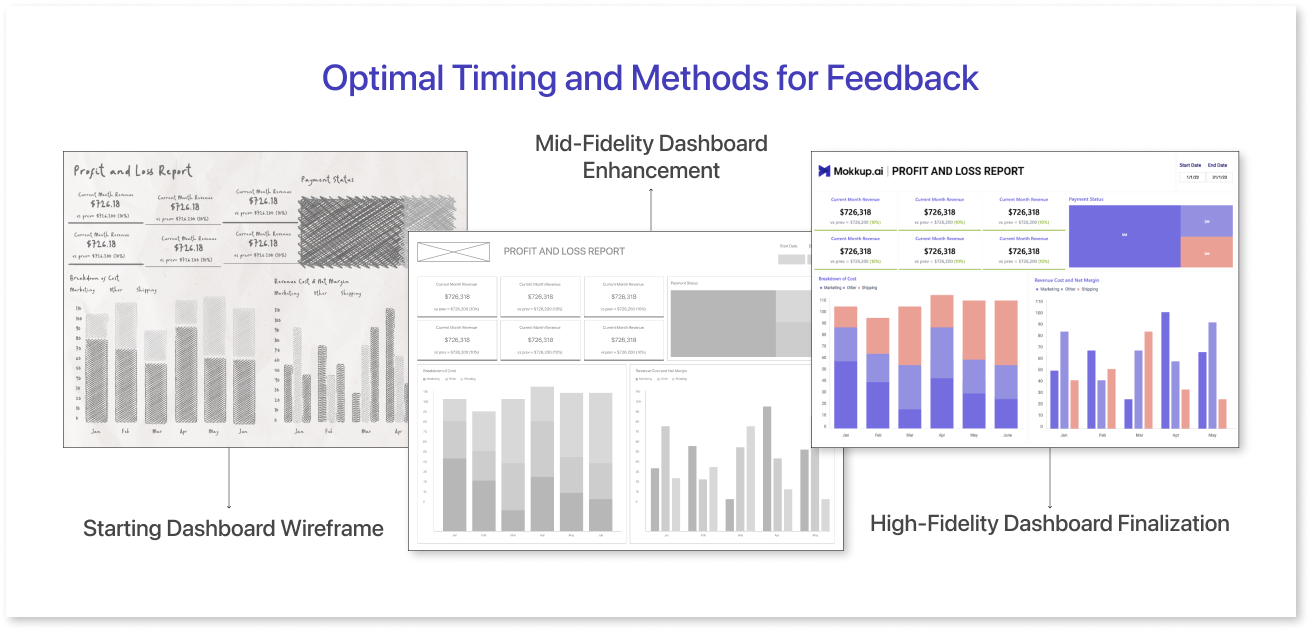
The timing and strategy employed when asking for design feedback can have a big impact on the caliber of the insights that are gathered. It's essential to ensure that feedback is directed towards the appropriate areas.
- Starting Dashboard Wireframe: Share dashboard goals and initial concepts. Get feedback to match user needs and timelines. Quickly fix any big issues.
- Mid-Fidelity Dashboard Enhancement: During the mid-fidelity stage of wireframe design, emphasize the dashboard's structure, element placement, and color representation to convey data interpretation. Limit functionality to essential interactions for stakeholder feedback. This approach ensures stakeholders grasp the data representation concept and provides an opportunity for valuable input.
- High-Fidelity Dashboard Finalization: Conclude the high-fidelity dashboard design by refining visuals and interactive elements to enhance user experience (UX), seeking one final round of feedback before implementing the dashboard in BI tools. For example, you can use Mokkup.ai, a dashboard wireframing tool made for collecting feedback from your team. With Mokkup's commenting feature, you can collaborate with your team or stakeholders and get feedback directly on any needed changes.
Asking for feedback in the right way is essential to productive teamwork. Presenting your work in person is the most effective way to go through the early stages of design. This enables you to set the context and direct the conversation to get input.
Make sure the methods used to send the feedback request are user-friendly in order to prevent frustration and promote active involvement. In order to minimize the necessity for the reviewer to make mental adjustments, take into account the device on which the design will be viewed by the user and tailor the feedback accordingly.
Conclusion
Getting feedback on your dashboard wireframes early and regularly might feel overwhelming at first, but start by incorporating small, relevant changes into your team's workflow gradually. Consider aspects such as user experience, business goals, user flows, and visual representation to ensure a user-centered design approach.
Present data effectively and keep long-term goals in mind. As you become more comfortable, you'll develop a knack for giving and receiving constructive feedback, which will not only enhance your design process but also improve collaboration within your team.
Prompt it. Wireframe it with Mokkup.ai.