
In the rapidly evolving world of SaaS products and online tools, Mokkup.ai and Miro stand out as two powerful tools designed to enhance productivity and creativity. Mokkup.ai excels with its intuitive dashboard mockup and prototyping capabilities, offering a streamlined solution for data analysts and BI developers to bring their ideas to life with minimal effort. Conversely, Miro provides a comprehensive platform for diagramming, workflow management, and seamless integration with popular project management tools like Jira and Asana.
Table of Contents
- What is Mokkup.ai?
- What is Miro?
- Feature Comparison
- Use Cases and Industries
- Pricing Comparison
- What Makes Mokkup.ai Stand Out?
This blog will compare Mokkup.ai and Miro in detail, highlighting their unique strengths and helping you determine which tool best suits your team's needs.
What is Mokkup.ai?
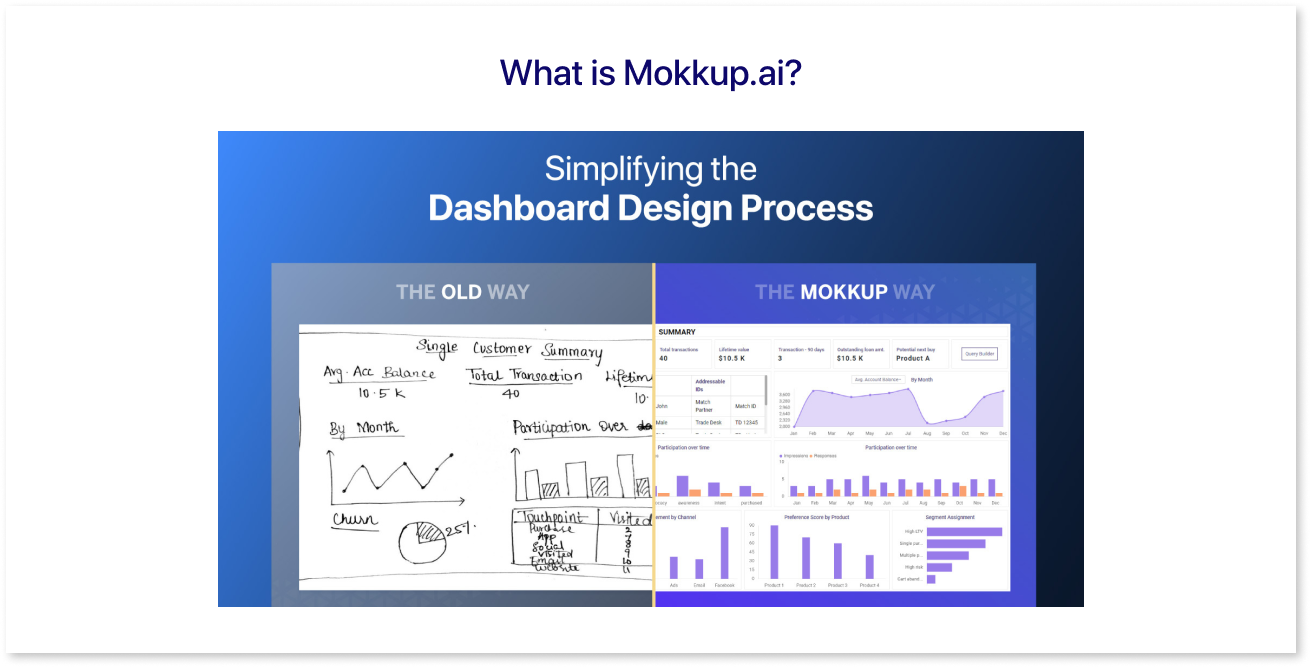
Ever wish you could design a dashboard without needing a design team? Well, Mokkup.ai, a cloud-based dashboard wireframing tool, is designed to make the task easy for anyone. With no learning curve, users can start creating detailed and professional dashboards within minutes.
Mokkup.ai supports seamless implementation and sharing of dashboard wireframe designs, making it an ideal solution for professionals across various fields seeking efficient and collaborative design capabilities.
Key features and capabilities:
- Pre-built Templates: Offers industry-standard templates that can be customized.
- Live Demo: Allows Mokkup templates to be previewed in PowerBI & Tableau versions.
- Customizable Screen Sizes: Create your dashboard wireframe for different screen resolutions.
- Customizable Themes and Element Variations: Allows users to easily tailor their design elements and overall theme to create unique, personalized interfaces.
- Drag and Drop: Simplifies moving and arranging charts, tables, etc.
- Collaboration Tools: Share wireframes via URL or iframe links and interact with comments.
Key Resources:
- Help Center: Comprehensive guides on editing, designing, plans, and billing.
- Templates: 186 templates across categories like marketing, sales, finance, and more.
- Enhance Your Workflow: Learn In-App Tutorials and Convert Mokkup.ai to Power BI/Tableau Easily.
- Export Options: Multiple formats, including PNG, JPEG, and PDF.
- Chatbot: Available for instant assistance on the app and the website.
What is Miro?
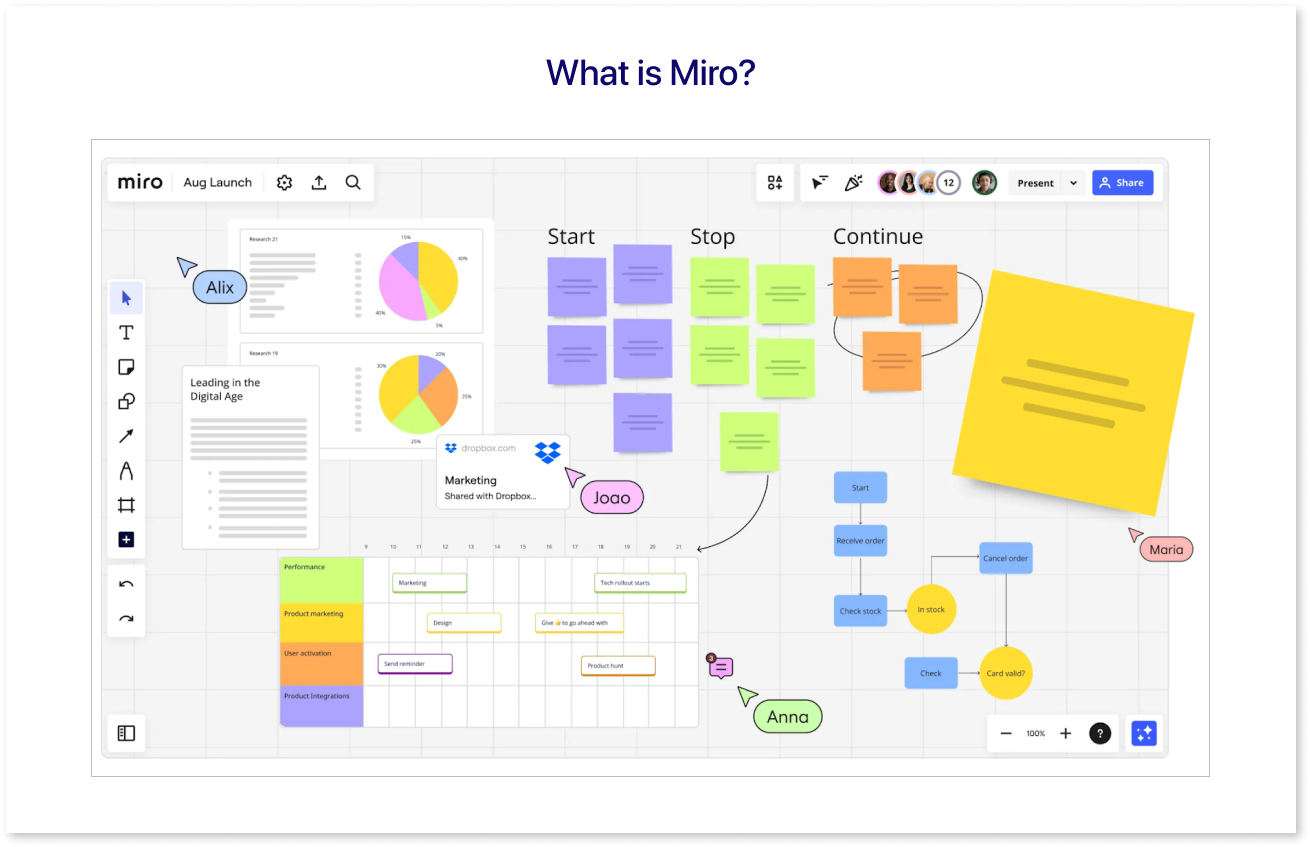
Miro is a dynamic platform designed to transform ideas into reality through collaborative and creative workflows. It caters to teams of all sizes, offering tools for product development, workshops, and process mapping. Its advanced facilitation tools, interactive presentations, and Miro Assist's automated mind maps and diagrams streamline tasks.
Visualize and manage projects with Kanban boards, flowcharts, and comprehensive templates. Miro also ensures secure, enterprise-grade administration and an engaging workspace for efficient project execution and innovation.
Key features and capabilities:
- Workshop Enhancement: Enhances workshops and asynchronous collaboration with advanced facilitation tools and interactive presentations.
- Quick Creation: Enables the quick creation of flowcharts, journey maps, and mind maps with a vast shape library and intelligent formatting.
- Data Integration: This feature integrates content and data visualization tools, supporting documents, designs, survey results, and live data in one workspace.
- Granular Permissions: Provides granular permissions, IP protection, and compliance with industry standards like ISO/IEC 27001 and SOC2.
- App Sync: Syncs with over 130 apps and integrates with tools like Jira, Asana, and Clickup for a cohesive workflow.
Key Resources:
- Offers an easy-to-navigate interface with real-time updates, sticky notes, and commenting features for seamless collaboration.
- Combines project resources, documents, and tasks in one space, supporting imports from Google Drive, OneDrive, and Dropbox.
- Includes templates and automated workflow tools like Mermaid and PlantUML for quick diagram generation.
- Tailor team hubs for productivity, onboarding, and shared access to context, insights, and data.
Feature Comparison
| Feature Comparison | Miro | Mokkup.ai |
| Design capabilities | Specializing in workflow solutions, and visually creative through collaborative integration. | Specialized in visually creative dashboard wireframing. |
| Collaboration tools | Commenting feature for easy feedback. | Simple commenting feature for easy feedback. |
| User interface | The design is intuitive, user-friendly, and accessible. | User-friendly interface with a no-learning curve, hence super easy. |
| Customization | Comprehensive, tailored, and flexible options for workflows, planning etc. | Vast customization options focused on dashboard wireframing |
Use Cases and Industries
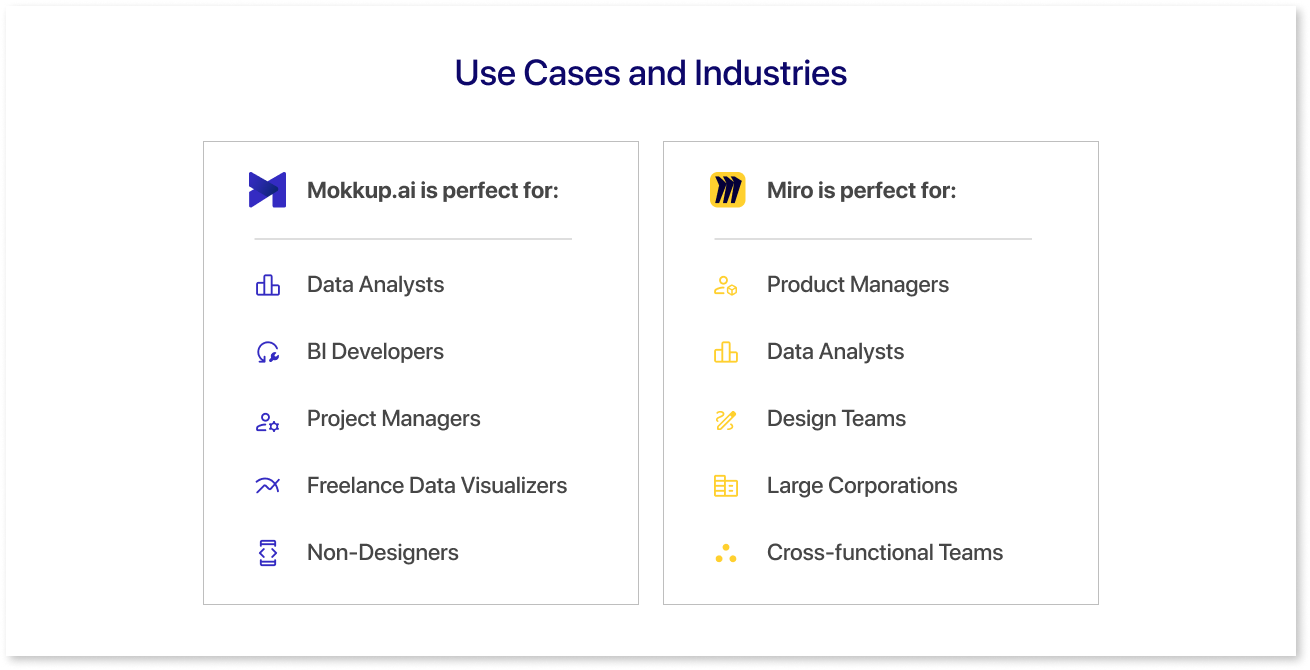
Mokkup.ai is perfect for:
- Data Analysts: Easily translate complex data into visually engaging dashboards without the need for extensive design skills.
- BI Developer: Streamline the dashboard creation process by leveraging Mokkup.ai's intuitive interface and pre-designed elements.
- Project Managers: Quickly prototype dashboard concepts to communicate ideas effectively and gather stakeholder feedback.
- Data teams: Provides an intuitive platform for designing and prototyping interactive dashboards quickly and efficiently.
- Freelance Data Visualizers: Enhance your workflow with Mokkup.ai's efficient tools for rapid prototyping tool and customization, allowing you to focus on delivering high-quality visualizations.
- Non-Designers: Mokkup.ai is easy to use, even if you're not a design pro. It doesn't require any special skills or training, so anyone can jump in and start creating awesome ux/ui design in no time.
Miro is best suited for:
- Product Managers: Miro offers capabilities for product development workflows, including wireframing, estimation, dependency mapping, retrospectives, and scaled product planning.
- Data Analysts: Miro facilitates project planning through content and data visualization, consolidating live data and videos into a collaborative workspace. It includes live dashboards for real-time insights and analysis.
- Design Teams: Supports diagramming and process mapping with an extensive shapes library, advanced mind mapping, and connectors.
- Large Corporations: Miro provides enterprise-grade functionality and controls for frictionless administration, ensuring trusted intellectual property protection.
- Cross-functional Teams: Miro suits any team or organization looking to streamline workflows, improve collaboration, and bring clarity to projects.
Pricing Comparison
Mokkup.ai offers a free plan with lifetime access and no credit card required, while Miro provides limited free features. Mokkup Pro, billed yearly at $8, unlocks unlimited projects, customizable templates, and more. The details about the cost comparison of Mokkup and Miro for design teams or any basic user is given below:
| Tool | Pricing | Features |
| Mokkup.ai |
Free: Lifetime access, no credit card needed. Mokkup Pro: Billed annually; $8/month |
Free features: 8 template categories, 5 Editable templates/categories, three customizable projects, 3 screens/projects, and unlimited real-time commenting.
|
| Miro |
Free: A few features are free for individuals and teams. Starter: Private, limitless boards with all the necessary features. Business: Enhance collaboration across teams with advanced features and heightened security. Enterprise: Scale operations organization-wide with comprehensive support, security, and control. |
Free features: 1 workspace and 3 editable boards; save time: 5 Talktracks for interactive video walkthroughs, 2500+ Miro and community-made templates; 100+ apps/integrations (Zoom, Slack, Google Drive, Sketch) Starter Features: High-quality resolution board and unlimited visitors on public board; instant access for collaborators; no sign-in needed. Private Mode for sticky notes, retrieval of lost content/previous versions with board history; meetings with built-in tools (timer, voting, and video chat), and access management with private boards. Business Features: Private and secure workspaces with infinite boards; collaboration with unlimited guests on private/team boards; visualize processes with 2000+ diagramming shapes; access with Single Sign-On via OKTA, OneLogin, Auth0; manage Jira issues on the Planner with Dependencies App. Enterprise Features: Security & compliance add-ons; premium 24/7 support & guaranteed SLAs; external collaboration with 2FA and company-wide controls on public link sharing, license management with SCIM, request management settings & integration; Increased visibility through audit logs / SIEM integrations; centralized account management, risk-free scaling across the organization with flexible licensing, customer success program. |
What Makes Mokkup.ai Stand Out?
Mokkup.ai is an innovative cloud-based tool that simplifies the creation of dashboard wireframes without requiring an in-house design team.
- User-Friendly Interface: Mokkup.ai simplifies dashboard wireframing through its intuitive cloud-based dashboard. This means that users can easily visualize and customize their ideas regardless of their design expertise.
- Product Hunt Recognition: Ranked as the fifth Product of the Day on Product Hunt, Mokkup.ai has garnered attention for its effectiveness in creating dashboard wireframes. This recognition underscores its popularity and usefulness within the design community.
- Pre-built Templates: Mokkup.ai offers industry-standard pre-built templates that cater to various needs. For instance, it includes templates for different industries, such as marketing, sales, finance, and operations. These templates serve as starting points, helping users prototype their dashboard designs quickly.
- Live Demos: The tool provides live demos that allow users to preview wireframes in formats compatible with popular analytics tools like PowerBI and Tableau. It also allows users to draft dashboard wireframes in minutes without connecting any data. This feature lets stakeholders visualize how their dashboard designs will appear in these specific environments.
- Adaptability: Mokkup.ai supports adaptable screen sizes, ensuring designs look great across different devices and resolutions. This adaptability is crucial in today's multi-device landscape, where consistency in user experience is paramount.
- Element Variations and Templates: With over 50 element variations and 150 customizable templates, Mokkup.ai offers ample flexibility in design. These elements and templates cater to diverse design needs, enabling users to create visually appealing and functional dashboard wireframes.
- Color Palettes: The tool provides more than 10 curated color palettes, empowering users to choose colors that align with their brand identity or design templates. Consistent use of color enhances visual appeal and user engagement in dashboard designs.
- Support and Guides: Mokkup.ai features a support chatbot that provides immediate assistance on the website. Additionally, its help center offers comprehensive guides on various topics, such as editing, designing, and managing plans and billing. These resources ensure users can navigate the tool effectively and maximize its features.
- Chart and Visual Options: Inside the app, users can explore 186 templates across categories like marketing, sales, finance, and operations. These templates include charts and visuals, each with variations and customizable properties. Such diversity allows for customized dashboard designs that meet specific analytical and visual requirements.
- Collaboration Features: Mokkup.ai facilitates collaboration through a robust comment system with tagging and search capabilities. This feature streamlines communication among team members or stakeholders involved in the design process, enhancing productivity and ensuring that feedback is effectively incorporated.
- Exporting and Sharing: The tool supports exporting PNG, JPEG, and PDF designs. Users can export their creations up to 20 times for free, facilitating easy sharing and disseminating of dashboard wireframes. Embedded codes and URLs further simplify sharing across different platforms or with stakeholders.
- Learning Resources: Mokkup.ai offers resources and tutorials aimed at enhancing user proficiency. These resources cover various aspects of using the tool, from basic functionalities to advanced techniques, empowering users to maximize their productivity and creativity.
Final Thoughts
Choosing between Mokkup.ai and Miro for digital collaboration and project management hinges on their distinct use cases. In this blog, we have discussed how Mokkup and Miro differ in collaborative design capabilities - while both tools offer robust functionality, Mokkup.ai excels specifically in wireframing and dashboard design. Its streamlined processes and visually appealing results cater directly to the needs of business teams, developers, and data analysts.
Mokkup.ai empowers users of all skill levels to create high-fidelity wireframes effortlessly, even without design experience.
Are you set to improve your design process? Try Mokkup.ai now to see the difference and transform how you create dashboards.
Prompt it. Wireframe it with Mokkup.ai.