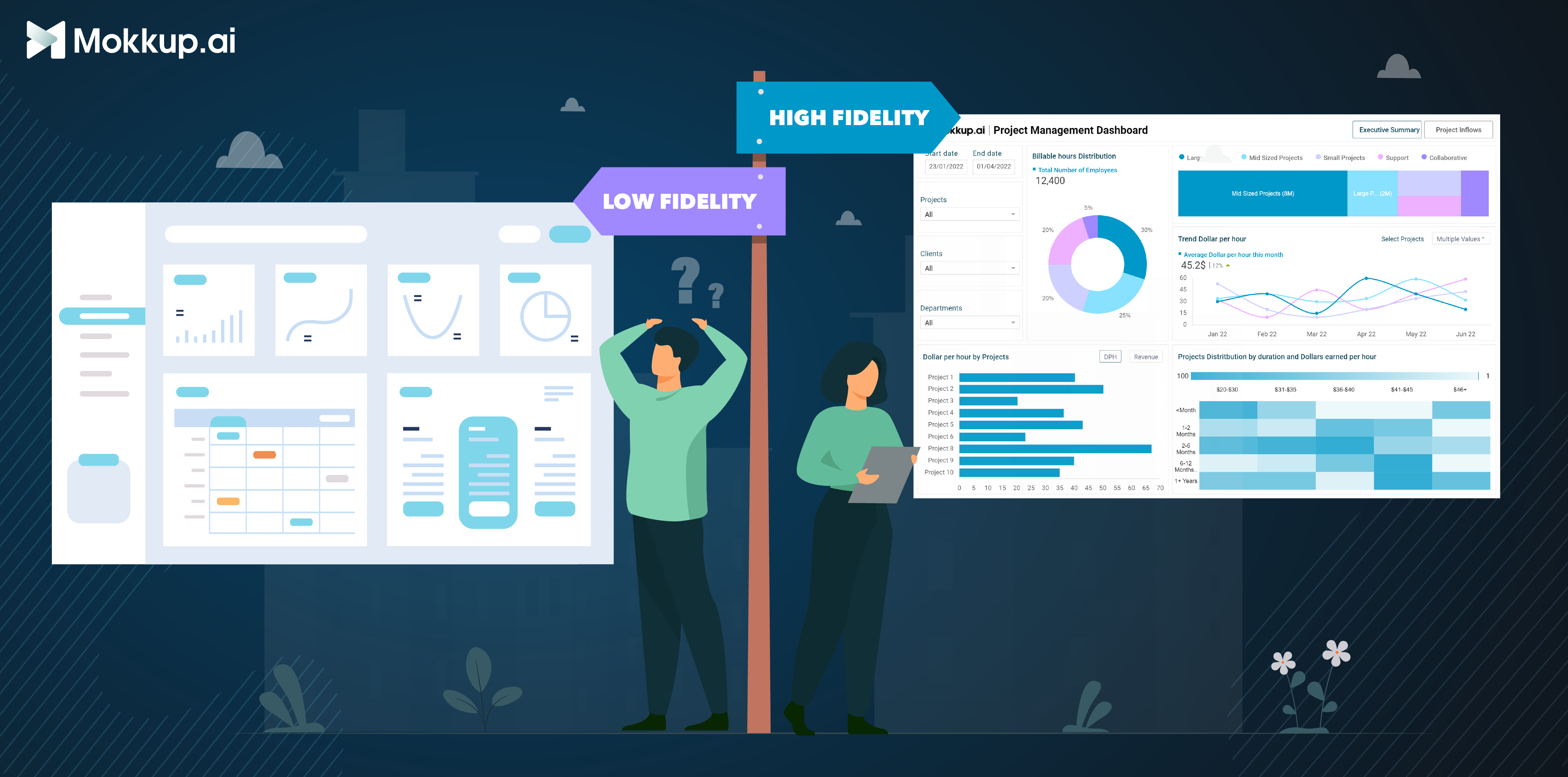
Dashboard wireframes are an essential part of the user experience (UX) design process, providing a visual representation of the layout and structure of a digital product. They help designers and stakeholders communicate ideas, gather feedback, and ensure that the product is user-friendly before development begins. Wireframes can range from low fidelity to high fidelity, each with its own purpose and benefits. The choice of wireframe fidelity depends on the stage of the design process and the level of detail needed. Low-fidelity wireframes are suitable for early-stage prototyping and ideation, while high-fidelity wireframes are better suited for more refined designs and user testing. By using both low-fidelity and high-fidelity wireframes throughout the design process, designers can effectively communicate ideas, gather feedback, and ensure that the final product is user-friendly and visually appealing. Now let’s dive into a deeper understanding between Low Fidelity vs High Fidelity Wireframes.
Table of Contents
- What is Fidelity in Web Development?
- What are Low Fidelity Wireframes?
- What are High Fidelity Wireframes?
- High-Fidelity Mockup Tools
- How to Create a High-Fidelity Wireframe?
What is Fidelity in Web Development?
In app/web development, fidelity meaning is the level of detail and functionality represented in a prototype or a wireframe. It signifies how closely the model resembles the final product in terms of both visual appearance and interactivity. The appropriate fidelity level for a project depends on various factors, including the stage of development, the project's complexity, and the prototype's intended purpose. However, understanding the different levels of fidelity allows development teams to create prototypes and wireframes and ultimately deliver a user-friendly and functional final product.
What are Low Fidelity Wireframes?
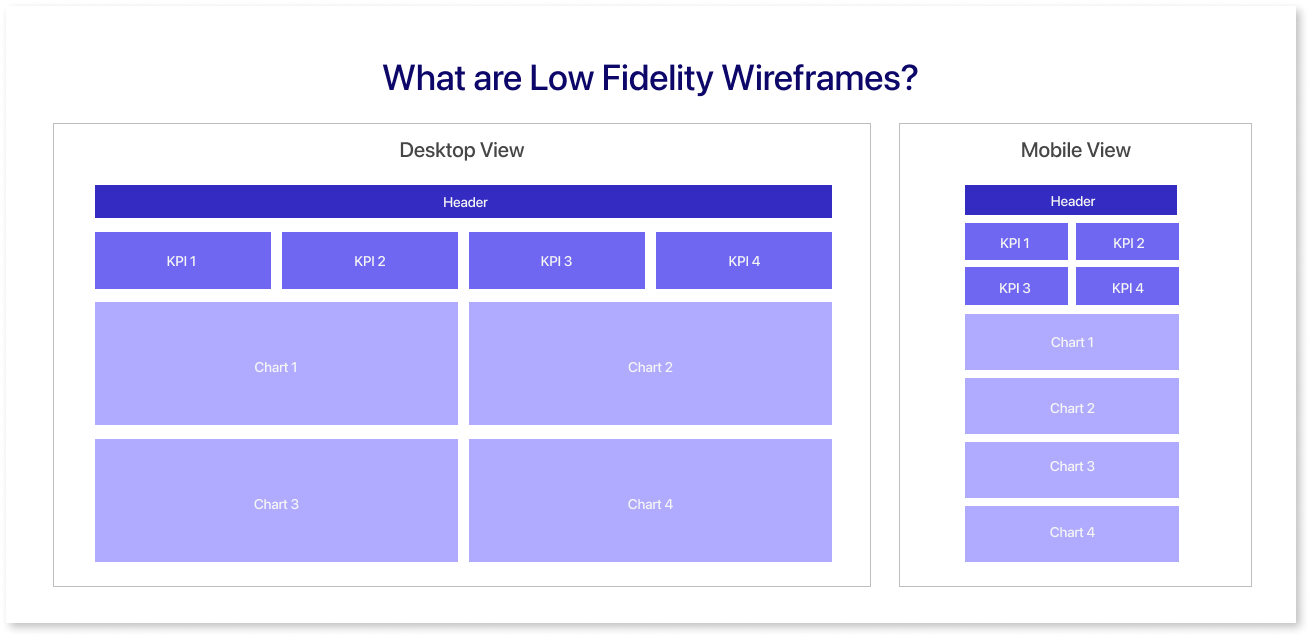
Low-fidelity wireframes are basic, low-detail representations of a dashboard/web/app's layout and structure. They are typically created using simple shapes, boxes, and lines and often use a black-and-white or grayscale color scheme. Low-fidelity wireframes are not meant to be polished or visually appealing; instead, they focus on conveying a product's overall idea and functionality.
When Should you use Low-Fidelity Wireframes?
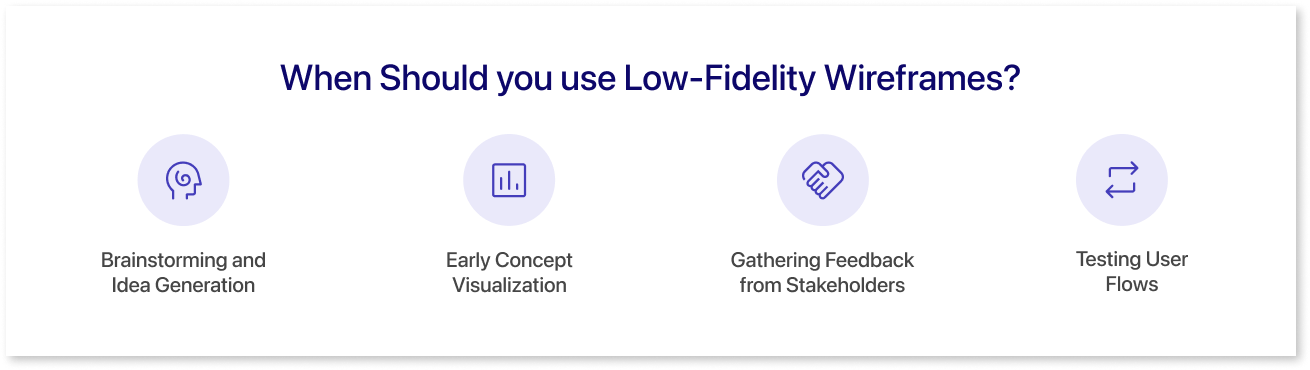
Low-fidelity wireframes are most commonly used in the early stages of the design process when the focus is on exploring ideas and gathering feedback. They are particularly well-suited for the following situations:
- Brainstorming and Idea Generation: Low-fidelity wireframes are ideal for brainstorming sessions and generating new ideas. Their quick and easy creation allows designers to sketch out different concepts and see what works best quickly.
- Early Concept Visualization: Low-fidelity wireframes can be used to create early visual representations of a product concept. This can help different members of the design and development get a better understanding of the product’s user journey.
- Gathering Feedback from Stakeholders: Low-fidelity wireframes are used for discussions among design team members and do not involve stakeholders.
- Testing User Flows: Low-fidelity wireframes can be used to test user flows and identify potential usability problems. By walking through the proposed flow using low-fidelity wireframes, designers can identify areas where users might get confused or encounter obstacles.
What are High Fidelity Wireframes?
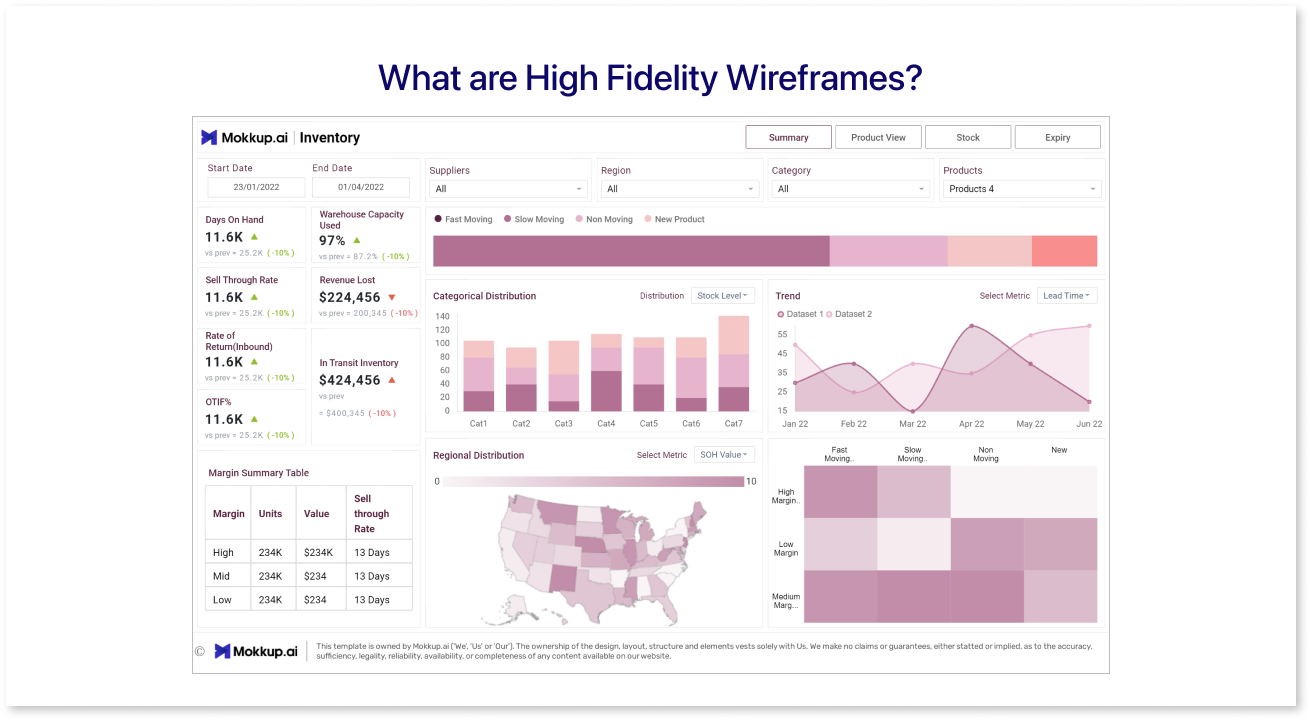
High-fidelity wireframes are a more detailed and polished representation of a digital product's layout and structure. They typically include all of the elements that would be present in the final product, such as colors, fonts, images, and interactive elements. High-fidelity wireframes are used to communicate the final design to key stakeholders and any other parties involved in the project
When Should You Use High-Fidelity Wireframes?
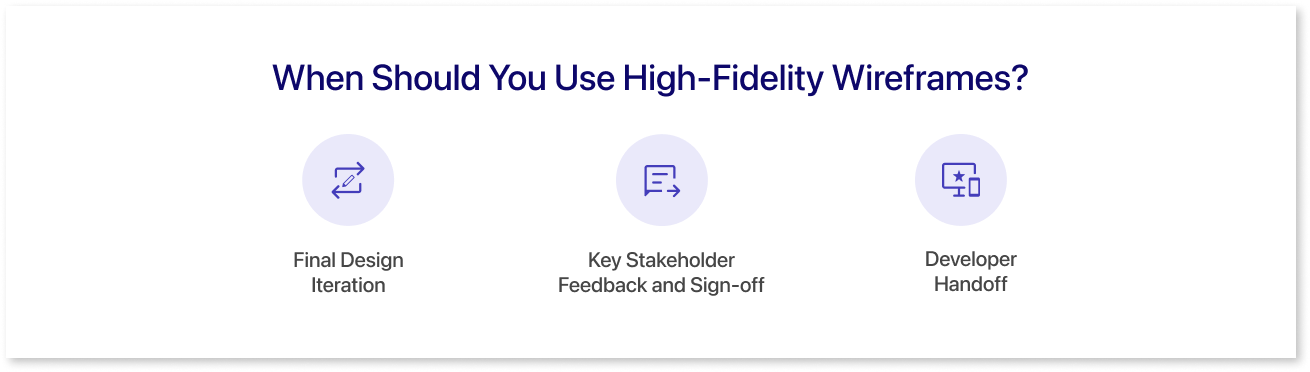
High-fidelity wireframes are typically used in the later stages of the design process after the product's overall structure and functionality have been finalized. They are particularly well-suited for the following situations:
- Final Design Iteration: High-fidelity wireframes are used to refine and finalize the design before development begins.
- Key Stakeholder Feedback and Sign-off: High-fidelity wireframes are used to conduct user testing and collect valuable feedback on the design. This input is subsequently utilized to iterate and enhance the wireframes before the development phase begins.
- Developer Handoff: High-fidelity wireframes are used to hand off the design to developers. This ensures that developers clearly understand the design and how to implement it.
High-Fidelity Mockup Tools
1. Mokkup
Mokkup.ai is a cloud-based dashboard wireframing tool for data analysts, developers, and business teams. It is meant only for dashboard design, which helps save time, money, and resources by eliminating the need for an in-house design team. Mokkup, a free dashboard mockup tool, has over 100+ high-fidelity wireframe templates to choose from. It offers templates for every domain, such as marketing, sales, finance, operations, customer insights, and many more. This also gives pre-built themes and color schemes that follow design principles. So you can experiment with different color palettes until you find the perfect one for your dashboard.
2. Sketch
Sketch is a vector-based design tool that is known for its powerful features and its large community of users. It is a good choice for designers who need to create high-fidelity designs and prototypes. Sketch has templates for creating wireframes for a variety of platforms, including iOS, Android, and web. It can be used to create interactive dashboard wireframe examples that allow users to click on elements and see how the page or app will respond. However, Sketch is only available for macOS, which can be a drawback for some users.
3. Figma
Figma is a popular design tool that can be used to create wireframes. It offers a variety of features that make it ideal for this purpose, such as the ability to create high-fidelity mockups and collaborate with other designers.
4. Adobe XD
Adobe XD is a desktop application that is available for macOS and Windows. It uses vector-based drawing tools, which means that your designs can be scaled to any size without losing quality. Adobe XD can be used to create interactive prototypes that allow you to test your designs on real devices.
5. PowerMockup
PowerMockup is a wireframing and prototyping tool that integrates with Microsoft PowerPoint. It provides a library of pre-built UI elements, shapes, and icons that can be used to create wireframes and prototypes for web and mobile applications. PowerMockup also includes features for collaboration, annotation, and export.
How to Create a High-Fidelity Wireframe?
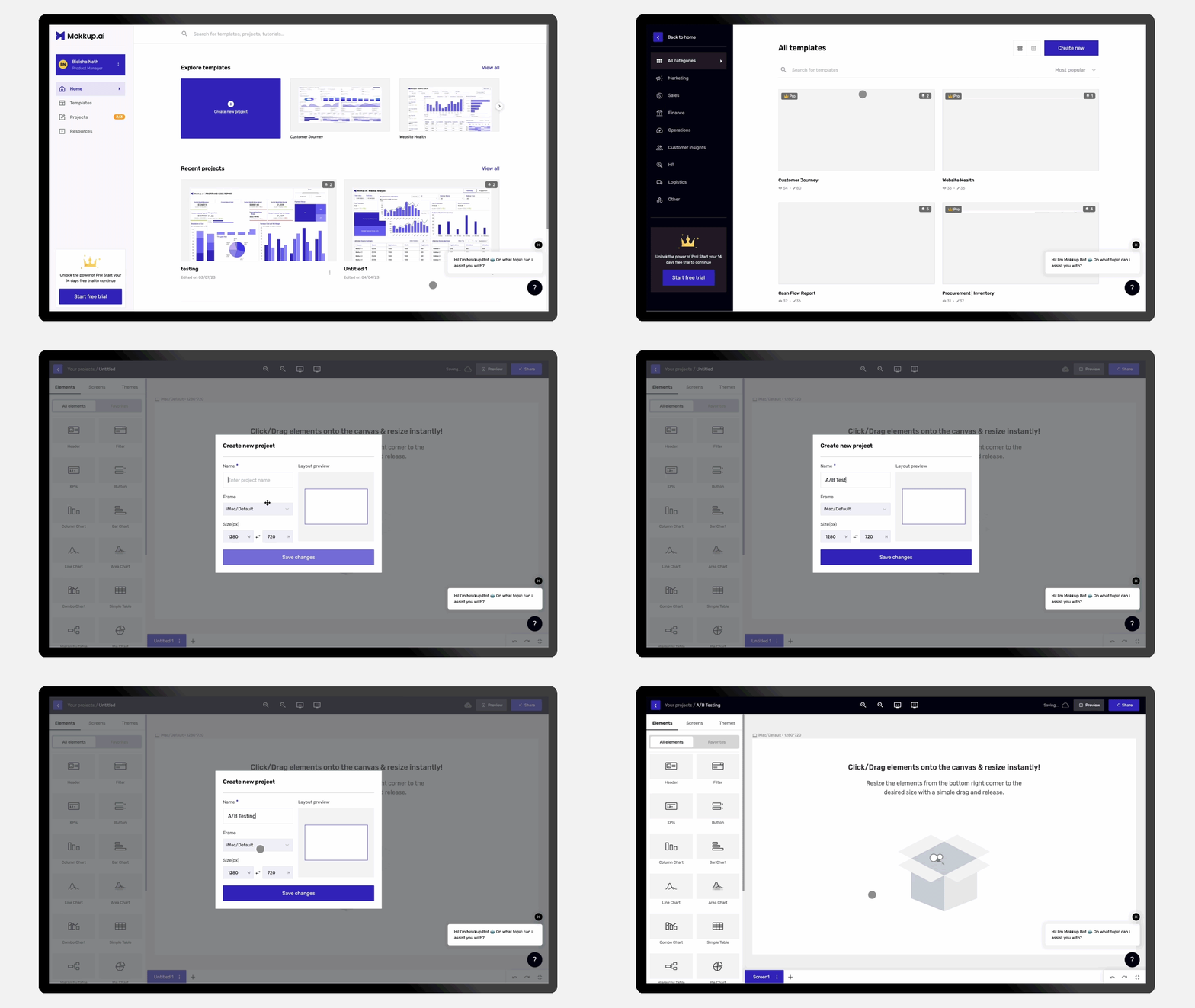
It's important to note that different design tools come with varying learning curves. While some tools may require a substantial learning investment, others, such as Mokkup, are notably easy to grasp for users. Each tool brings its own set of complexities and user interfaces.
Moreover, these tools often provide additional resources to facilitate the design process. For instance, Figma offers UI kits, streamlining the design initiation by providing pre-built components. On the other hand, Mokkup simplifies the starting point by offering a range of templates that users can leverage in their design work. This diversity in learning approaches and available resources allows designers to choose dashboard wireframe tools that align with their proficiency levels and project requirements. You can alter and personalize the templates offered by Mokkup to fit the requirements of your organization. To open the Mokkup.ai app right away, click on our high-fidelity wireframe example below. By using Mokkup’s high fidelity wireframes, the following points can be achieved:
1) Boost correspondence with interested parties
Clear client feedback is essential for designers and developers to produce a successful product. Low-fidelity wireframes, however, may come out as overly abstract, even to internal stakeholders. High-fidelity wireframes simplify assessing a product's overall design and user experience by showing how it will appear when it is finished.
2) Get more insightful test results
For early user testing and feedback, your team can create a realistic prototype with the aid of a high-fidelity wireframe template. High-fidelity interactive wireframes elicit quicker responses from consumers.
3) High-fidelity wireframe templates help you save time
These are an important part of the design process. They allow you to catch potential problems early on and fix them before they become more expensive and time-consuming to fix. Using high-fidelity wireframes can save time and money and create a more user-friendly product.
Your team can swiftly use our template and get to work on the final design elements if they already have a general idea of the style they desire.
Summing Up
In conclusion, the spectrum of wireframe fidelity, ranging from low to high fidelity, underscores the dynamic nature of the design process and the diverse needs of project stakeholders. Low-fidelity wireframes serve as efficient tools for creativity and quick iterations, fostering collaboration and exploration of broad design concepts. As fidelity increases, with high-fidelity wireframes, the focus shifts towards detailed visual representation and user interaction, providing a more realistic preview of the final product. While low-fidelity wireframes excel in the early stages of design, high-fidelity wireframes become indispensable in communicating nuanced design decisions and aligning teams toward a unified vision. Ultimately, the choice of wireframe fidelity depends on the specific objectives, project timeline, and collaborative dynamics within the design team, allowing for a flexible and tailored approach to meet the unique demands of each design endeavor.
Prompt it. Wireframe it with Mokkup.ai.