
What is a Hospitality Review Analysis Dashboard?
A Hospitality Review Analysis Dashboard helps hotels and hospitality businesses understand how guests perceive their services, staff, and amenities. It compiles review data—turning star ratings, written feedback, and survey scores into actionable insights. With a centralized dashboard, teams can quickly evaluate guest satisfaction, uncover recurring issues, and monitor brand reputation in one place.
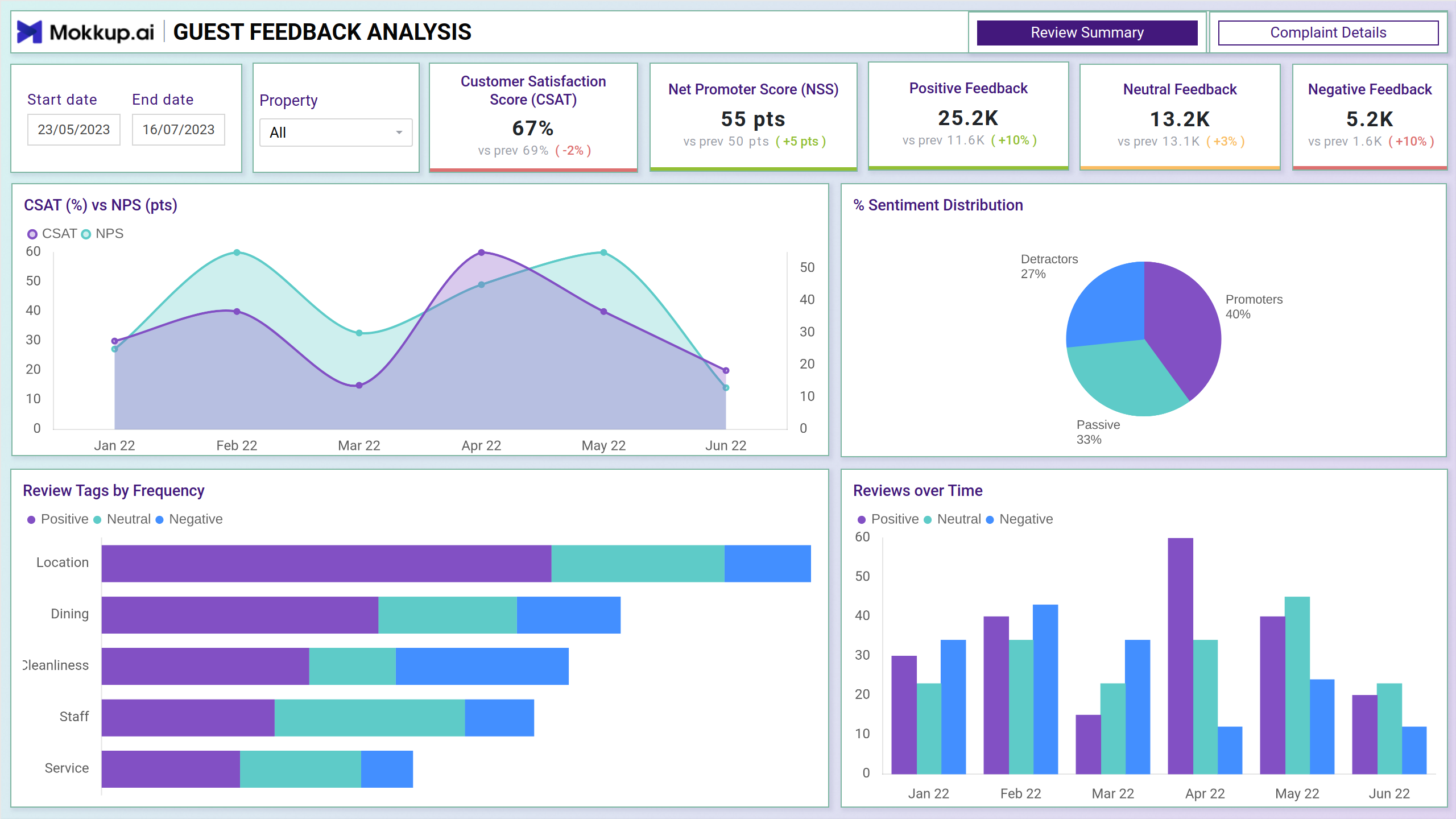
Hospitality Review Dashboard Example
Create your own hotel guest feedback analysis dashboard using a layout that clearly organizes metrics like average rating, number of reviews, and review frequency. The Mokkup Hospitality Review Dashboard template offers a structured format to visualize reviews across platforms, locations, or service categories. After uploading your data, export the dashboard to Power BI or Tableau for deeper reporting and visualization. Whether you're tracking reviews for a boutique hotel or a chain of resorts, this wireframe gives you a clean and effective foundation to begin with.
How to Analyze Data in Hospitality Review Dashboard
Using hospitality review dashboards, teams can identify patterns in guest feedback through organized, visual reporting. If you're looking for hospitality dashboard examples, this drag and drop engagement dashboard template stands out for its clear design and practical utility. It's especially helpful for marketing, operations, and guest experience teams looking to improve service quality based on direct customer input.
The Guest sentiment dashboard is typically divided into two main screens:
- Review Summary Overview: Offers a snapshot of key metrics like average ratings, review volume, and sentiment trends. Perfect for understanding overall guest sentiment and identifying standout locations or services.
- Complaint Details: This screen drills into negative reviews and low-rated experiences. It highlights recurring issues, keywords tied to dissatisfaction, and tracks how quickly issues are resolved. This level of visual engagement data supports targeted improvements and guest recovery strategies.
How to Create a Hospitality Review Dashboard
You don’t need to build your Hospitality review dashboard from scratch. Use Mokkup.ai's hospitality review template to speed up your setup. Add your data and export it in your preferred format. Here's how to get started:
1. Create or Log in to Your Mokkup Account
To access the dashboard templates, sign up on Mokkup.ai using your email. If you already have an account, just log in and get started right away.
2. Choose and Customize Your Patient Satisfaction Dashboard Template
Head to the Templates section and select the Hospitality review dashboard. Use the drag-and-drop editor to customize metrics like visit count, wait times, feedback scores, and departmental performance. You can also apply filters for demographics, time ranges, and service types.
3. Export to Your BI Tool
Once your dashboard is ready, use the BI Tool Export feature to transfer it to Power BI or Tableau for deeper analysis. You can also export it as a PDF, PNG, or JPEG, embed it in reports, or share it with your team for streamlined collaboration.
Note: This is a Pro template. To use and customize this dashboard, you’ll need a Pro subscription on Mokkup. Upgrade anytime to unlock full access.
Benefits of Hospitality Review Dashboards
Hospitality review dashboards help businesses gain insights into what guests love, what bothers them, and where improvements are most needed. With Mokkup’s Restaurant review analytics, hotel and resort teams can:
- Improve Guest Satisfaction: Identify common pain points from feedback and act on them quickly using real-time hospitality analytics.
- Refine Service Standards: Use insights from hotel satisfaction tracking to improve in-room services, check-in experiences, or dining feedback.
- Personalize Offers: Use an AI hospitality dashboard to filter review trends by guest profile, property, or length of stay, helping teams create more personalized promotions or upgrades.
With this data, hospitality teams can drive better reviews, increase customer loyalty, and build a stronger online reputation.
KPIs to Track in Hospitality Review Dashboards
Hospitality review dashboards consolidate the most important metrics to monitor guest sentiment and service quality. These KPIs give teams a clear picture of how each property or service element is performing.
Key KPIs to Track:
- Customer Satisfaction Score (CSAT) – Reflects how satisfied guests are based on survey responses or review scores, usually expressed as a percentage.
- Net Promoter Score (NPS) – Measures guest loyalty by asking how likely they are to recommend the property to others.
- Customer Effort Score (CES) – Indicates how easy it was for guests to get their issues resolved, helping identify friction points in service.
- Average Resolution Time – Shows how quickly guest complaints are addressed, segmented by time ranges (e.g., under 15 mins, 1–2 hours).
- Review Tags by Frequency – Highlights common themes in guest reviews like dining, cleanliness, or staff, segmented by sentiment.
Frequently Asked Questions
1. Who can use this dashboard?
This dashboard is designed for hotel managers, guest experience teams, front desk supervisors, and operations leads. Anyone involved in improving guest satisfaction and service quality can benefit from these insights.
2. Why should I use a hospitality review dashboard?
It brings all your guest feedback—ratings, reviews, complaints, and sentiment—into one place. Instead of switching between platforms, you get a clear, unified view to make faster, data-backed decisions.