
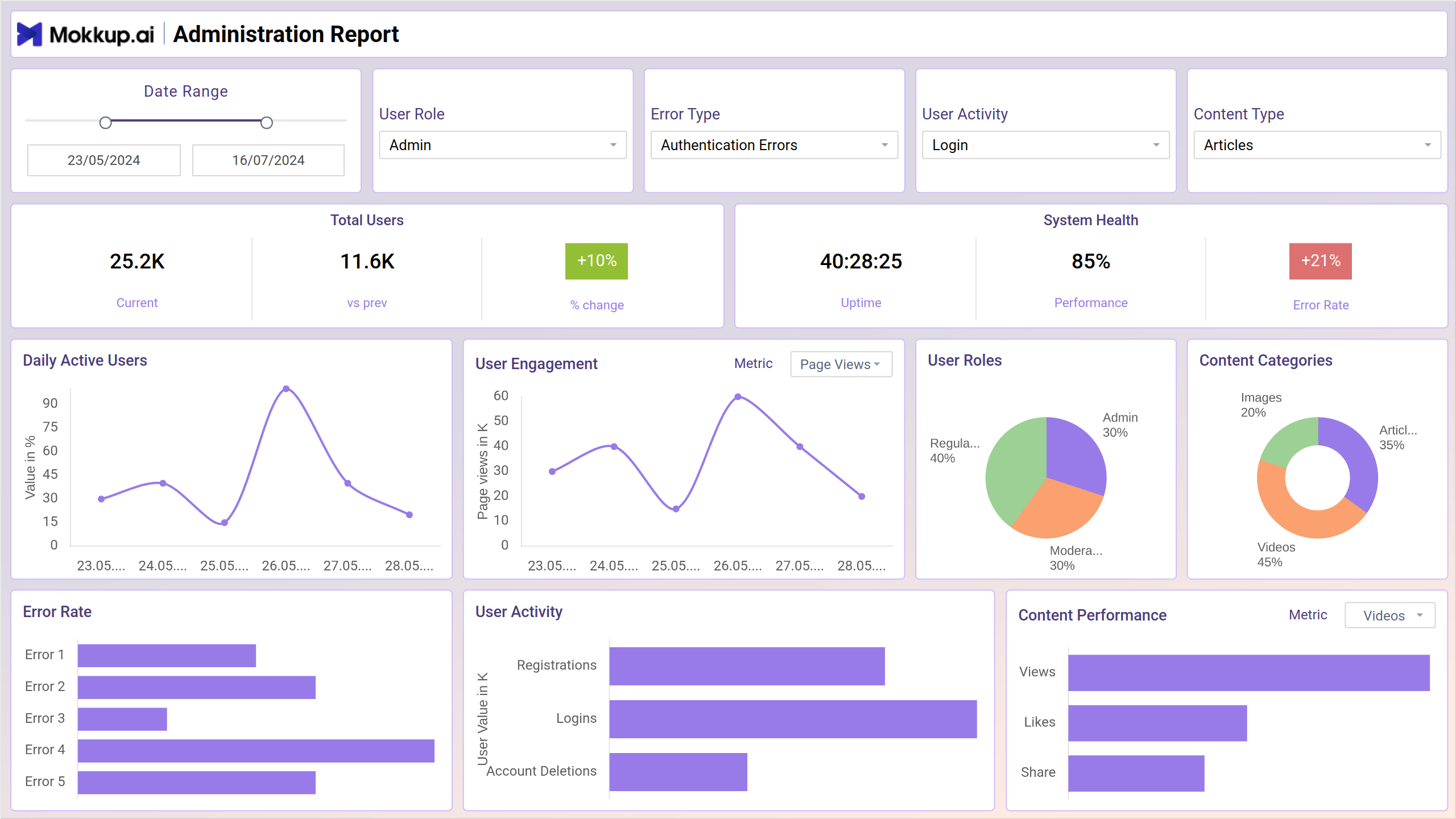
The administration report dashboard template is designed to streamline administrative tasks and enhance operational efficiency. This dashboard offers a centralized platform for accessing key metrics and managing various aspects of administrative functions. With its user-friendly interface and comprehensive data visualization, it empowers administrators to make informed decisions and oversee operations effectively.
The dashboard wireframe comprises two screens: Overview, & Configuration & Security; each is explained briefly below.
Overview
This screen displays a variety of charts and graphs that summarize key performance indicators (KPIs) relevant to system health, user activity, and content performance. The dashboard is designed to allow admins to quickly identify trends and areas requiring attention. For instance, the error rate chart can be used to monitor critical system issues, while the user activity section provides insights into user behavior and content engagement.
Key Terms to Know
- Daily Active Users: Displays the number of users actively engaging with the platform each day.
- User Engagement: Measures the level of interaction and participation from users across the platform.
- User Roles: Identifies and categorizes users based on their roles and permissions within the system.
- Content Categories: Organizes and segments platform content into various categories for easier management and analysis.
- Error Rate: Indicates the frequency of errors encountered by users while interacting with the platform.
- User Activity: Tracks and summarizes the actions and behaviors of users within the platform.
- Content Performance: Evaluates the effectiveness and popularity of content based on user interactions and feedback.
Configuration & Security
This view focuses on two main areas: configuration management and security posture. The configuration section provides an overview of system configurations, including update status and access control. The security section allows admins to monitor login attempts, system logs, and compliance reports.
Key Terms to Know
- User Authentication: Verifies user identities to ensure secure access to the platform.
- System Logs: Records detailed events and activities within the system for monitoring and troubleshooting.
- Compliance Reports: Generates reports to ensure adherence to regulatory and organizational standards.
- System Configuration: Manages settings and parameters to customize system functionality and performance.
- Access Control: Regulates user permissions and access levels to protect sensitive information and resources.
Dashboard Template Insights
This dashboard wireframe delivers significant advancements in administrative control and operational oversight:
- The dashboard provides a unified platform for monitoring key metrics, enhancing overall administrative efficiency.
- System logs and error rate tracking offer detailed insights into system performance and reliability.
- The inclusion of compliance reports helps maintain adherence to regulatory standards, ensuring organizational accountability and governance.
Conclusion
In conclusion, the administration report wireframe significantly improves administrative control and operational efficiency. By centralizing oversight, enhancing security management, offering comprehensive system monitoring, and ensuring regulatory compliance, it empowers administrators to make informed decisions and maintain effective governance. This streamlined approach facilitates better management and supports the organization's overall operational goals.