

Transferring Project Ownership in a Workspace
In Mokkup, project ownership can be transferred to another team member within the workspace. One user can start working on a project within the workspace and later transfer the project to another user when needed. This ensures smooth handovers and acts as a workaround for collaboration on the same project.
Conditions for Transferring Project Ownership:
- The current project owner must have a Pro license.
- The recipient must also have a Pro license.
- You must be the project owner to transfer.
- Both the sender and recipient must be part of the same workspace.
- If the recipient is not in the workspace, invite them to join your workspace or project– once they accept the invitation and join, you can transfer ownership.
Steps to Transfer Project Ownership:
- Go to your workspace in Mokkup.
- Navigate to the project you want to transfer. Click on the 3 dots.
- Click on the "Share" option in the project menu.
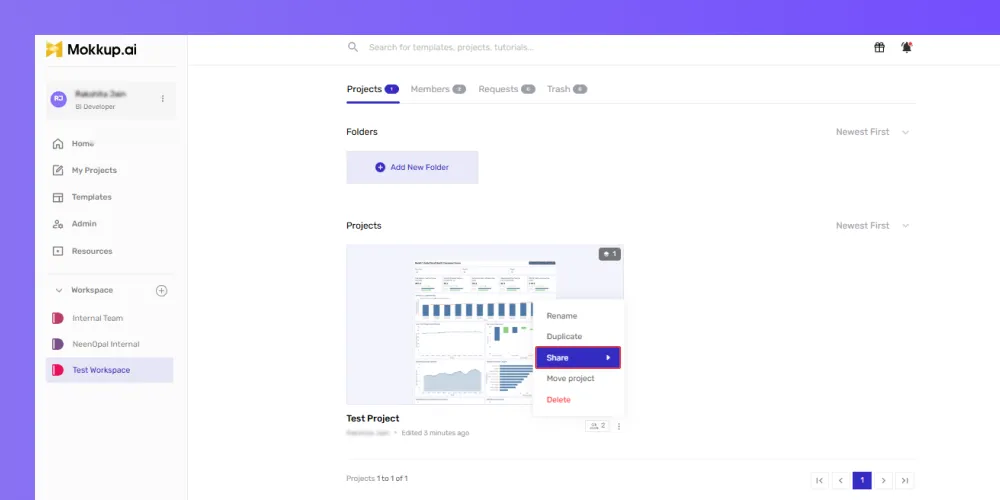
-
Find the workspace member you want to transfer ownership to.
-
Click on "Transfer Owner" next to their name.
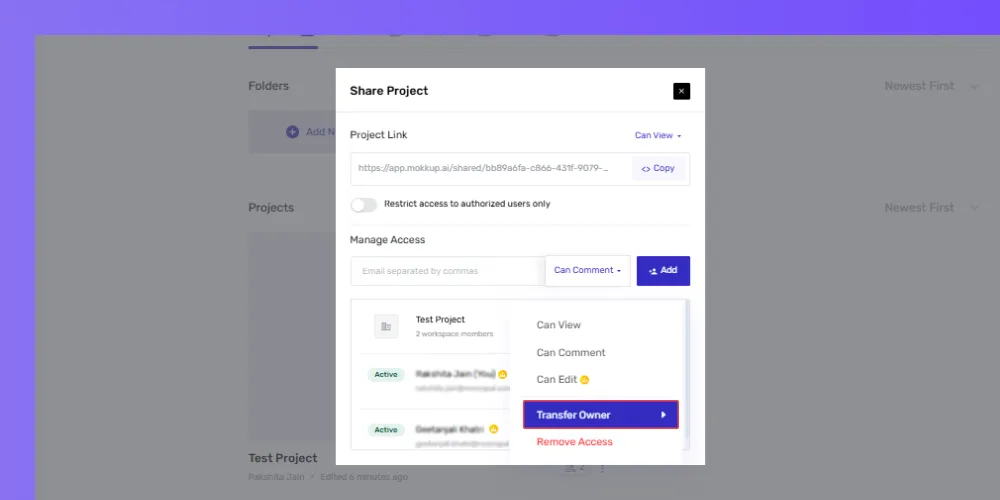
-
A confirmation prompt will appear. Click "Transfer" to complete the process.
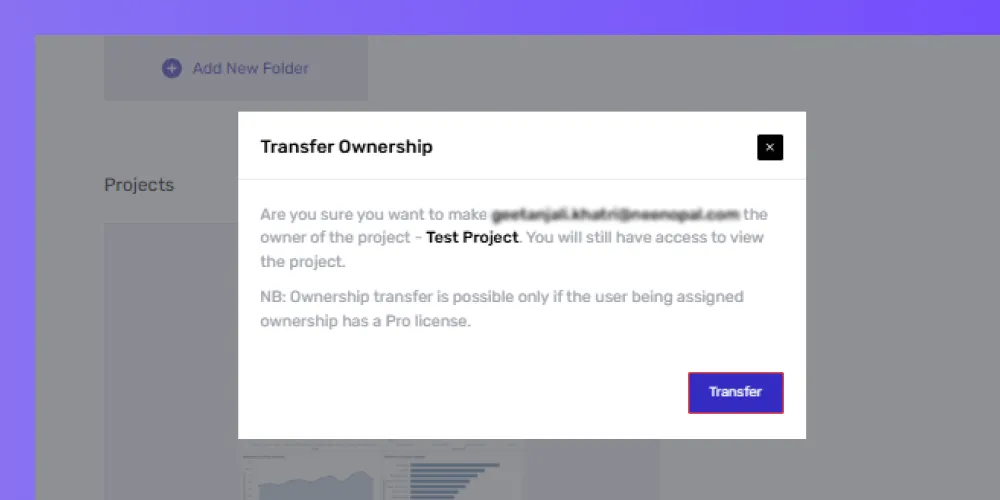
- Once the project has been completed, you will still have viewer access, meaning you can see the project but can’t make changes.
- They can also grant you other permissions, like Comment or Manage access for the project. If needed, they can also transfer the project ownership back to you.
Note: If you are the workspace's admin, you will still retain manager access to the project.