

Screens
There are multiple ways to add screens to your project. There are editing and customization options to make the changes accordingly.
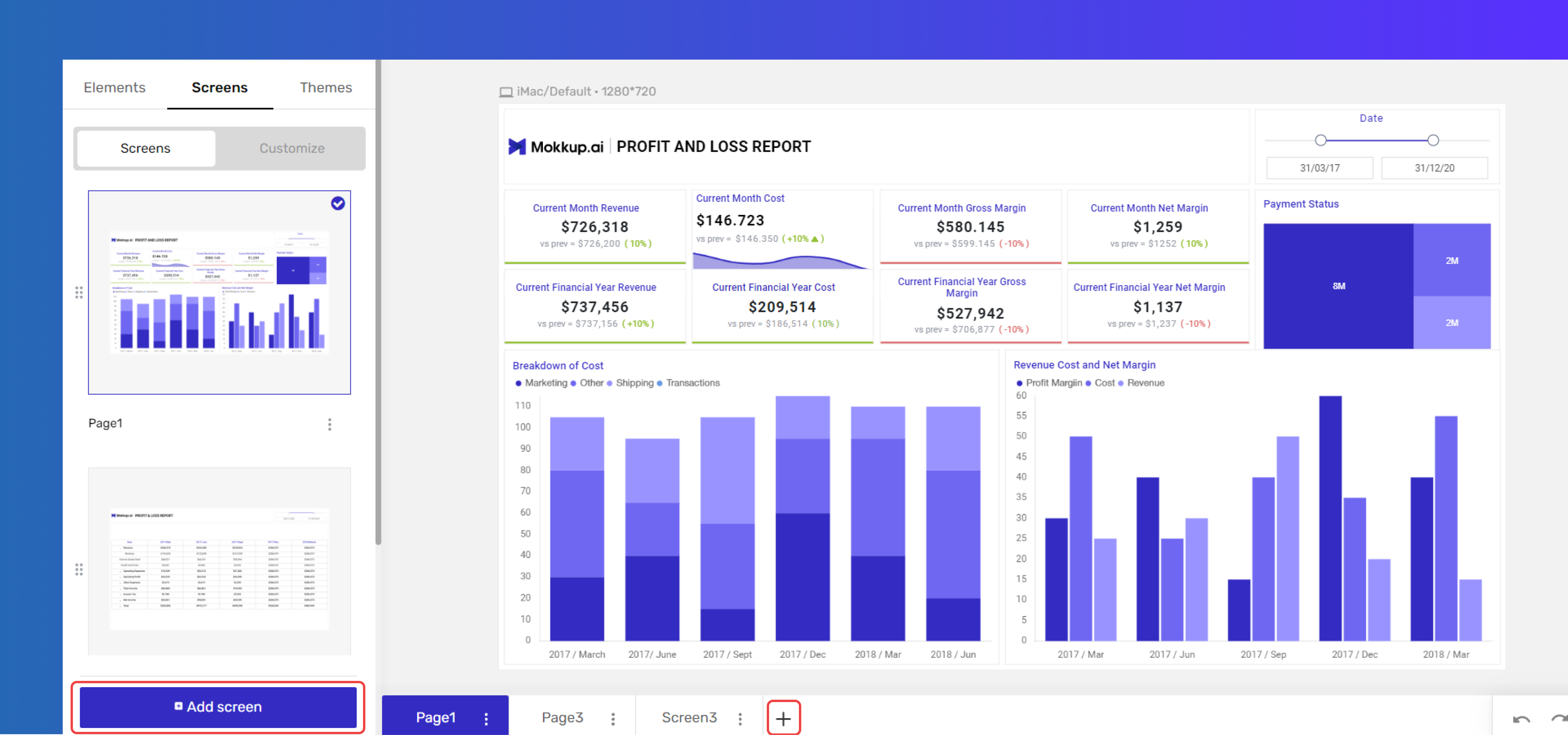
As shown above, you can add a new screen by clicking the “Add screen” button or using the “+” sign.
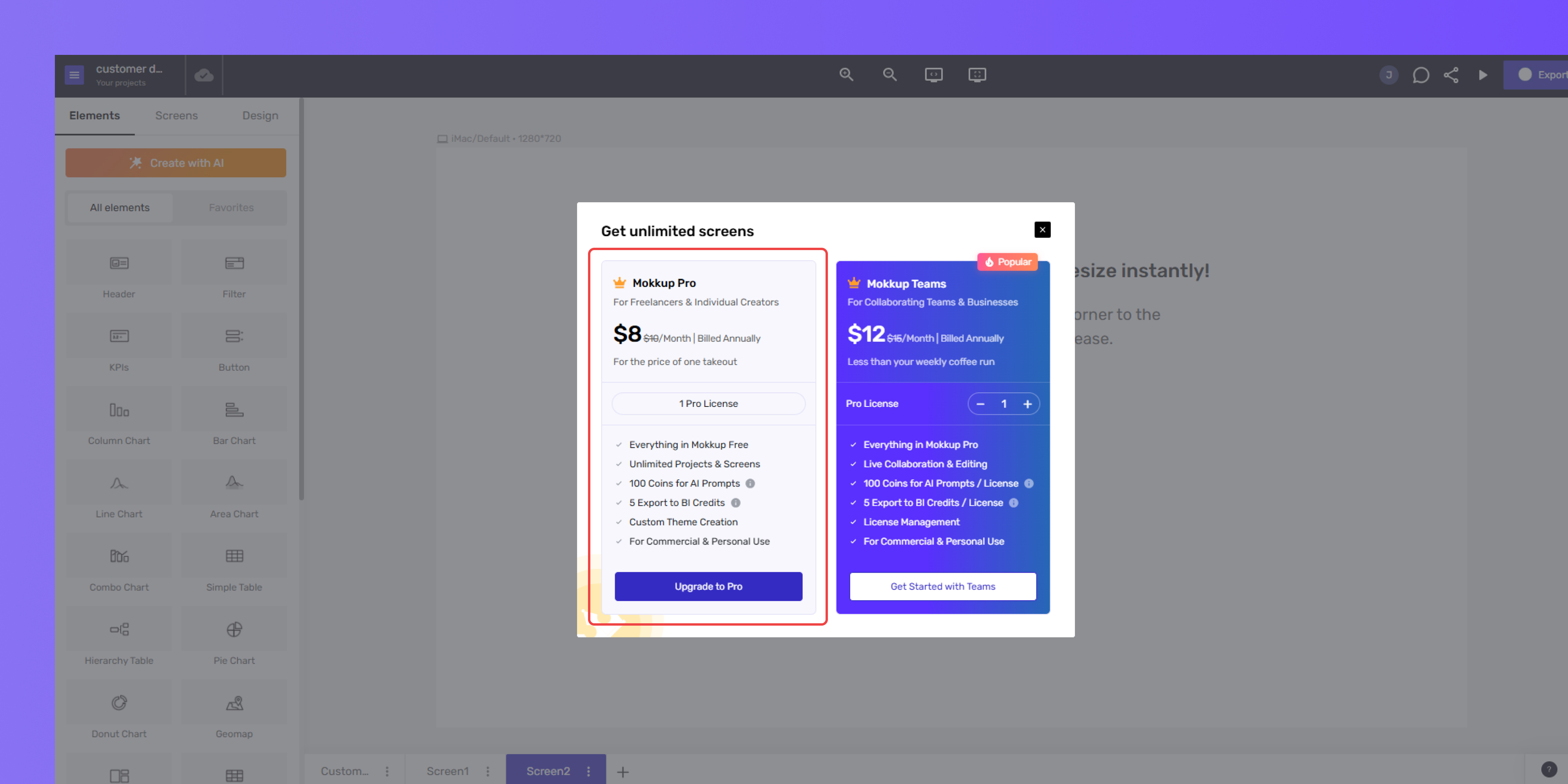
If you're on the free plan, you can add up to 3 screens. When you try to add a fourth, a pop-up will ask you to upgrade to the Pro plan.
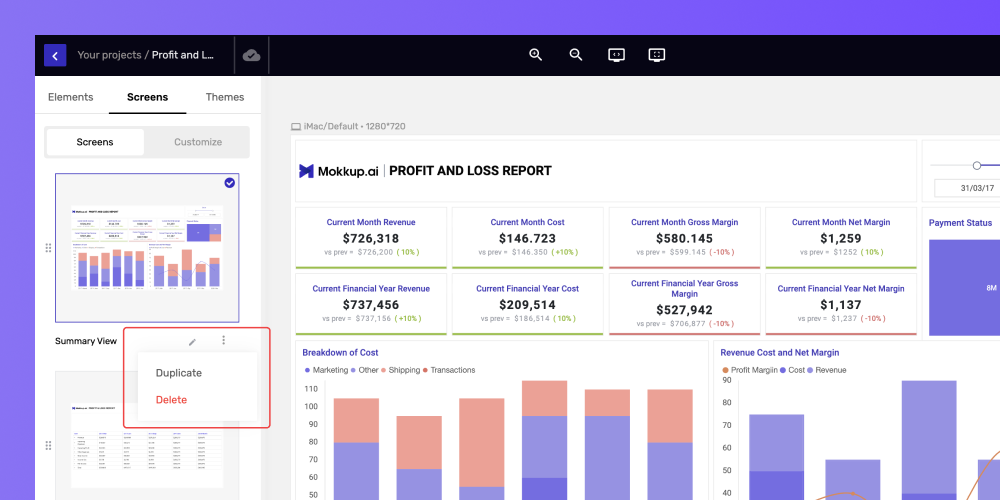
You can duplicate or delete the selected screen by clicking the three dots.
Customize Screens
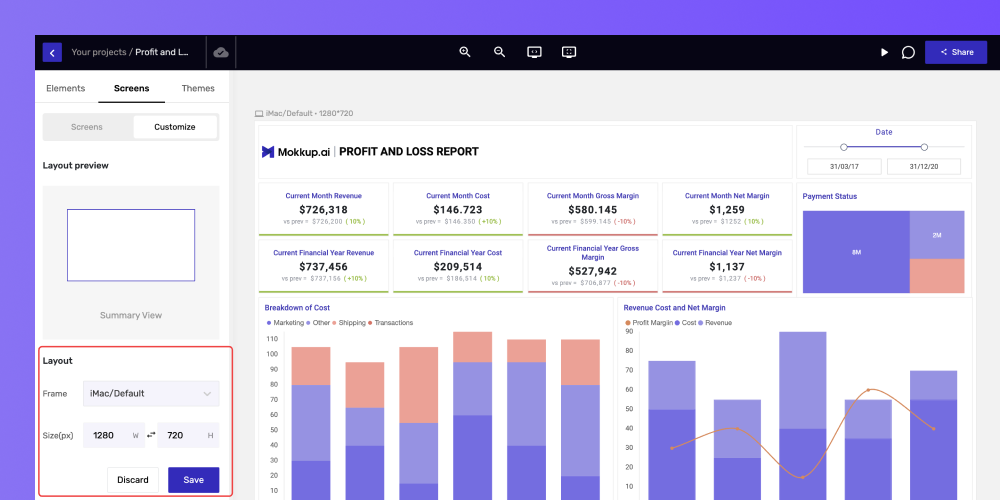
The customize tab will allow you to select the frame size from various options and set the dimensions accordingly.