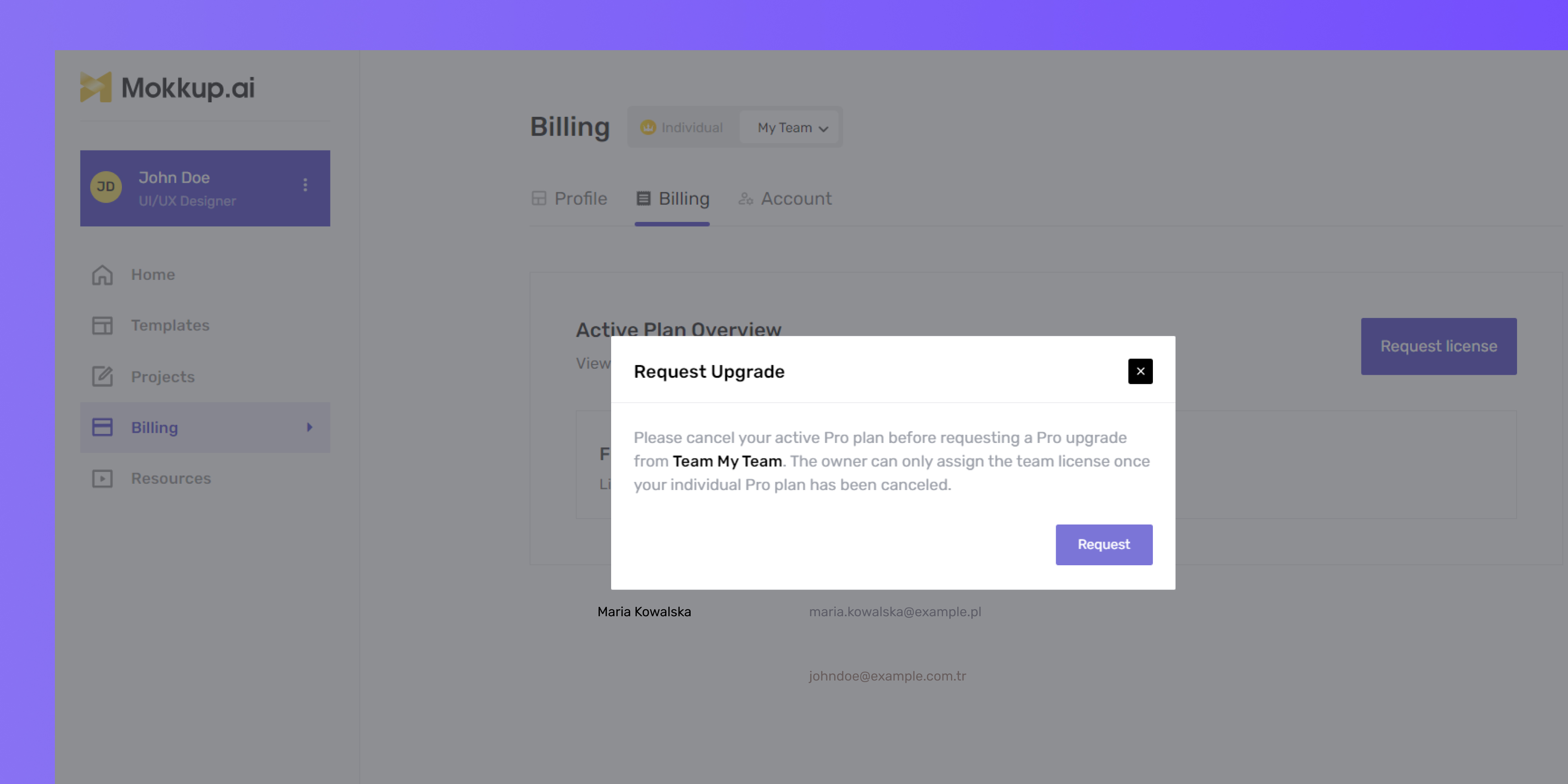
Requesting Pro License Upgrade for Team Members
New team members start with a free license. If they already have an active Pro license (either individually or assigned to them by another team), they must cancel it before the team owner can upgrade them to Pro or before they can request an upgrade.
Here’s how to do it:
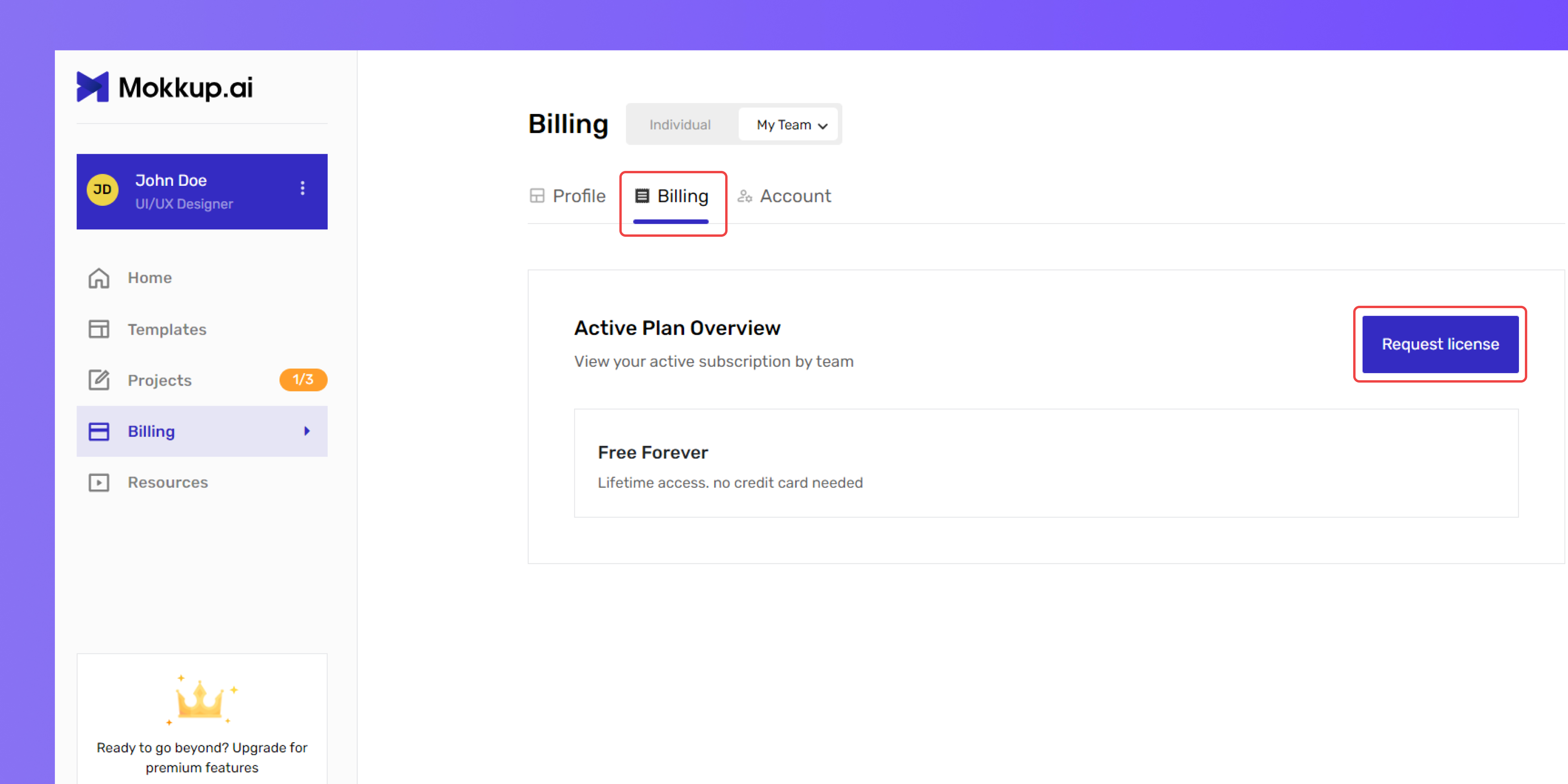
- Go to the Billing section under your plan settings.
- In the Active Plan Overview section, click on Request License.
-
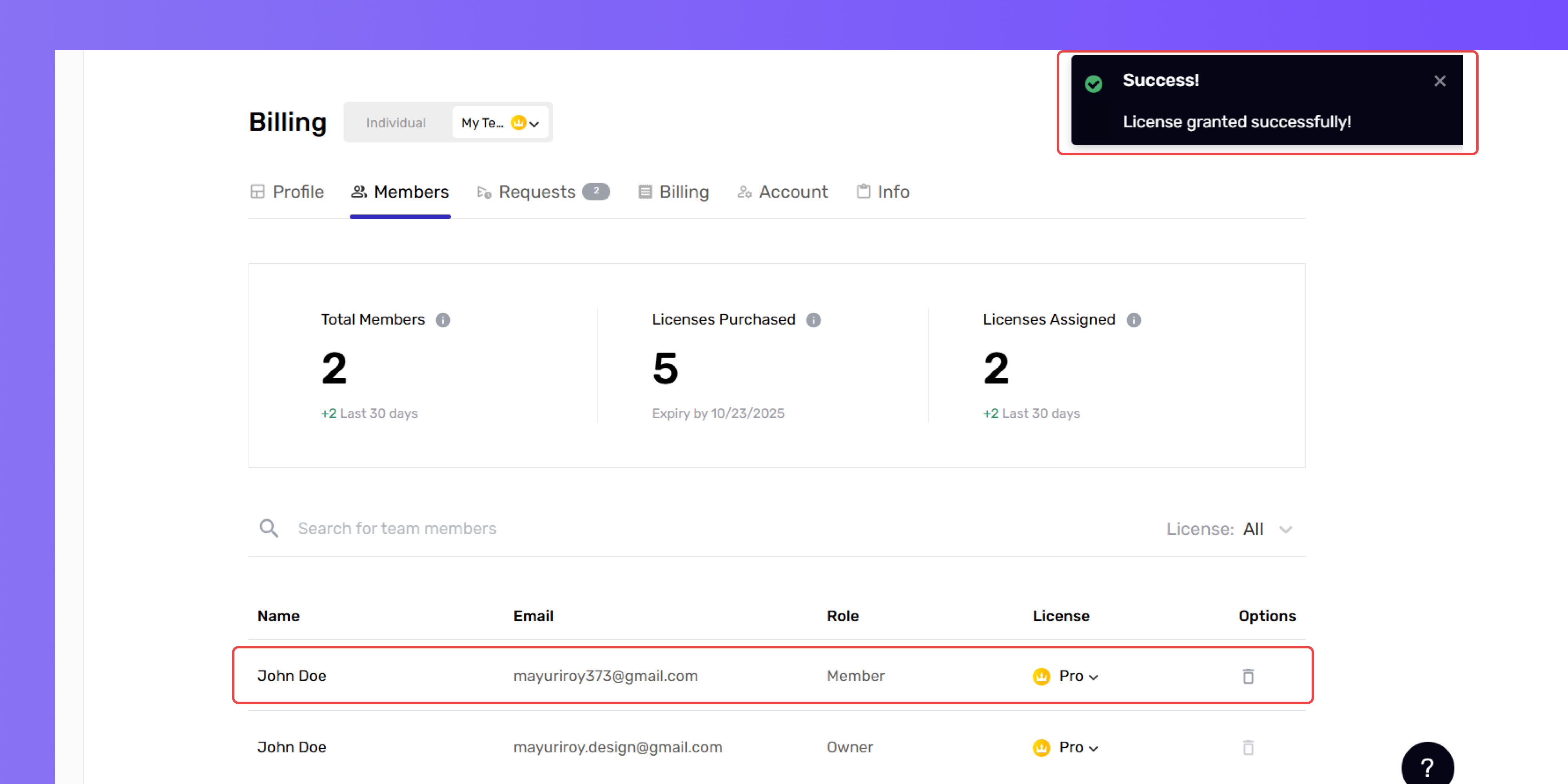
After confirmation, Mokkup will notify the owner via email or in-app notification to grant you a Pro license.
- Please note that you cannot request a Pro license as a team member if you already hold a Pro license with Mokkup.
- You will need to cancel your current Pro plan before requesting the upgrade to your team, as shown below.
.