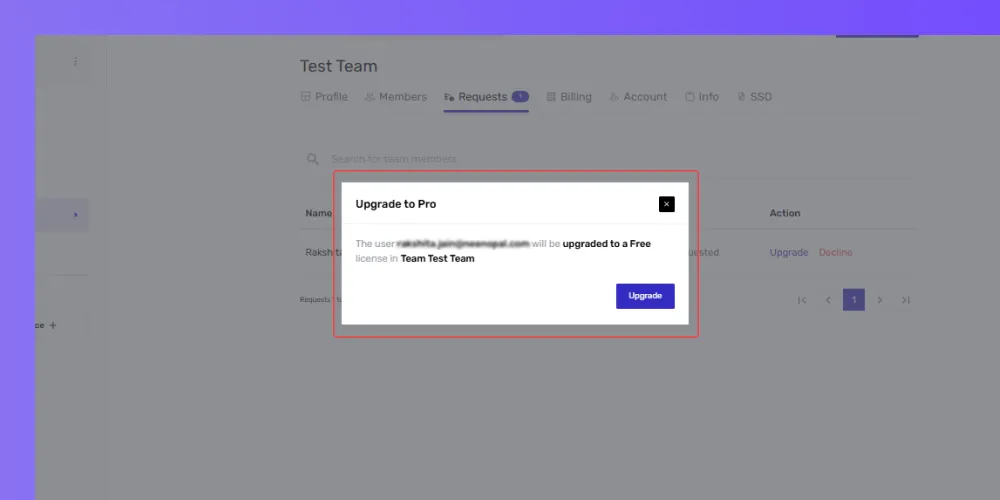
Requesting Pro License Upgrade for Team Members
New team members start with a free license. If they already have an active Pro license (either individually or assigned to them by another team), they must cancel it before the team owner can upgrade them to Pro or before they can request an upgrade.
Here’s how to do it:
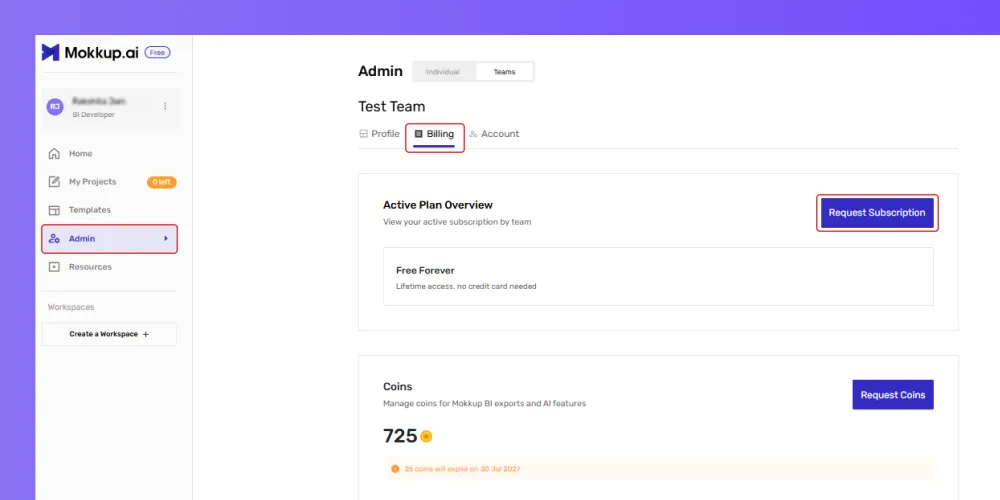
- Go to the Billing section under your plan settings from the Admin option.
- In the Active Plan Overview section, click on Request Subscription.
-
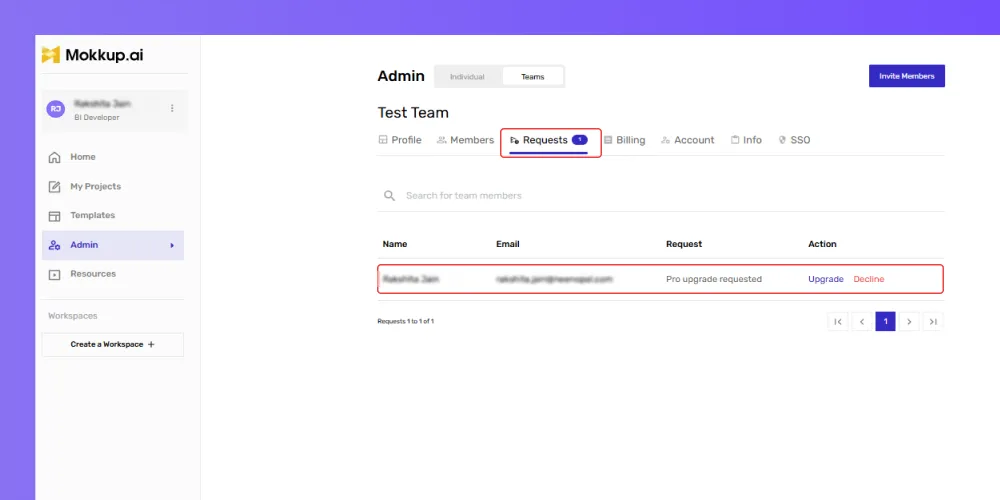
After confirmation, Mokkup will notify the owner via email or in-app notification to grant you a Pro license. They can see it in their Requests section as well
- Please note that you cannot request a Pro license as a team member if you already hold a Pro license with Mokkup.
- You will need to cancel your current Pro plan before requesting the upgrade for your team, as shown below.
.