

Manage your account
Sign in to Mokkup.ai
You can sign into your Mokkup.ai account by email or using your Google account. Follow a few simple steps to sign into your account:
- Go to the Mokkup.ai website and click login at the top right corner.
- Enter your email address and password, then click “Login.” If you want to keep your account signed in, select “Keep me logged in” before clicking the “Login” button.
Sign in with Google
- Open the Mokkup.ai website in your browser.
- Click the ‘Login’ button located in the top right corner of the homepage.
- On the login page, click the Google icon.
- If you're already signed into a Google account, select it from the list. If not, enter your Google email address and click Next.
- Input your Google password and click Next.
- After successful authentication, you'll be redirected to the app.
Sign in with Microsoft
- On the login page, click the Microsoft icon.
- A Microsoft login window will open. If you're already signed in, select your account. If not, enter your Microsoft email and click Next.
- Type your password and click Sign in.
- After successful authentication, you'll be redirected to Mokkup.ai.
Sign in with LinkedIn
- Click the LinkedIn icon on the login page.
- A LinkedIn sign-in window will appear. Confirm your account if you're already logged in; otherwise, enter your LinkedIn email/phone and click Next.
- Enter your password and click Sign in.
- After successful authentication, you’ll be redirected to the app.
Sign in with Slack
- Click the Slack icon on the login page.
- A new window will take you to the Slack login page. If you’re already signed in, click Authorize to allow access to Mokkup.ai.
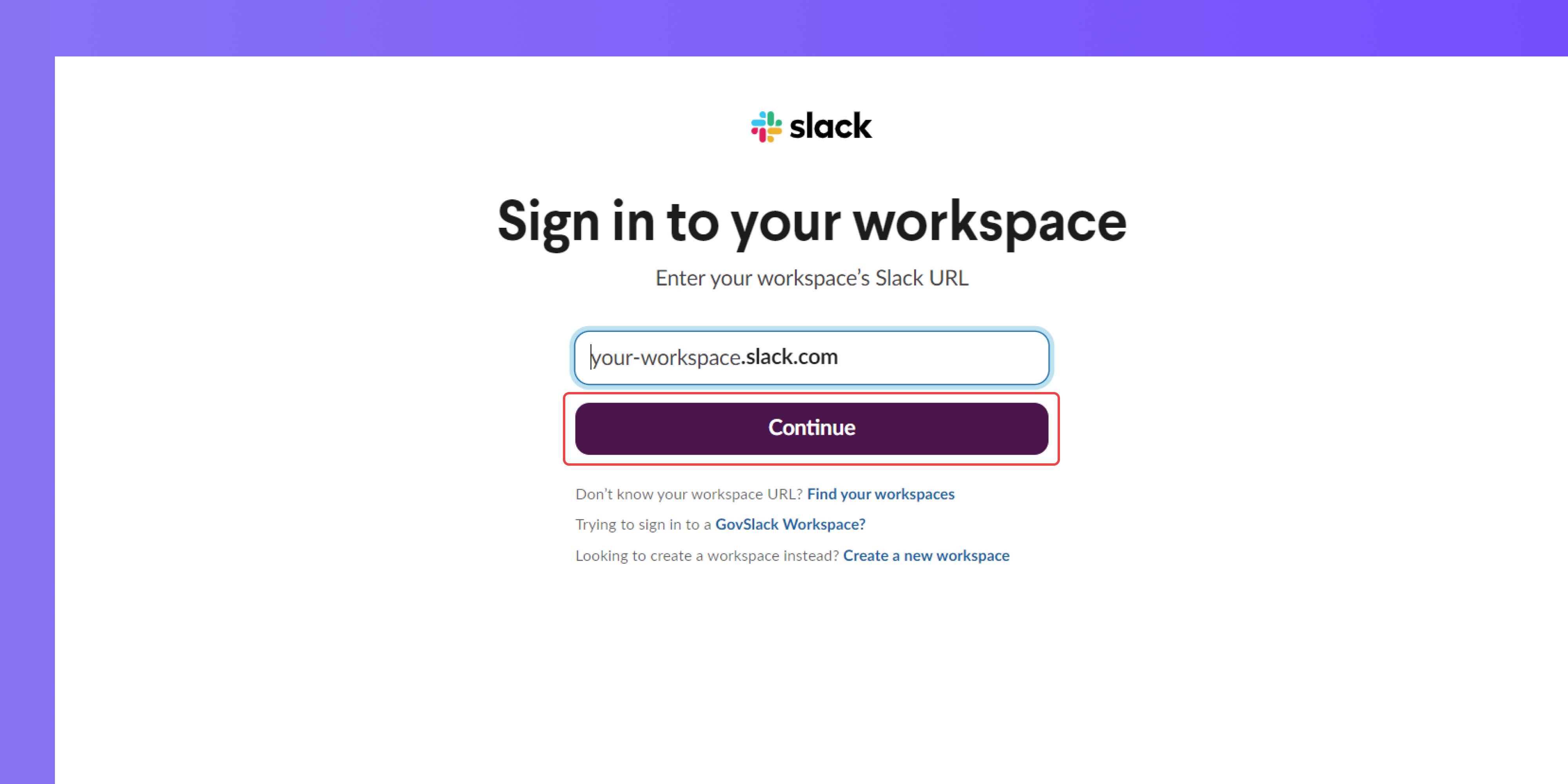
- If not logged in, enter your workspace name and hit Continue.
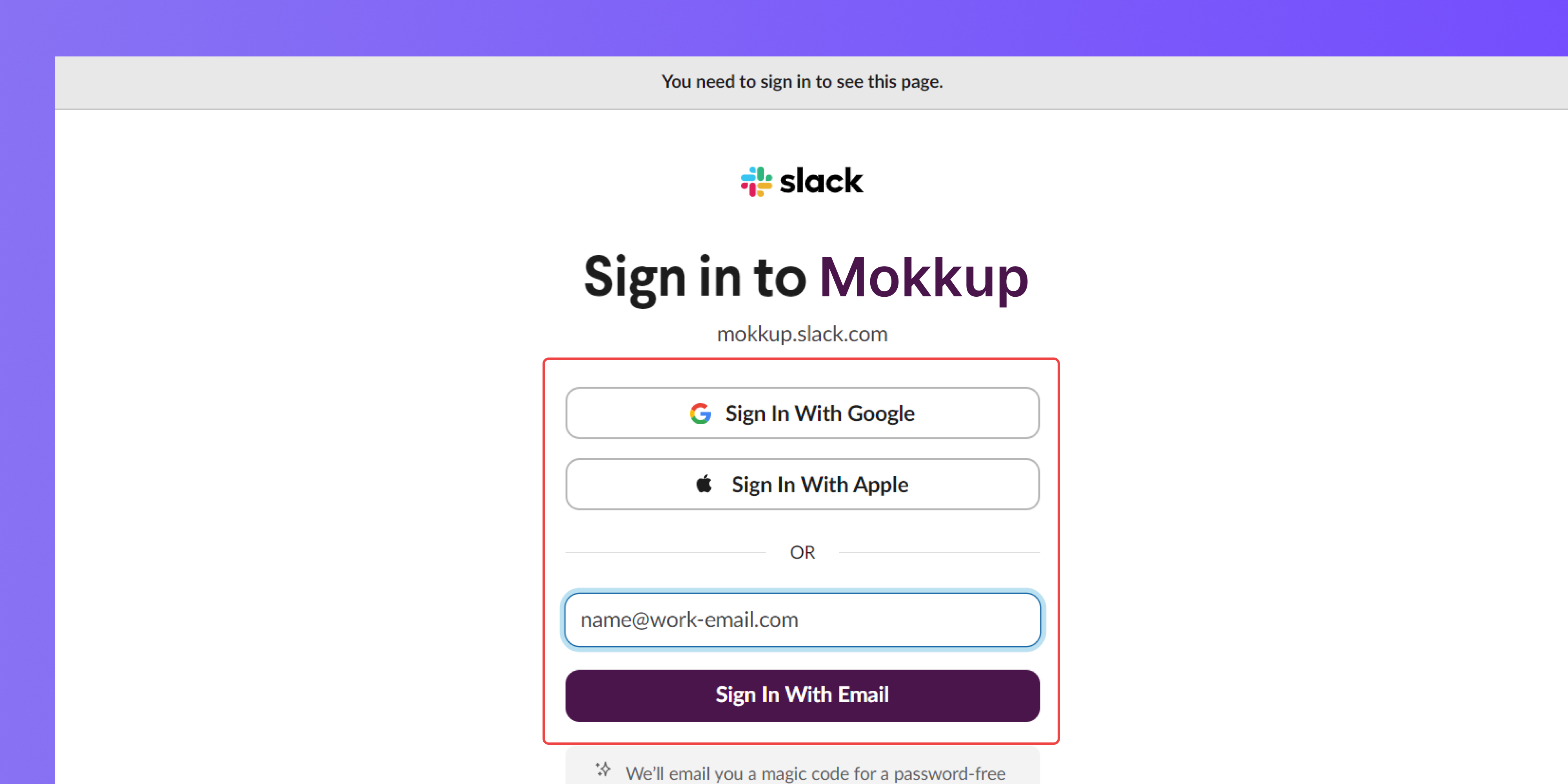
- Provide the email and password associated with your Slack work account, then click Sign in.
- You can also log in using the Sign in with Google or Sign in with Apple options on the login page
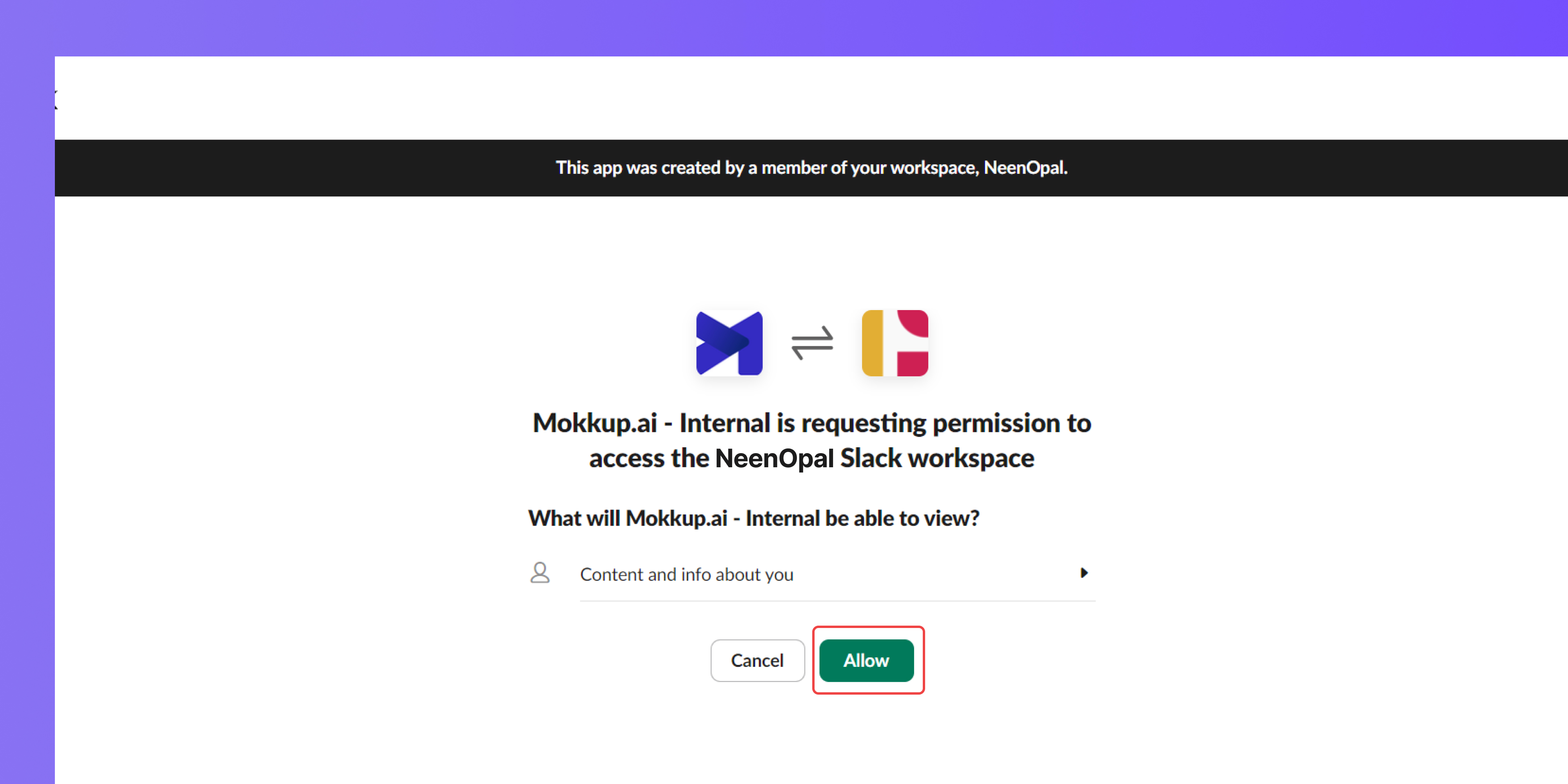
- After logging in, Mokkup.ai will authenticate your account. Simply click "Allow," and you'll be logged in through Slack.
Troubleshooting
1. Forgot your password
You can request a recovery code on your registered Mokkup.ai email account by clicking the “Forgot password?” option on the login page.
2. Not receiving the emails.
If you are not receiving the emails, you must:
- Check if you are using the registered email address for Mokkup.ai
- Check your inbox and spam folder for the emails; if you still face the issue, you can contact us for further assistance.