

Get Started with Mokkup’s Referral Program
Earn rewards by inviting your friends to Mokkup. When someone signs up using your unique referral link and makes their first purchase, you’ll receive 10% of the transaction amount (up to $100). It’s our way of saying thanks for helping grow the Mokkup community.
Below, you’ll learn how the referral program works, how to invite friends, and how to track your rewards.
Note: The referral program is available to all registered Mokkup users with an active account.
How The Referral Program Works
Anyone with an active Mokkup.ai account can participate in the referral program. You’ll get a unique referral link to share, and once someone signs up using your link and completes their first purchase, you earn 10% of their transaction amount, credited directly to your account.
To get started, follow these steps:
1. Sign in to Mokkup.ai
- Log in to your Mokkup account.
2. Get your referral link
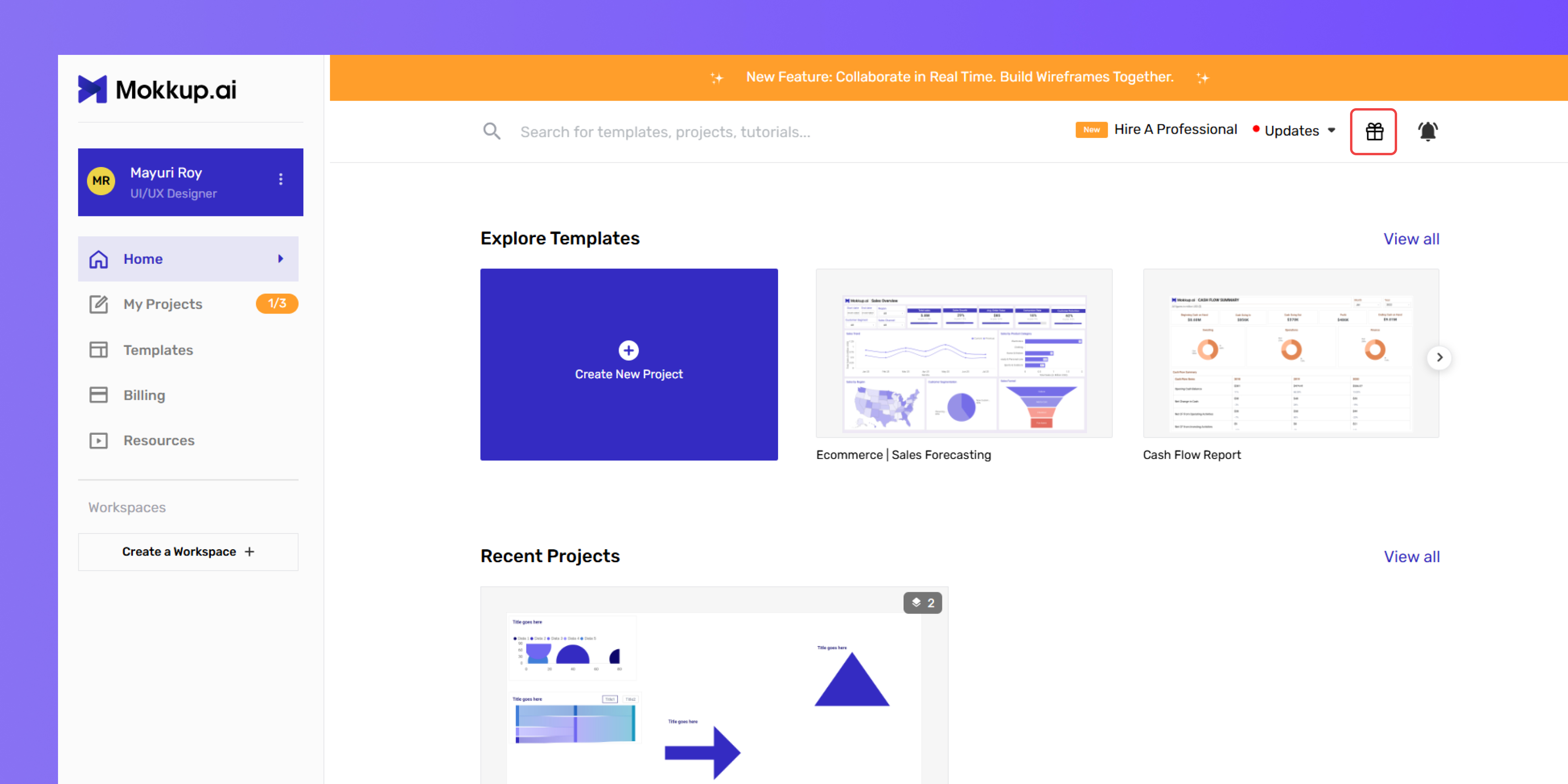
- Click the gift icon in the top right corner of the app.
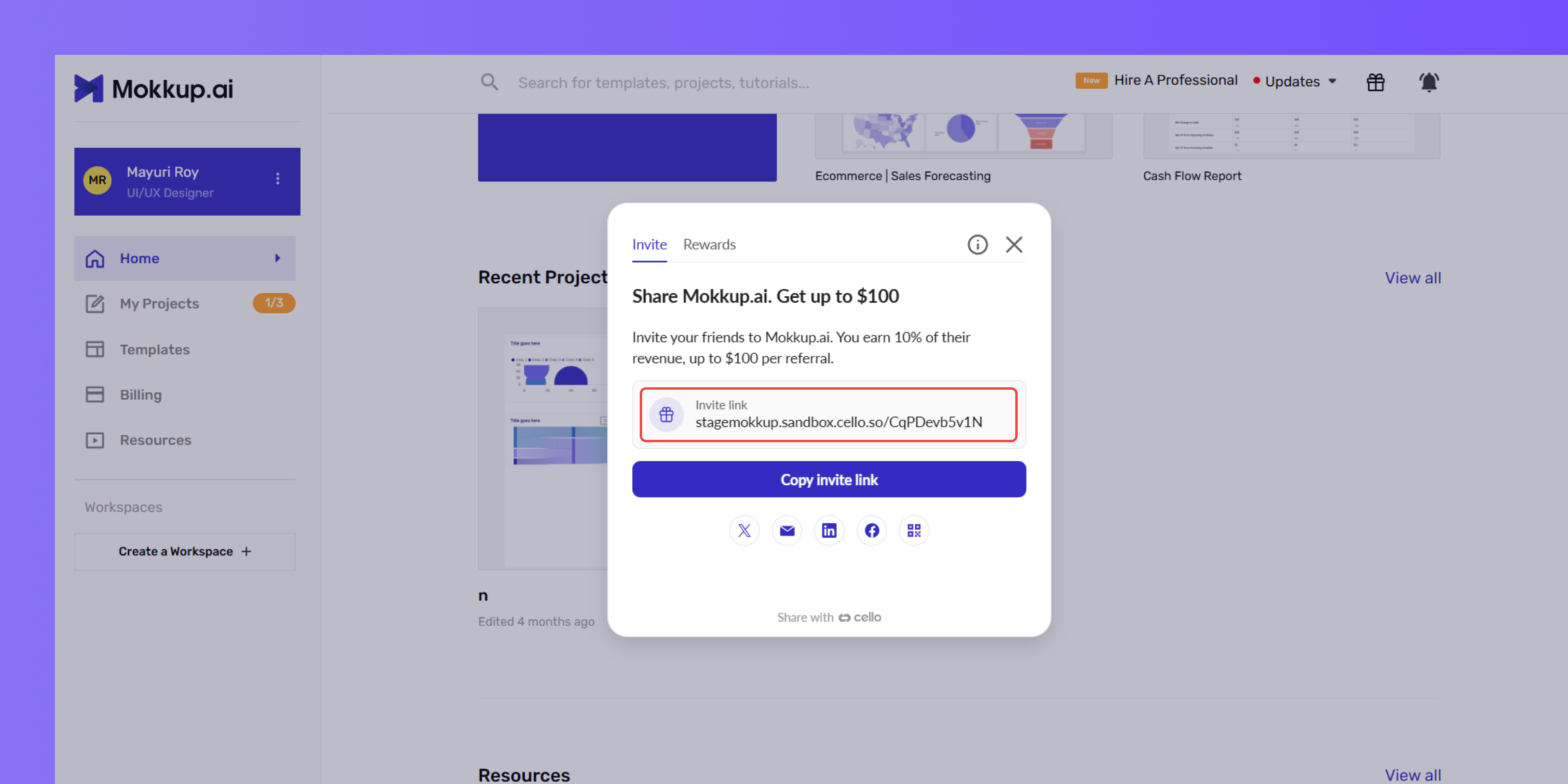
3. Invite your friends
- Share your unique link via email, social media, or any messaging app.
4. Earn rewards
- When your friend signs up using your link and completes their first transaction, you’ll receive 10% of that transaction (up to $100) as a reward.
- Rewards apply to purchases of any of the following:
-
- Mokkup Teams Plan
- Mokkup Pro Plan
- Any credits purchased as part of their first transaction
Example: If your friend signs up using your referral link and purchases a Teams plan worth $200, you’ll earn $20.
Who Can Participate
- The referral program is available to all Mokkup.ai users with an active account.
- There’s no limit to the number of people you can refer, but the reward per referral is capped at $100.
Note: Rewards apply to the first completed transaction only.
How Rewards Are Calculated
You’ll earn 10% of your referral’s first completed transaction, up to a maximum of $100 per referral.
- The reward is applied only to the first transaction made by your referral.
- Transactions must be completed (i.e., fully paid) for the reward to be eligible.
- You can refer as many people as you like, with each referral capped at $100.
- All rewards are paid in USD.
Note: There is no overall earning limit—only a $100 cap per referred user.
Getting Paid For Your Referrals
Before you can collect any payments for your referrals, you’ll need to add your payout details.
1. Click the gift icon in the top right corner of the app.
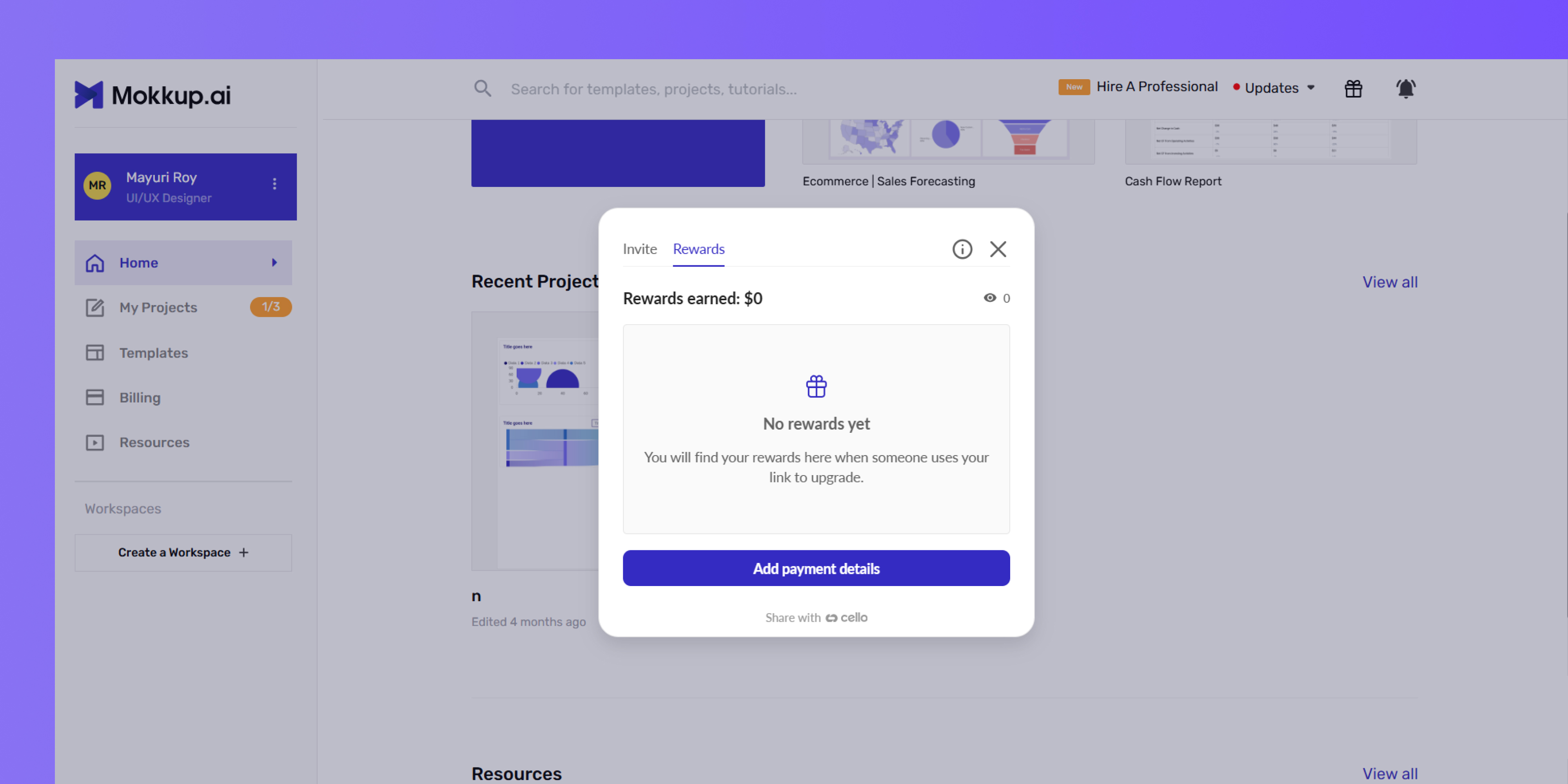
2. Go to the Rewards tab.
3. Click on Add payment details.
4. Select your country/region from the dropdown.
5. Choose your preferred payment method
- PayPal (available globally)
- Venmo (available for USA users only)
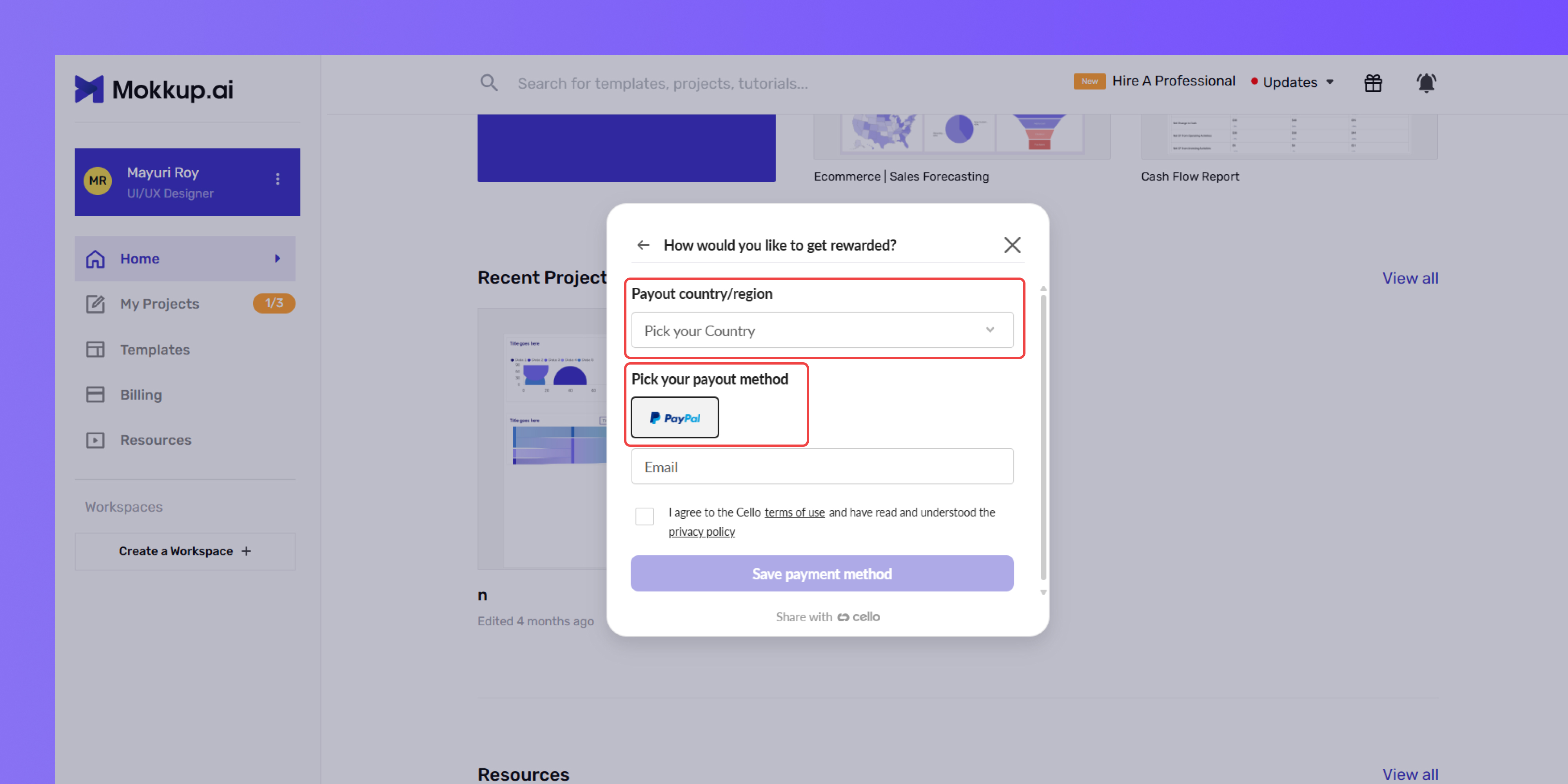
6. Enter your payout information
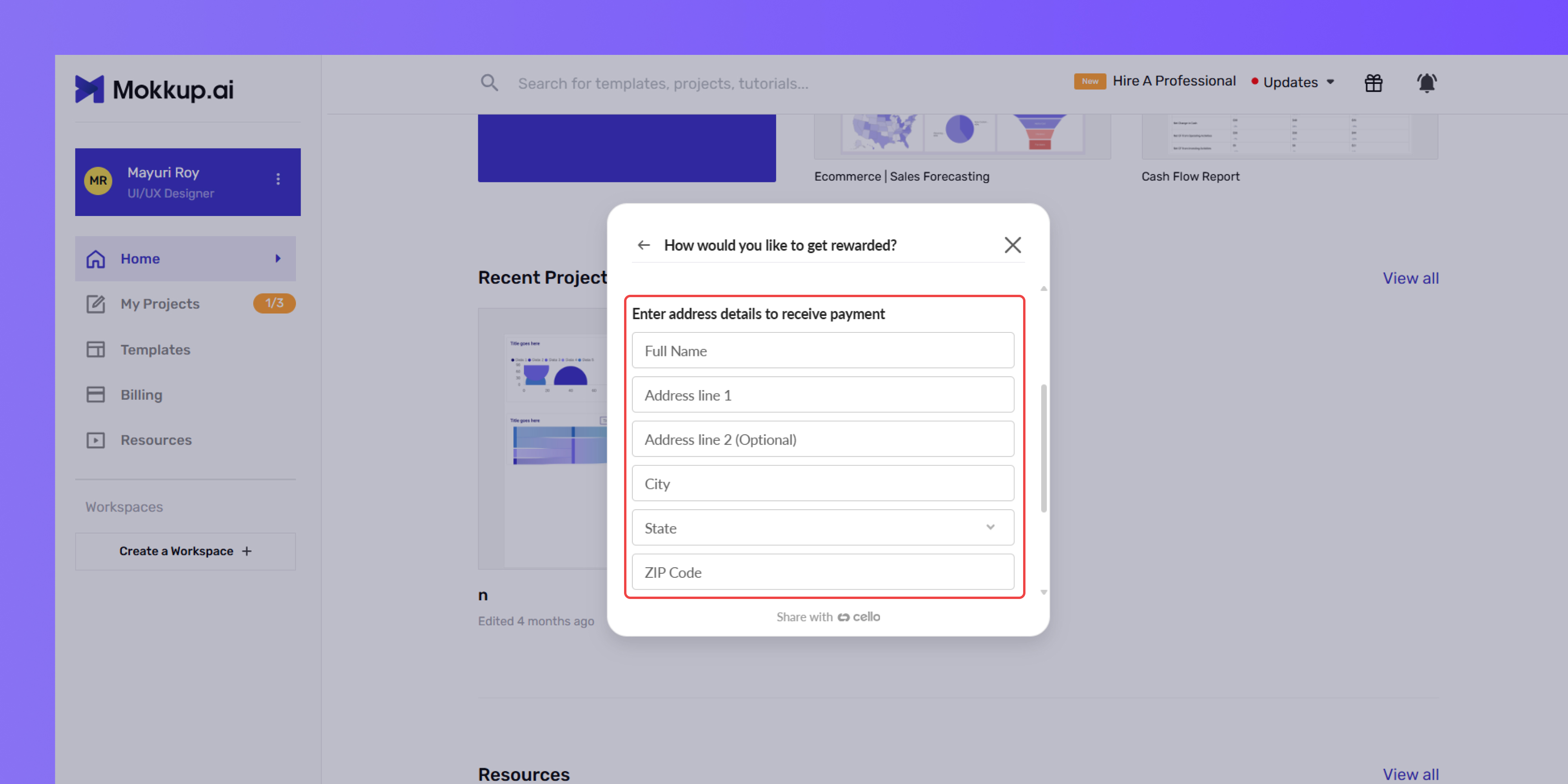
7. Want to get rewarded as a business?
- Turn on the "I want to get rewarded as a business" toggle
- Enter your company name and VAT number
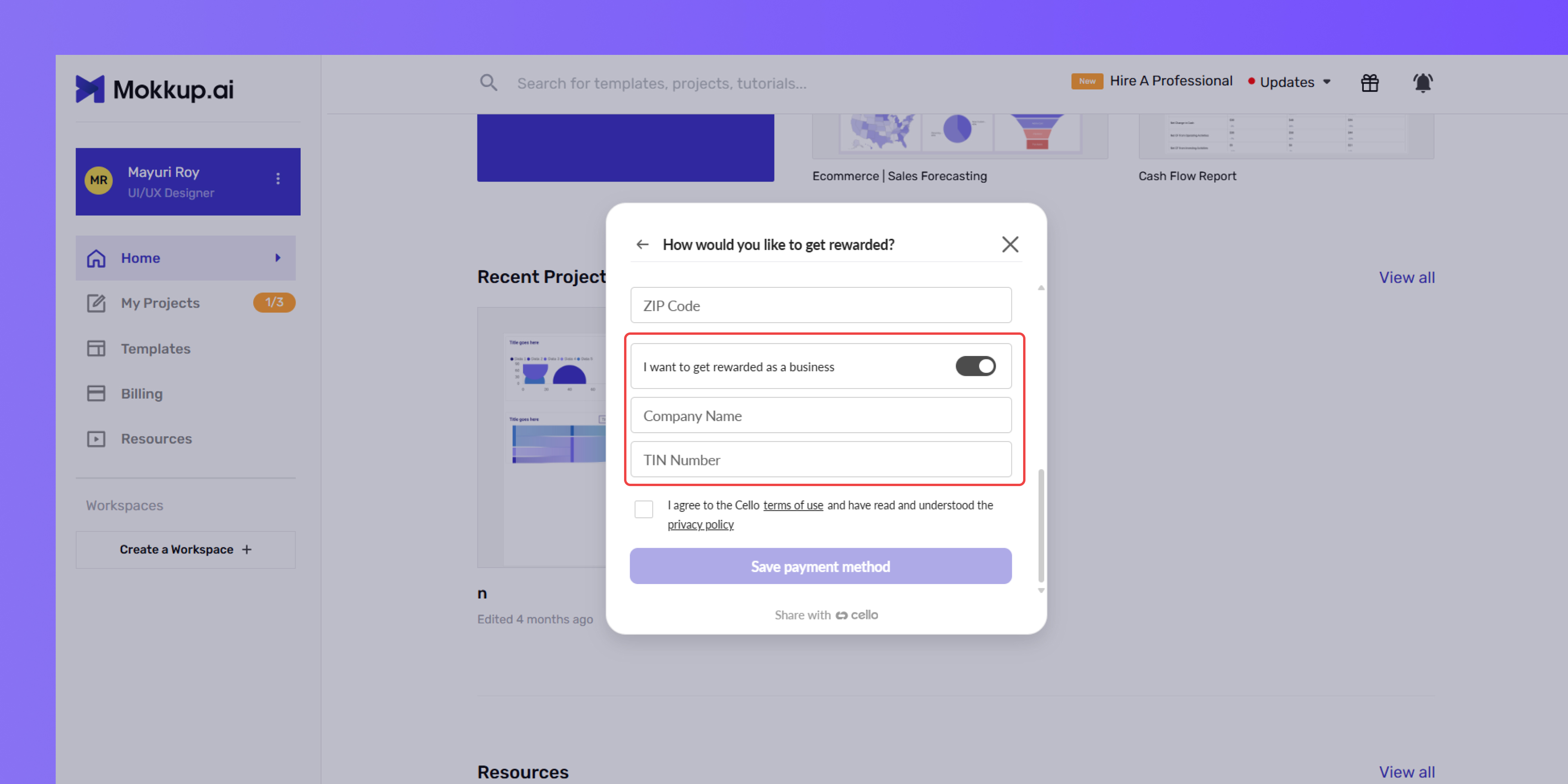
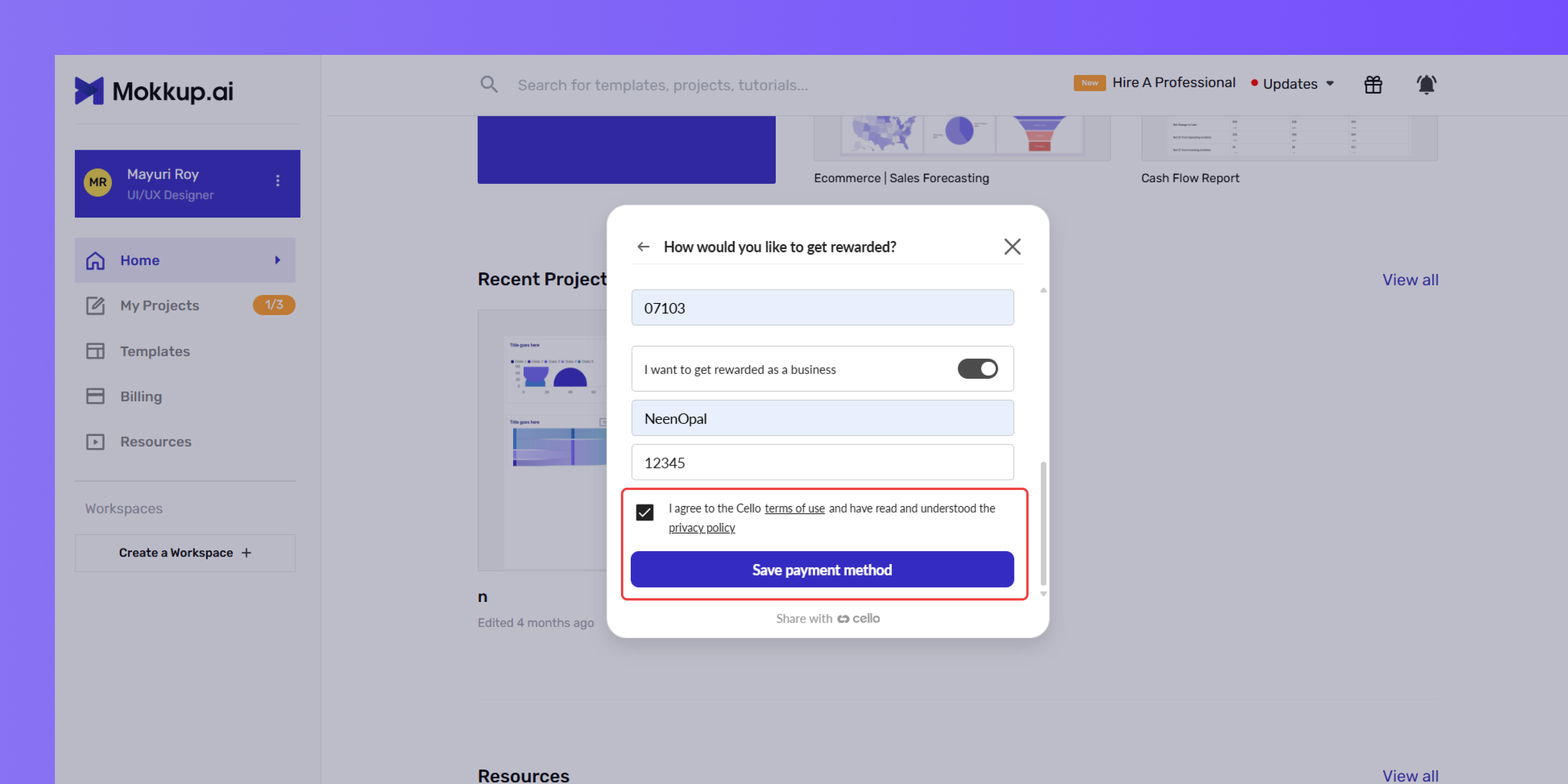
8. Agree to the terms of use.
9. Click Save payment method.
Note: Only sign-ups using your unique referral link will count. The reward can't be applied retroactively if your friend forgets to use it.
Tracking Your Referrals
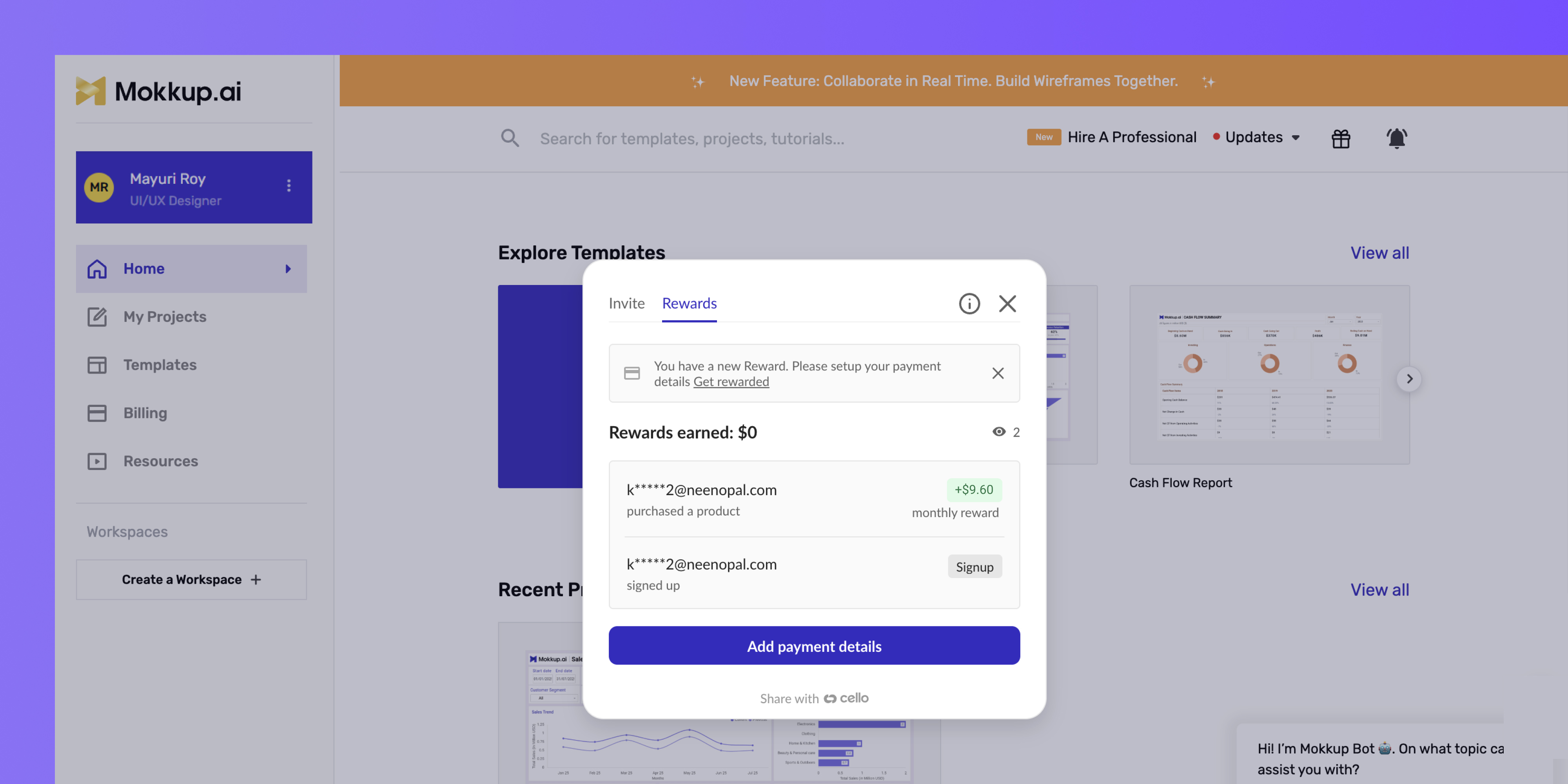
You can view and manage all your referral activity in the Referral Program dashboard.
1. Click the Referral Program icon in the upper right corner of the app.
2. Go to the Rewards tab
3. You’ll see:
- A summary of your total rewards
- A list of all active referrals
- The payout status for each referral
Note: Rewards are typically processed within 30 days after your referral’s first transaction is verified.
Program Policies
Eligibility Criteria:
- Invitees must be new users registering with a valid email address
- Only users who sign up using your referral link are eligible
- There are no restrictions on referring users within your own organization or email domain
Referral Rewards:
- Only the first completed transaction counts toward the reward
- Maximum payout per referral: $100
- Total referral payouts can accumulate up to $500
Payout Information:
- Rewards are paid in USD via PayPal or Venmo (USA only)
- Payments are typically processed within 30 days of referral verification
Program Modifications:
- Mokkup.ai reserves the right to change, pause, or cancel the program at any time
- Any changes will be communicated via email or posted in the Help Center
Preventing Abuse:
- Suspicious or fraudulent activity will result in immediate disqualification from the referral program
Regional Availability:
- The referral program is currently available in:
Australia, Austria, Bahrain, Belgium, Bermuda, Botswana, Brazil, Bulgaria, Canada, Cayman Islands, Chile, Croatia, Czechia, Denmark, Dominican Republic, Estonia, Faroe Islands, Finland, France, French Guiana, Georgia, Germany, Gibraltar, Greece, Greenland, Guatemala, Hong Kong SAR, Hungary, Iceland, India, Ireland, Israel, Italy, Japan, Latvia, Lesotho, Liechtenstein, Lithuania, Luxembourg, Malta, Mauritius, Mozambique, Netherlands, Nicaragua, Norway, Oman, Philippines, Poland, Portugal, Qatar, Romania, San Marino, Saudi Arabia, Senegal, Slovakia, Slovenia, South Africa, Spain, Sweden, Switzerland, Thailand, Ukraine, United Kingdom, United States, Uruguay, Zambia, Zimbabwe.
Frequently Asked Questions
1. Who can join the program?
All registered Mokkup.ai users with an active account.
2. How many people can I refer?
As many as you want. There’s no cap on referrals, but rewards are limited to $100 per referral and a $500 total.
3. Can I refer someone from the same company or email domain?
Yes, you can refer users from the same company or email domain. However, the referred user must be new to Mokkup.ai and sign up using their email address for the first time.
4. How long is my referral link valid?
Your referral link does not expire. However, rewards apply only to the referred user’s first transaction.
5. What if my friend signs up without using my link?
Referrals are only tracked via your unique referral link. If they don’t use it, the reward won’t be applied.
6. I’m outside the U.S. Can I still participate?
Yes! As long as you have a PayPal account, you can receive rewards regardless of your country.
7. Will I be notified when someone uses my link and makes a purchase?
You’ll receive an email notification when your referral completes their first transaction. You can also track all referral activity and reward status in real time from the Rewards tab in your Referral Program dashboard.
8. What happens if the referred user doesn’t complete a purchase?
Referral rewards are only issued after the first transaction is completed and verified.
9. Does my reward change if the referred user cancels their plan?
If the referred user cancels within 30 days of their first transaction, the reward will be canceled and not paid out. However, if the cancellation happens after 30 days, the reward will already have been processed and cannot be reversed.
10. What should I do if my referral reward hasn’t arrived?
Please ensure your payout method is set up correctly in the Rewards tab. If it’s been over 30 days since a verified transaction, contact support.
11. Can I refer multiple users from the same organization?
You can refer multiple users regardless of their email domain or organization.
12. How do I update or change my payment method?
You can update your payout details anytime from the Rewards tab by clicking Update payment details.