

Exporting
Once you have completed your design and want to export it, click the “Share” button in the top right corner of the dashboard builder.
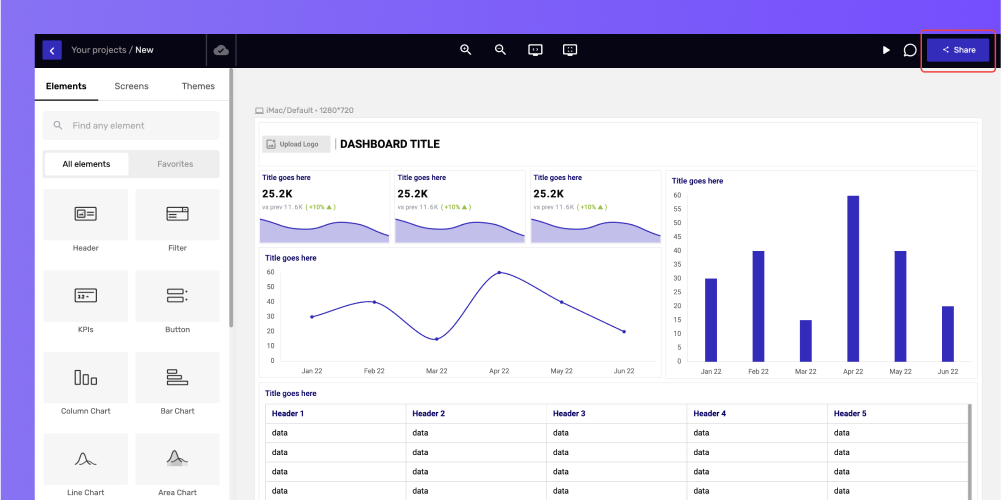
After the button is clicked, share project prompt will appear. Click on the “Export” next to the “Share” option, and it will let you select the format in which you want to export your dashboard wireframe and if you want to export a single screen or a full project.
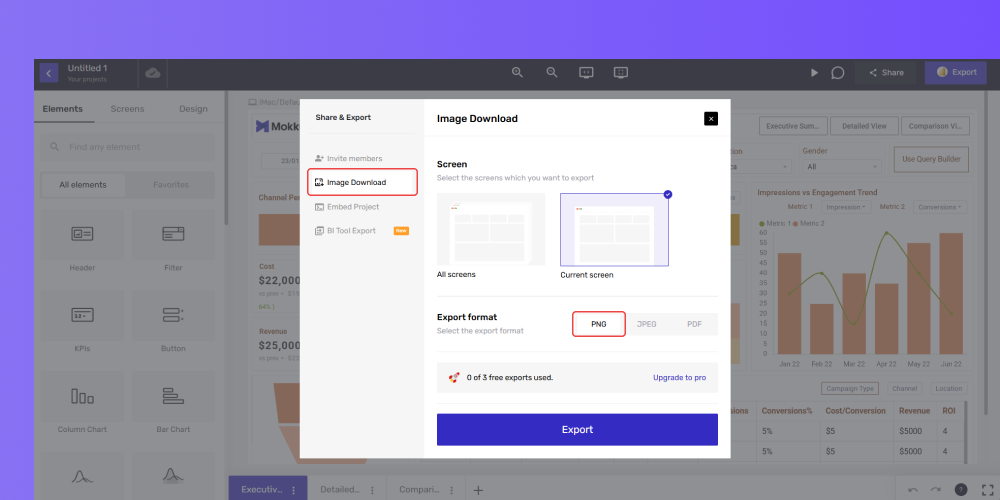
You can select the format you want to export your design, such as PNG, JPEG, or PDF. Then select if you want to either download “All screens” or “Current screen” and click the “Export” button.
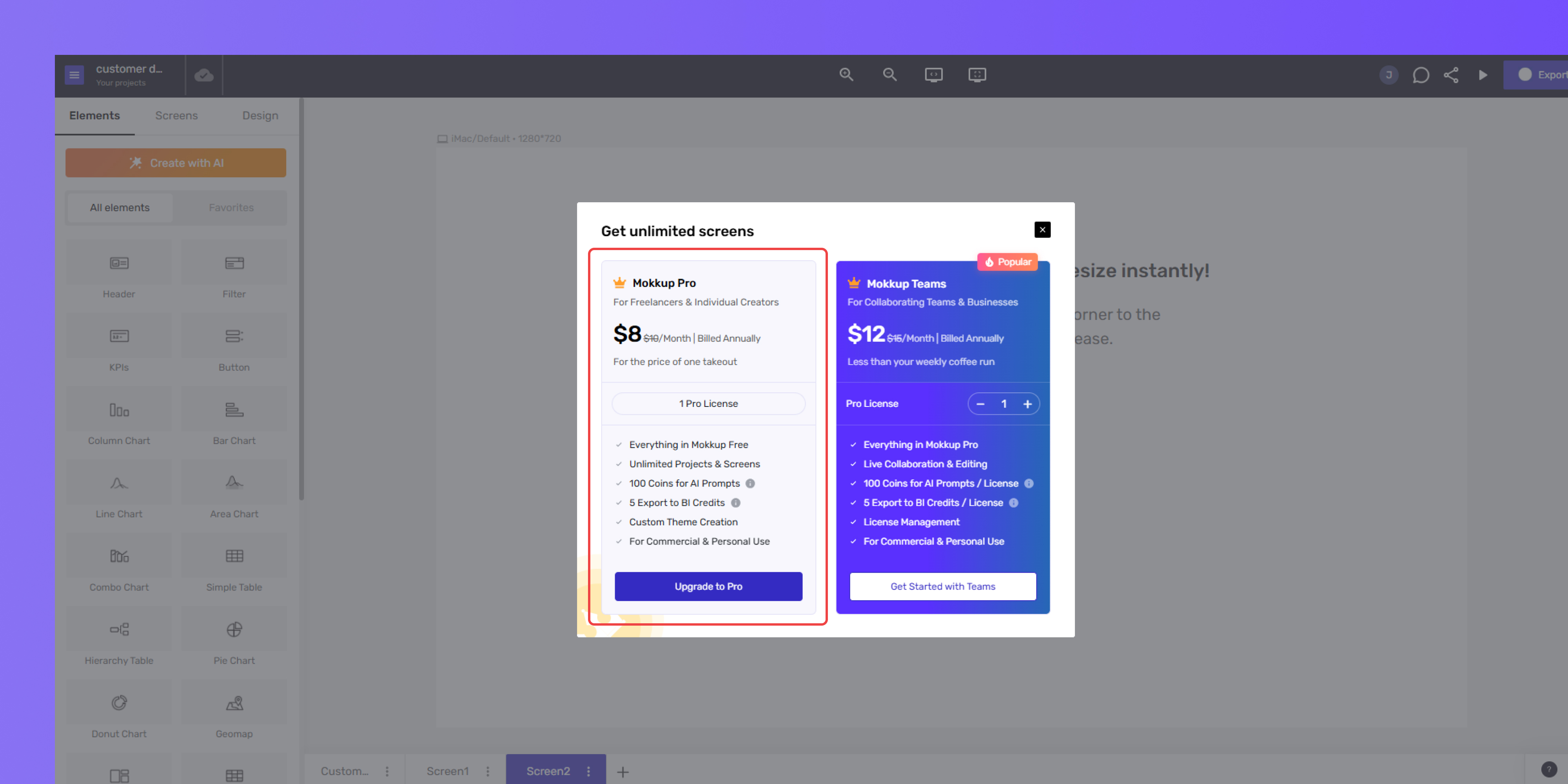
As a free user, you get 3 free image/pdf exports. Once you hit the limit, a pop-up will appear when you try to export, prompting you to upgrade to Pro.
Get more help from our support team if you encounter any issues while exporting the designs.