

Deactivate Your Account
`You can deactivate your Mokkup.ai account anytime.
What will be deleted?
The items that will be deleted from your account:
- Projects and screens
- Favorite elements
- Files in the trash
Deactivate your account
- Log into your Mokkup.ai account.
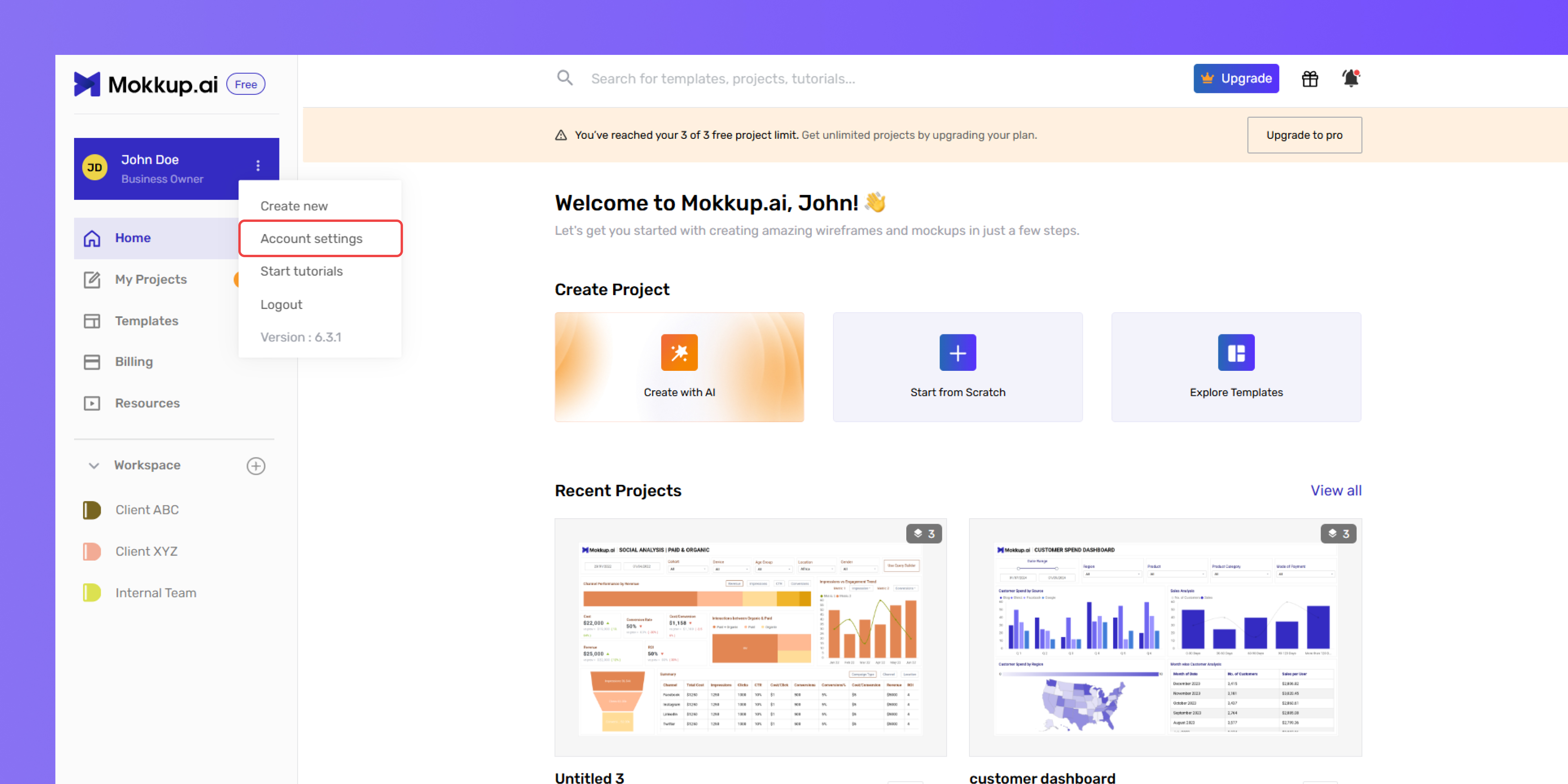
- Click on the three dots icon; next to your name. As shown above. Select “Account settings”.
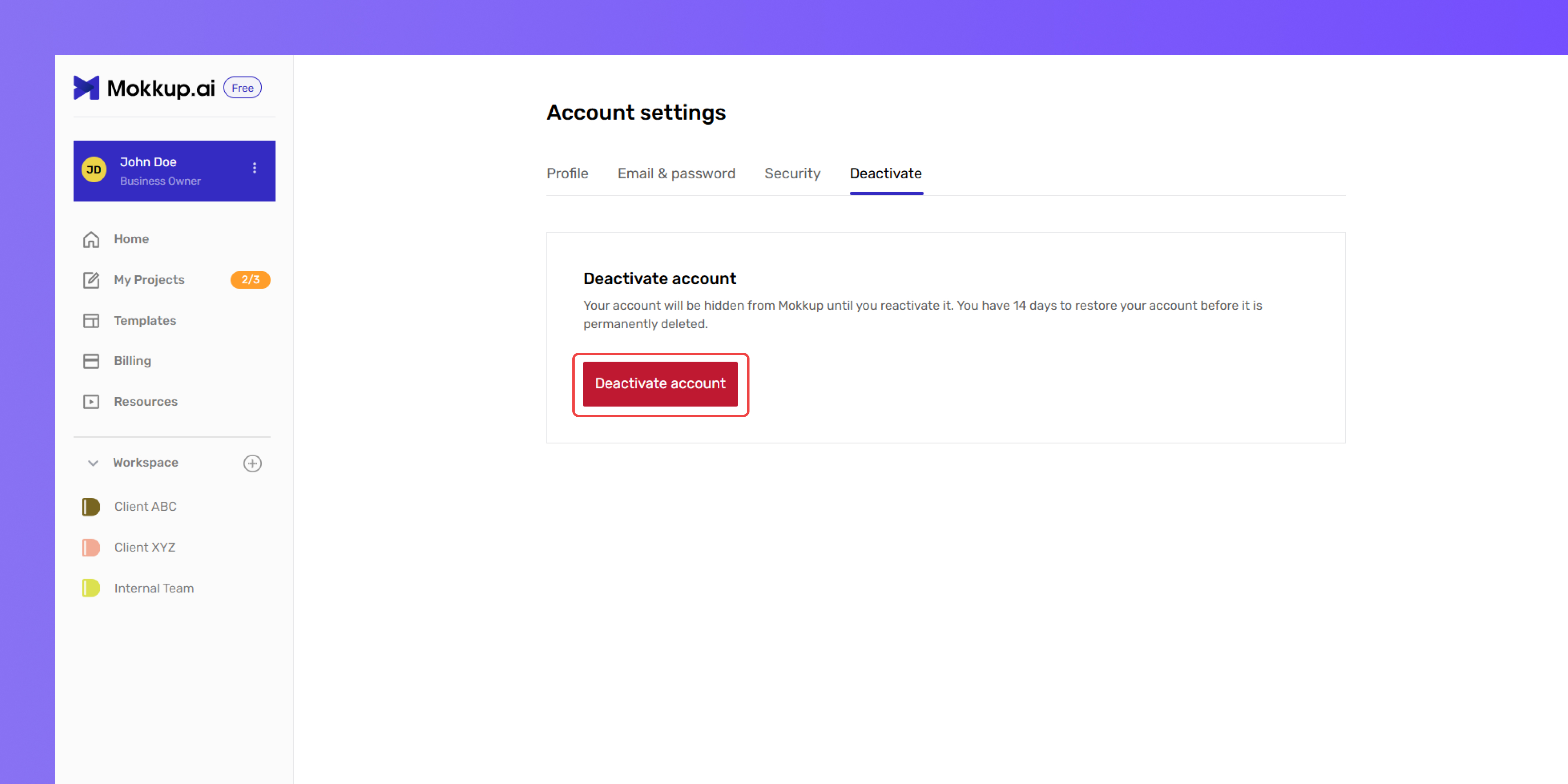
- Go to the “Deactivate” section and click on “Deactivate account”
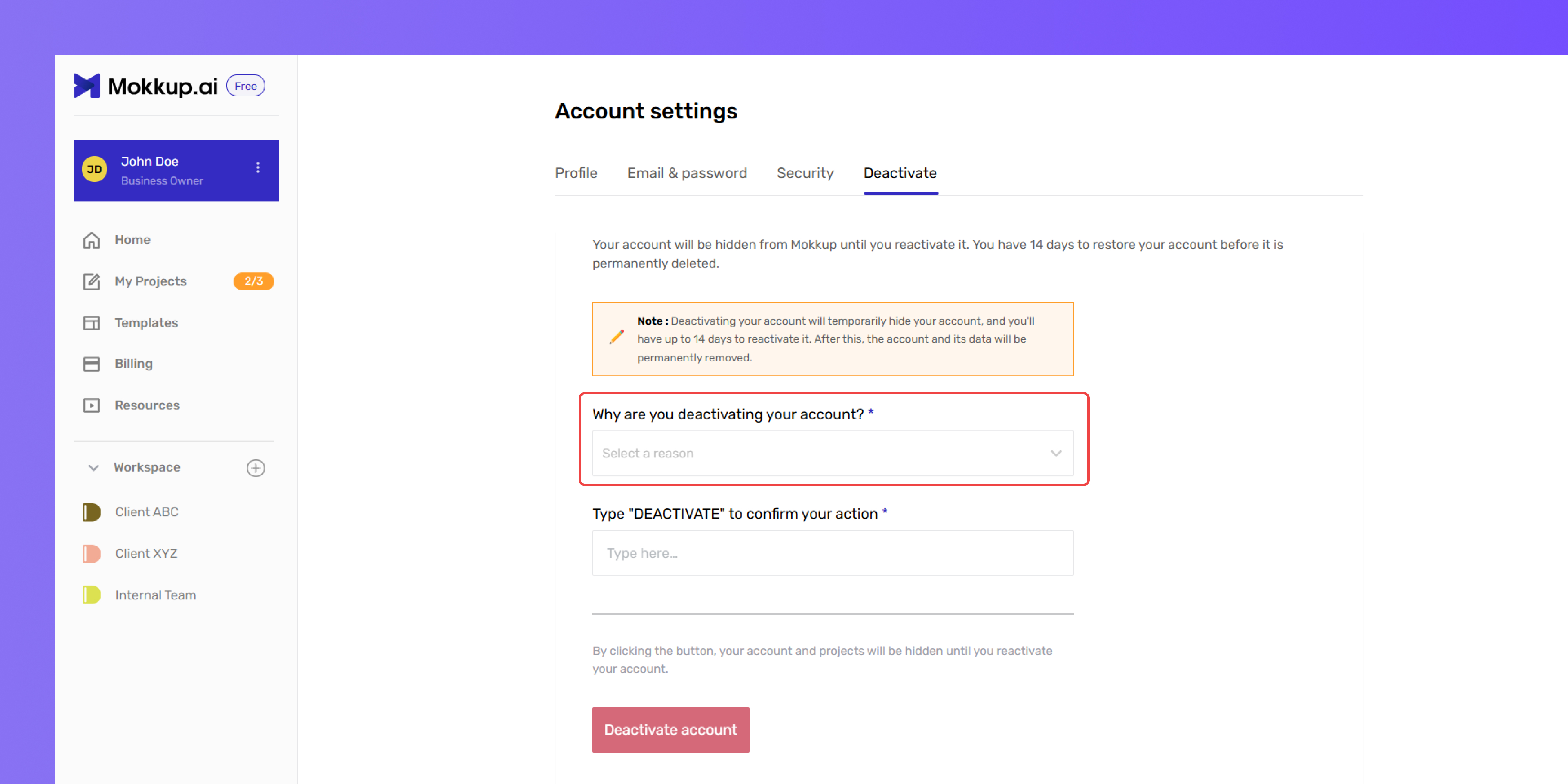
- Select a reason for deactivation from the dropdown menu.
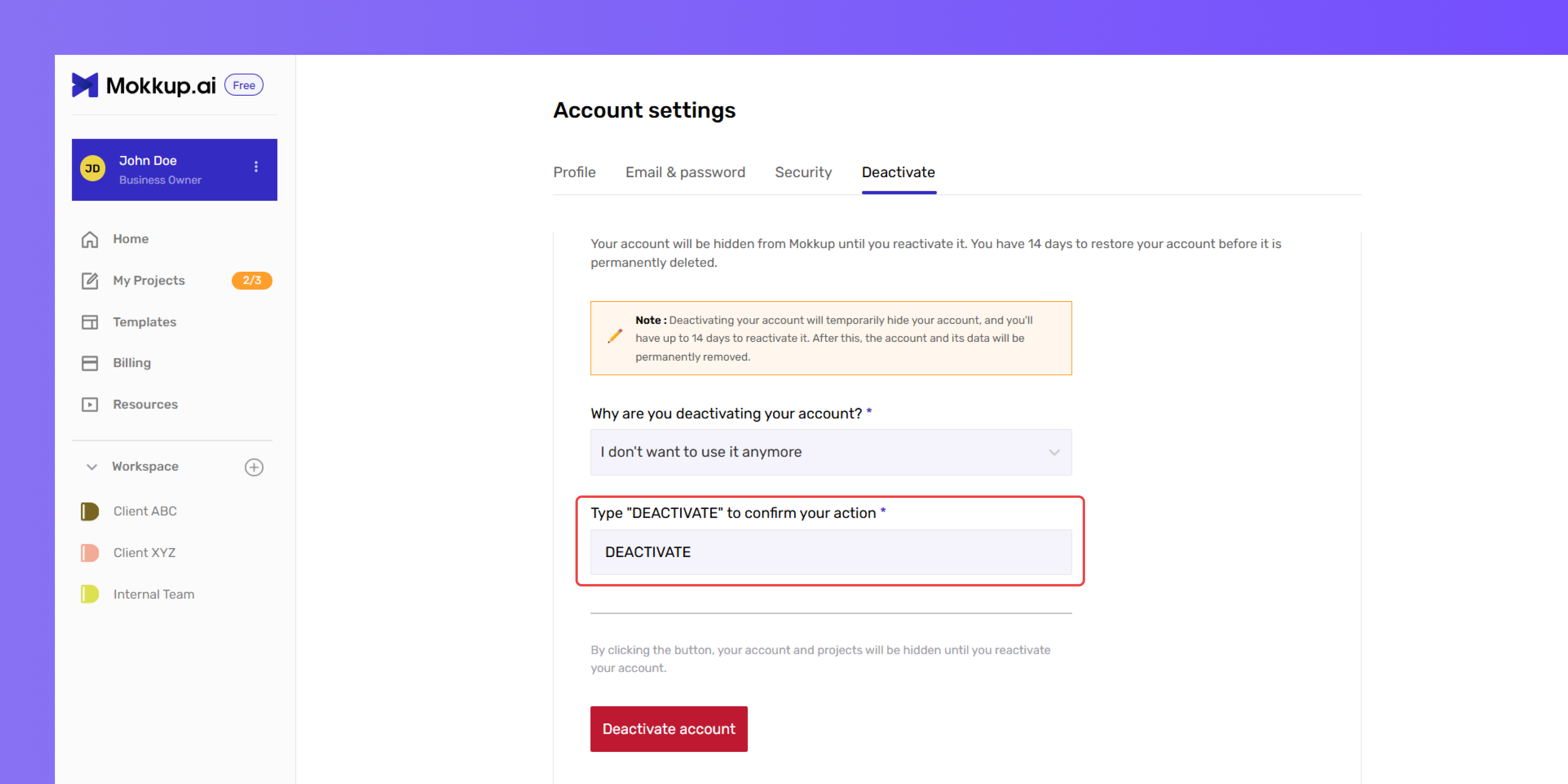
- When prompted, type deactivate in the confirmation field.
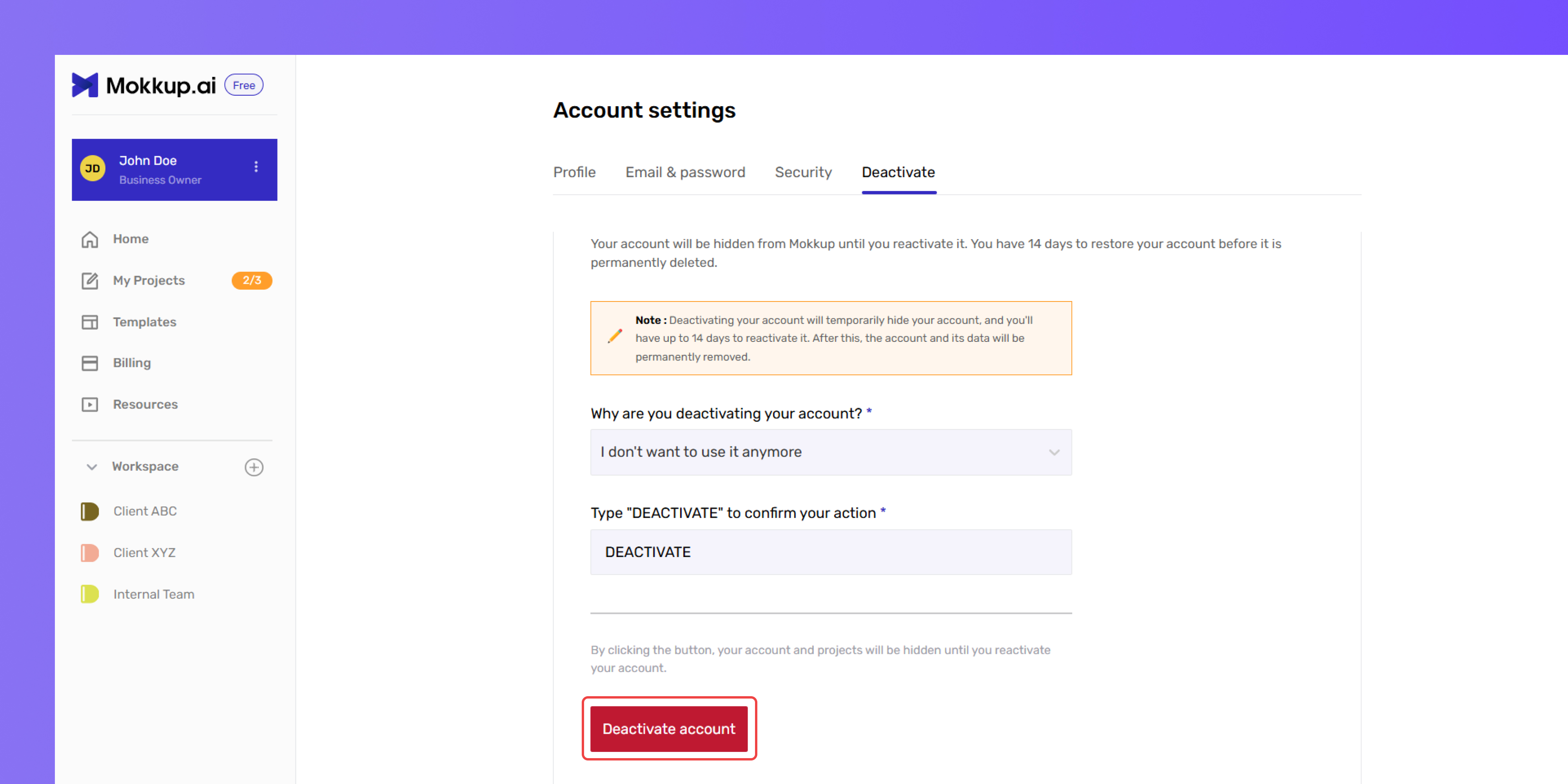
- Click “Deactivate Account” to confirm and complete the process.
Personal Information
Once you deactivate your account, your personal details and any billing information will be removed.
Your account will be hidden from GAFix but not permanently deleted right away.
You’ll have 14 days to reactivate your account before it is permanently deleted from our system.