

Homepage Menu
The dashboard menu can be accessed from Mokkup's homepage. You can browse different options from the left panel on the main page. It will have the following options, as shown below.
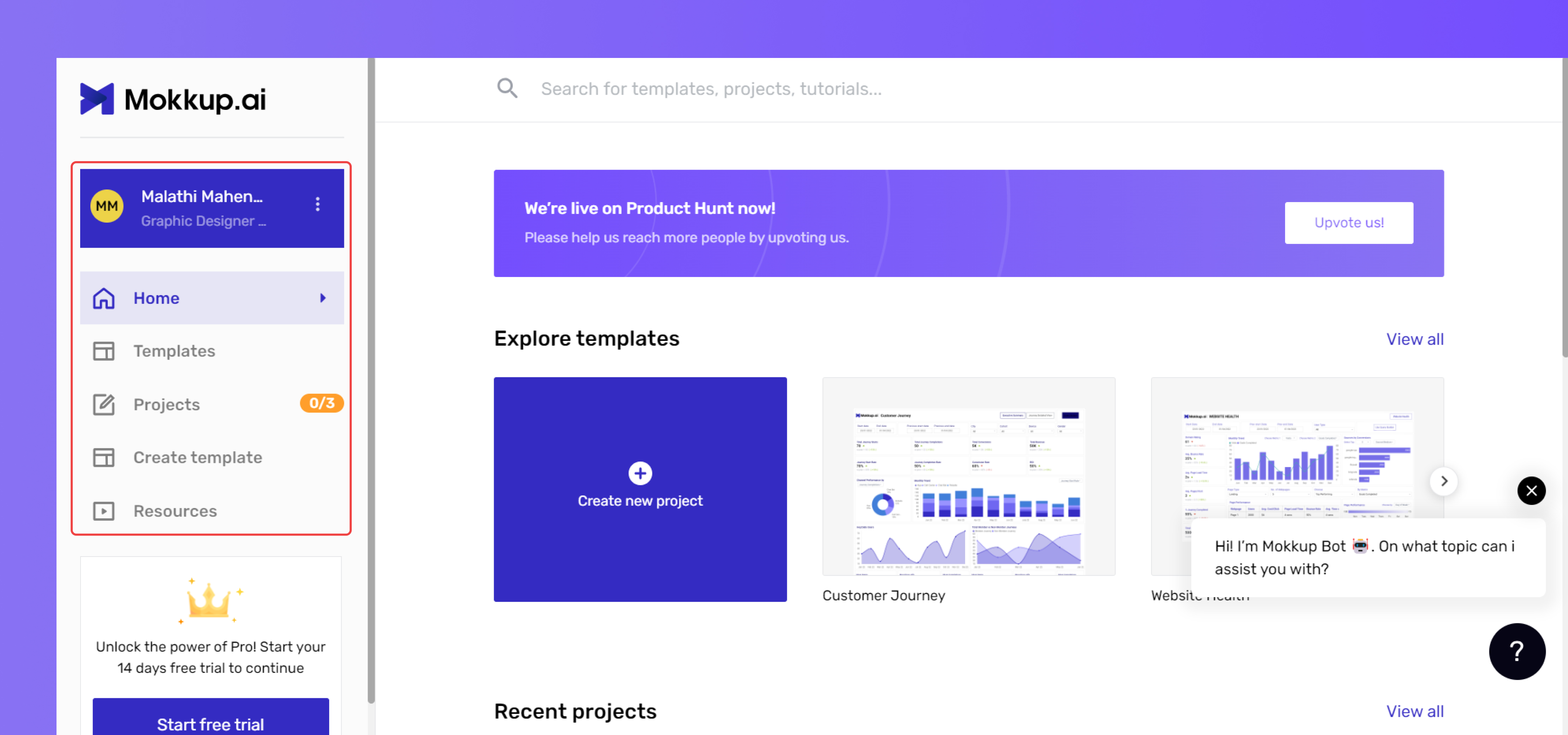
The dashboard menu also lets you control your account settings, such as changing your password and other details.
- The Home menu provides a dashboard view of your home page with various dashboard wireframe categories to browse. From here, you can also start a new project from scratch or jump into the Create with AI feature.
- The Create with AI option lets you generate a complete dashboard wireframe in seconds by simply describing what you need in plain English (for example, "A sales dashboard with monthly revenue, top products, and regional breakdown"). Once generated, you can edit, customize, and export it just like any other wireframe.
- The Templates menu provides access to all eight template categories and dashboard wireframe options.
- In the Projects menu, you can access all the projects you are currently working on, including saved projects. You can also access deleted projects from the "Trash," where they will be permanently deleted after 7 days.
- In the Resources menu, you'll find a dedicated section offering video tutorials on creating Mokkup elements in BI tools like Power BI and Tableau. Additionally, there are resources available to help you use Mokkup efficiently.
Tip: For best results with Create with AI, mention the key metrics, audience, and preferred chart types in your prompt. Each AI generation uses AI coins from your plan.