

Canceling the Pro Plan
You can cancel your Mokkup Pro subscription anytime you want. To do that, you can follow the steps given below.
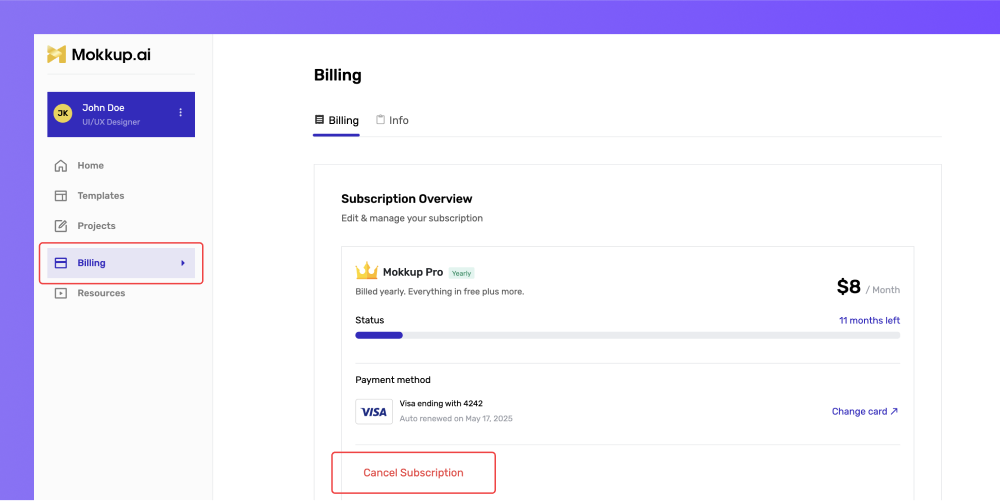
Go to the Mokkup Pro homepage and go to the billing section from the left panel. Click “Cancel subscription” button.
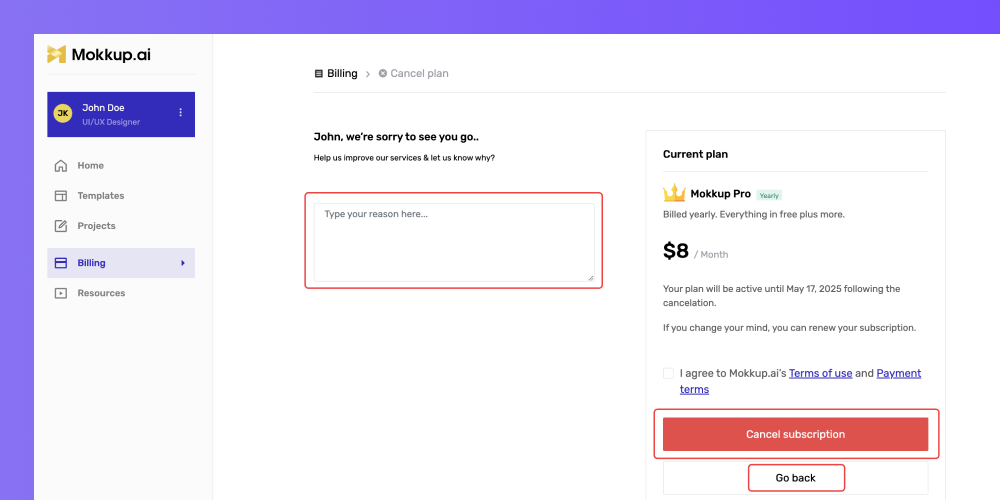
Once you click on the “Cancel subscription” button, you will be redirected to another page. From the left side, you can type the reason for canceling the subscription and then click on the “Cancel subscription” button to move forward with your decision. However, if you don’t want to cancel the subscription, click the “Go back” button below the “Cancel subscription” button.