

Brand Kits Library
Brand Kits Library
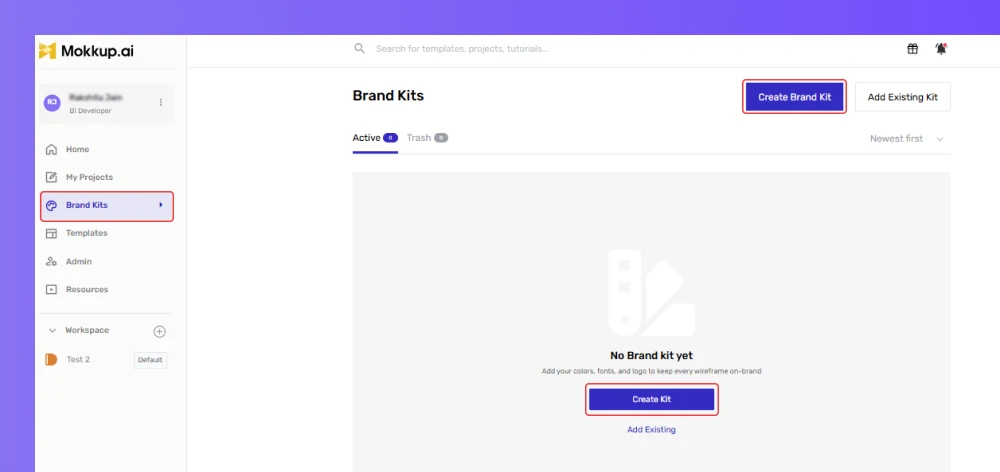
The Brand Kits library holds all your personal brand kits. Only you can see and edit the kits in it.
- Click “Brand Kits” in the left sidebar.
- Click “Create Brand Kit” to start a new kit, or “Add Existing Kit” to add a copy of a kit you already have.
- Switch between the “Active” and “Trash” tabs. Each tab shows how many kits it holds.
- Sort the list by Newest first (default), Oldest first, A to Z, or Z to A.
Each kit in the list shows:
- Kit Title: the kit name with a strip of its colors. Your default kit carries a “Default” badge.
- Used in: how many projects were created with the kit.
- Last edited: when the kit was last changed.
- Action: the ⋮ menu to manage the kit.
Note: Project cards show the brand kit name under the project title, so you can see which kit each project was made with.