

Assigning Enterprise License to a Team Member
Inviting Team Members
-
Log in to your Mokkup account.
-
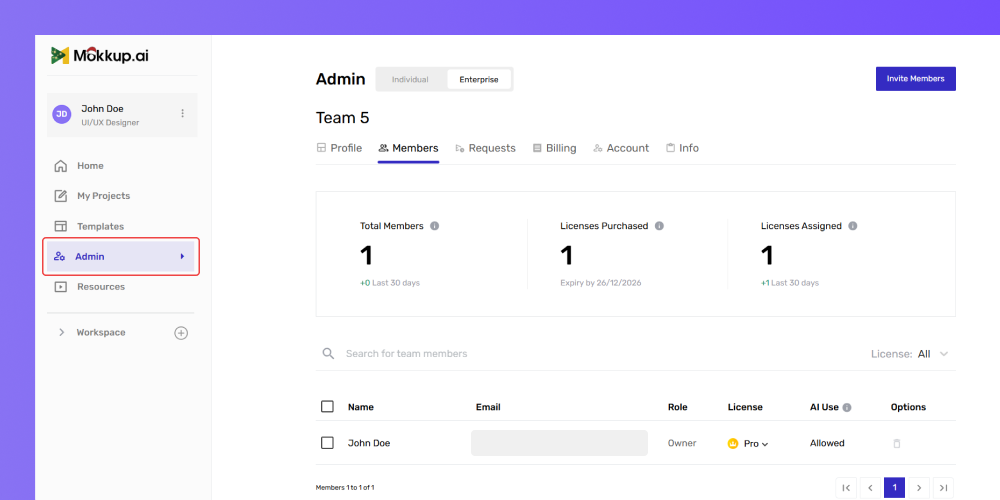
From the left menu, click Admin.
-
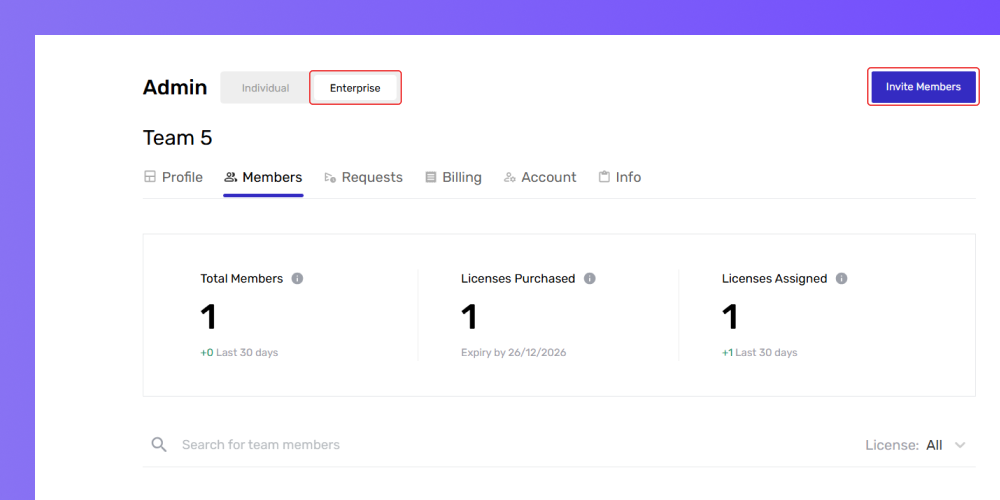
Click the Enterprise tab at the top of the Admin page.
-
On the Enterprise Settings page, click the Invite Members button.
-
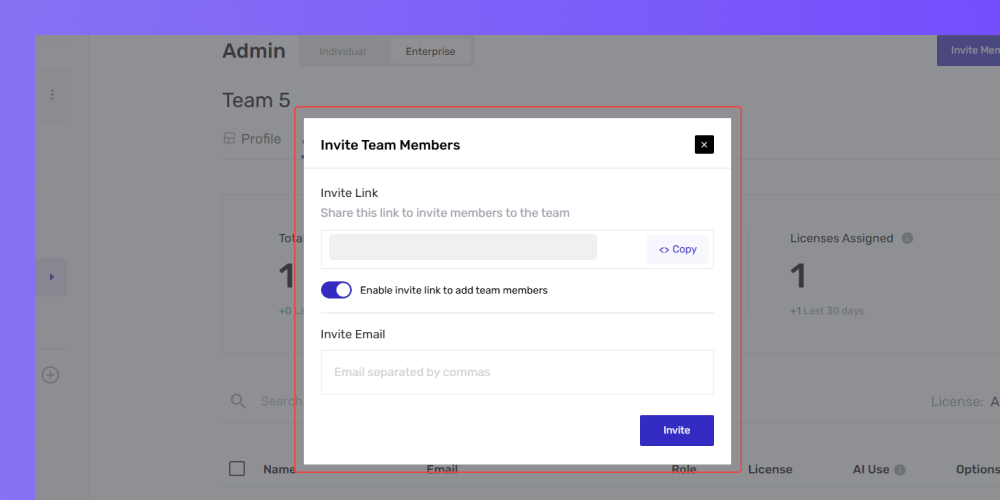
A pop-up form will appear; enter the email addresses of the team members.
-
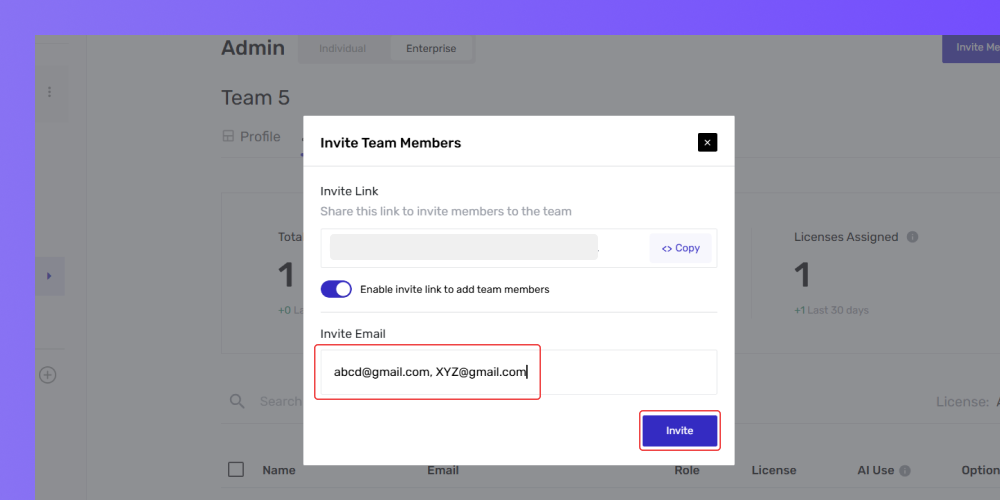
Separate multiple email addresses with commas.
-
Click Invite to send invitations.
-
Enable the team invitation link by toggling the option if desired.
-
Copy the invitation link and share it with team members.
Tip: The invitation link will only work if team invitations are enabled. If the link is disabled, users will not be able to join using the link.
Assigning Pro License to Users
When inviting team members to Mokkup, they’ll initially be assigned a free license by default. As the team grows or specific members require pro features, you can easily upgrade, assign, or remove Pro licenses as needed.
Here’s how to do it:
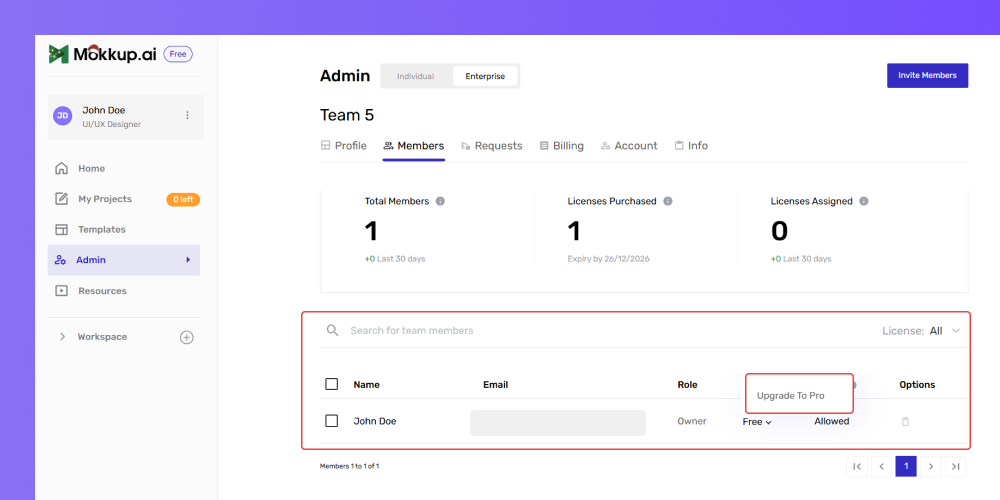
- Go to the Members tab under Enterprise Plan Settings.
- Locate the team member needing a Pro license.
- Look for the License Type option.
- Click on Upgrade to Pro next to their name.
-
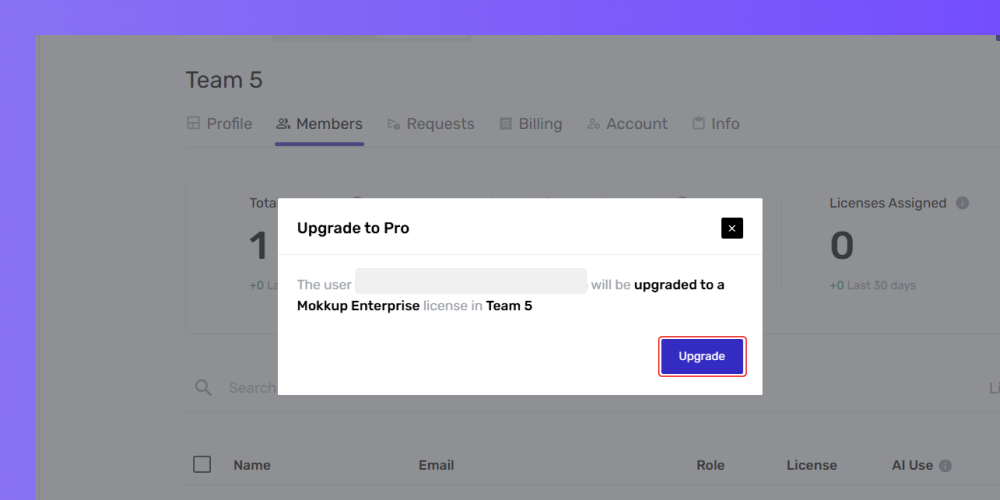
Review the confirmation pop-up details.
-
Click Upgrade to finalize the change.
-
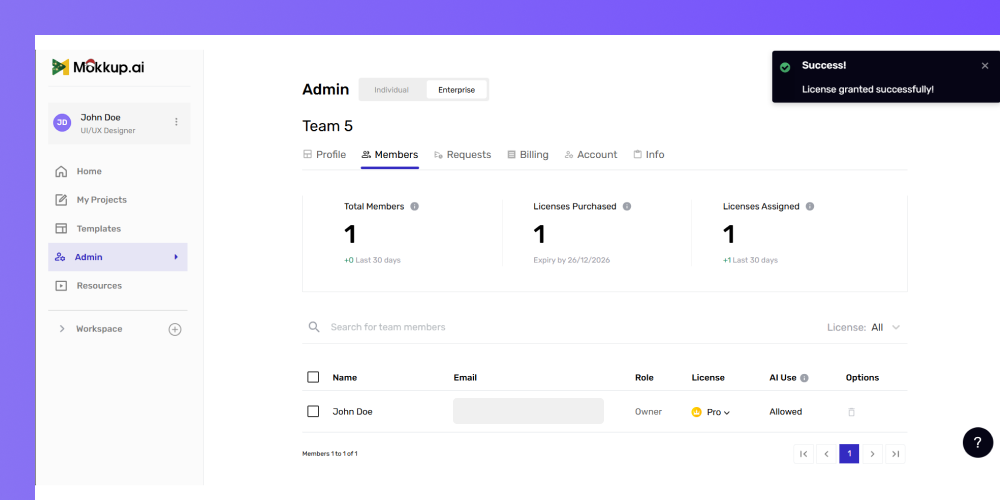
Once assigned, their tag automatically updates to Pro User.
-
The member instantly gains:
-
Unlimited Coins
-
Access to all premium features under the Enterprise Plan
-
Frequently Asked Questions
1. Can I assign a pro license to myself?
Yes, as long as a seat is available.
2. Do Free Users affect billing?
No, only licensed users count toward your subscription.
3. Can Free Users use their own purchased coins?
Yes, they can use their Personal Account coins only.
4. Can I assign the same user a license on multiple teams?
Under the Enterprise Plan, all teams merge into one environment, so this scenario doesn’t occur.